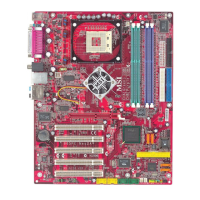
MS-6728 ATX Mainboard
5-2
Introduction
Following are the Parallel ATA (P-ATA) and Serial ATA (S-ATA) device configu-
rations supported by Intel ICH5R.
ATA Operate Mode
There are two modes to select: Legacy mode and Native mode.
Legacy Mode:
--- In this mode, system BIOS just assign the traditional 14 and 15 IRQs to use for
HDD.
--- Older OSs that do not support switch to Native Mode (DOS, Win98/ME...)
should set SATA and PATA to Legacy Mode.
--- Maximum 4 ATA devices to connect.
--- Combine mode and Non-Combine mode.
hNon-Combined Mode:P-ATA devices only .
Maximum of 4 devices.
hNon-Combined Mode: S-ATA devices only.
Maximum of 2 devices.
hCombined Mode: S-ATA devices
P-ATA devices
Maximum of 2 devices each, thus total 4 devices at
maximum.
Native Mode:
--- In this mode, system BIOS will search all available IRQs to use for HDD.
--- New OS that support switch to Native Mode (WinXP, Win2K) can set SATA
and PATA to Native Mode.
--- Comprehend both Legacy and/or Native Modes.
--- Maximum 6 ATA devices to connect (4 for P-ATA & 2 for S-ATA).
MSI Reminds You...
BIOS provides a BIOS setup option for Native Mode or Legacy Mode
user selection. Please refer to P.3-20 On-Chip IDE Configuration for
details.



 To Next Page