1-13
Getting Started
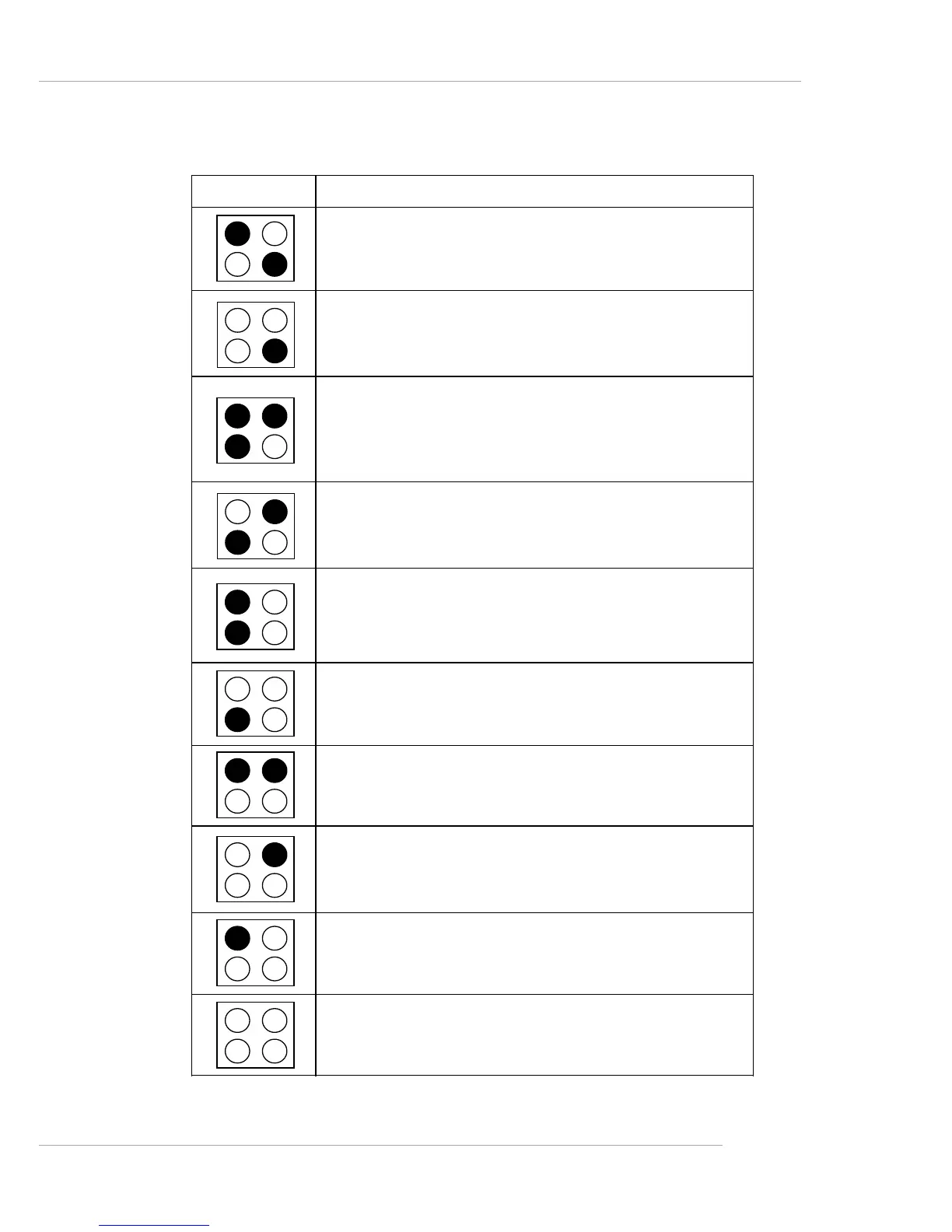
D-Bracket™ 2
Description
Processor Initialization
- This will show information regarding the processor
(like brand name, system bus, etc...)
Testing RTC (Real Time Clock)
Initializing Video Interface
- This will start detecting CPU clock, checking type of
video onboard. Then, detect and initialize the video
adapter.
BIOS Sign On
- This will start showing information about logo, proces-
sor brand name, etc...
Testing Base and Extended Memory
- Teting base memory from 240K to 640K and extended
memory above 1MB using various patterns.
Assign Resources to all ISA.
Initializing Hard Drive Controller
- This will initialize IDE drive and controller.
Initializing Floppy Drive Controller
- This will initialize Floppy Drive and controller.
Boot Attempt
- This will set low stack and boot via INT 19h.
Operating System Booting
1 2
3 4


 To Next Page