En-10
MS-7522 Mainboard
Memory
These DIMM slots are used for installing memory modules. For more information on
compatible components, please visit
http://www.msi.com/index.php?func=testreport
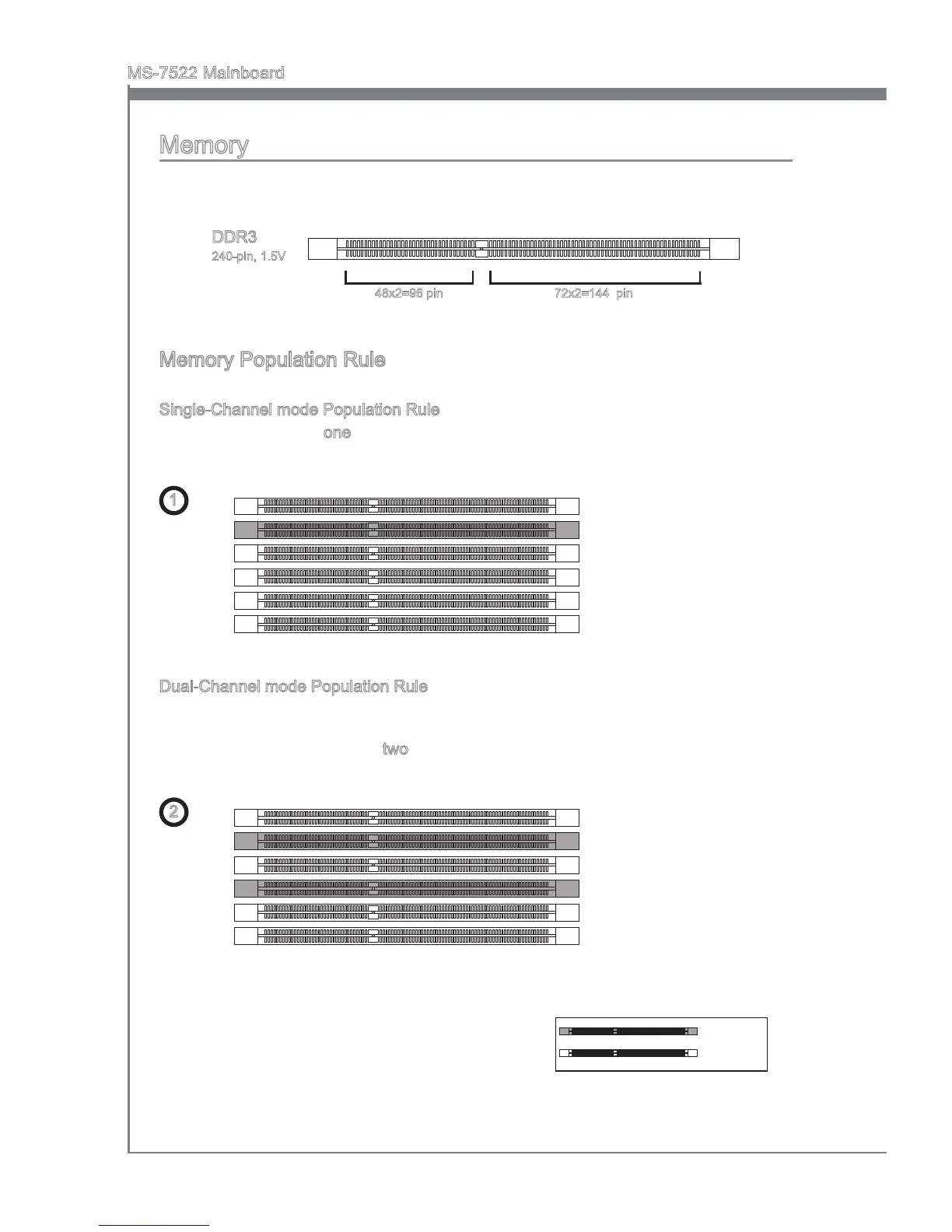
DDR3
240-pin, 1.5V
48x2=96 pin 72x2=144 pin
Memory Population Rule
Please refer to the following illustrations for memory population rules.
Single-Channel mode Population Rule
When you have only one memory module, please always insert it into the DIMM_1
rst.
1
DIMM_2 (Channel_A)
DIMM_1 (Channel_A)
DIMM_4 (Channel_B)
DIMM_3 (Channel_B)
DIMM_6 (Channel_C)
DIMM_5 (Channel_C)
Dual-Channel mode Population Rule
In Dual-Channel mode, the memory modules can transmit and receive data with two
data bus lines simultaneously. Enabling Dual-Channel mode can enhance the system
performance. When you have two memory modules, please always insert them as the
gures shown in below.
2
DIMM_2 (Channel_A)
DIMM_1 (Channel_A)
DIMM_4 (Channel_B)
DIMM_3 (Channel_B)
DIMM_6 (Channel_C)
DIMM_5 (Channel_C)
Installed
Empty



 To Next Page