SLotS
PCI (Perpheral Component Interconnect) Express Slot
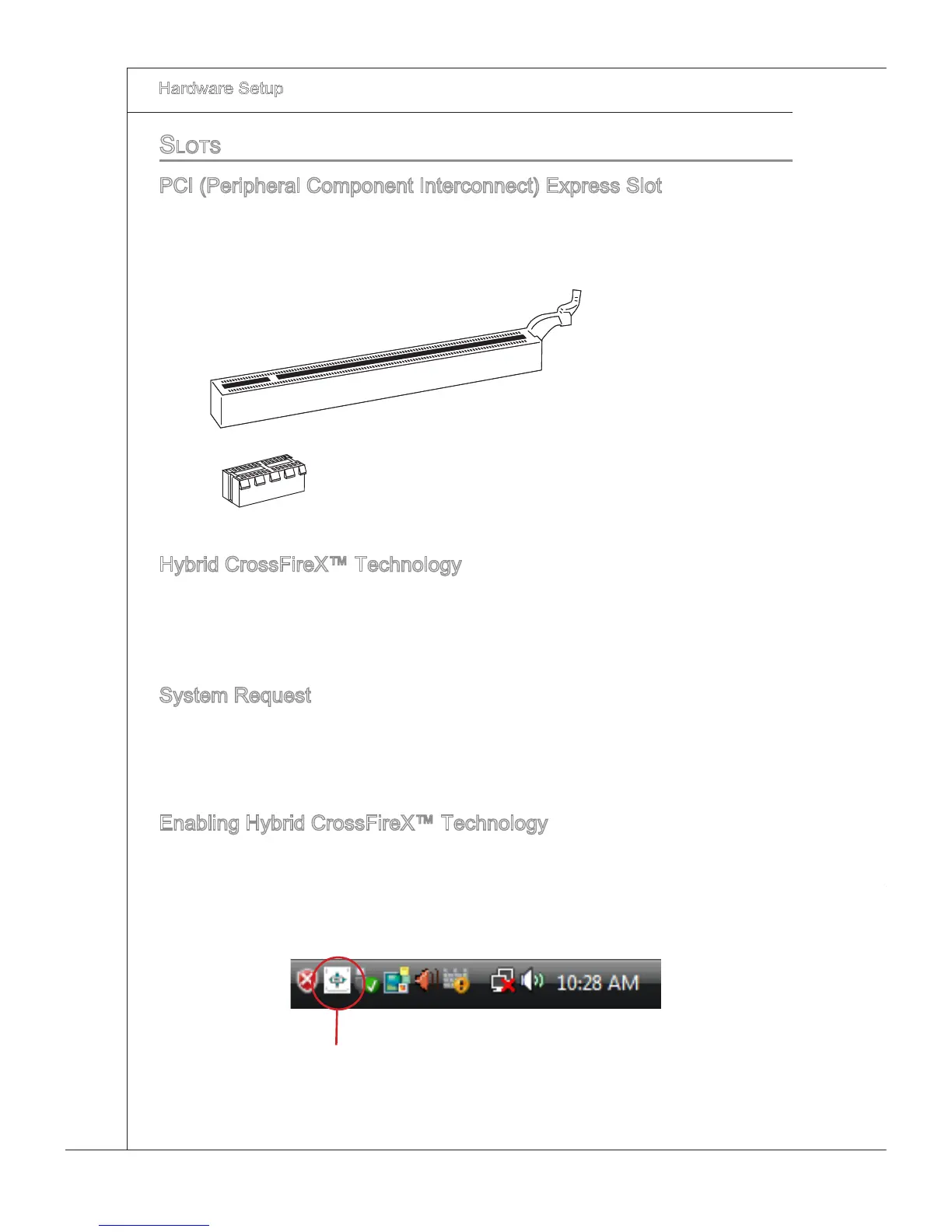
The PCI Express slot supports the PCI Express nterface expanson card.
The PCI Express 2.0 x16 supports up to 8.0 GB/s transfer rate.
The PCI Express x1 supports up to 250 MB/s transfer rate.
PCI Express x16 Slot
PCI Express x1 Slot
Hybrd CrossFreX™ Technology
Hybrd CrossFreX™ technology brngs mult-GPU performance capabltes by enablng
an AMD
®
ntegrated graphcs processor and a dscrete graphcs processor to operate
smultaneously wth combned output to a sngle dsplay for blsterngly-fast frame rates.
Unleash the graphcs performance.
System Request
Hybrd CrossFreX™ s only supported wth the Vsta operatng system.
Graphc card based on an ATI Radeon™ HD 2400 Seres2, ATI Radeon™ HD 3400
Seres or ATI Moblty Radeon™ HD 3400 Seres graphcs processor.
Manboard based on an AMD
®
ntegrated chpset.
Enablng Hybrd CrossFreX™ Technology
Power o the system and nstall the ATI graphc card that supports Hybrd CrossFreX™
technology. After then, power on the system and nstall the drver that Hybrd CrossF
-
reX™ technology. Restart the system and wat for the ATI Icon to show n the System
Tray. Clck the con and then the followng aspect appears n Catalyst Control Center:
Clck ths con.
1.
2.
3.



 To Next Page
 Loading...