En-34
MS-7793 Manboard
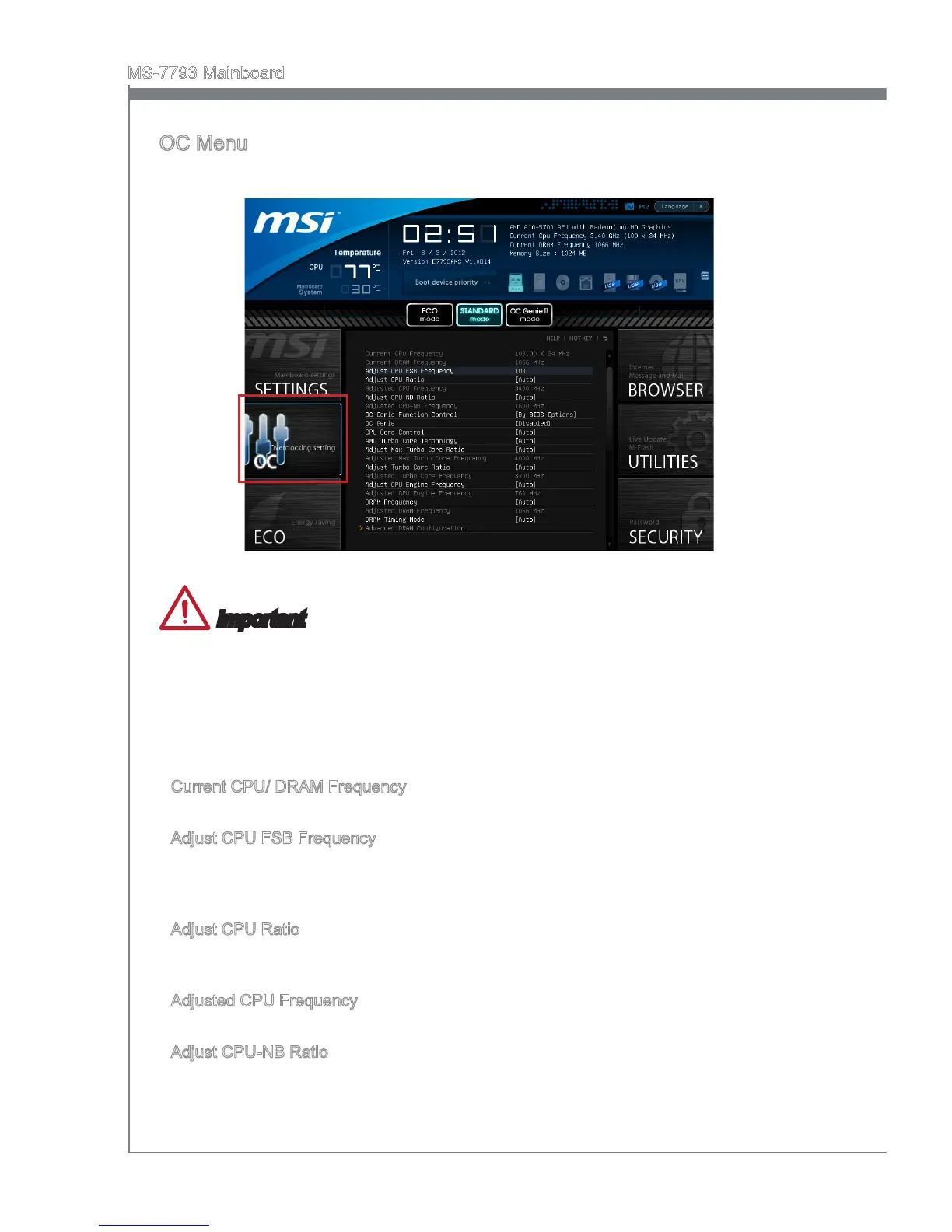
OC Menu
Ths menu s for advanced users who want to overclock the manboard.
Important
Overclockng your PC manually s only recommended for advanced users.
Overclockng s not guaranteed, and f done mproperly, can vod your warranty or
severely damage your hardware.
If you are unfamlar wth overclockng, we advse you to use OC Gene for easy
overclockng.
Current CPU/ DRAM Frequency
These tems show the current clocks of CPU and Memory speed. Read-only.
Adjust CPU FSB Frequency
Allows you to set the CPU FSB frequency (n MHz). You may overclock the CPU
by adjustng ths value. Please note that overclockng behavor and stablty s not
guaranteed.
Adjust CPU Rato
Controls the multpler that s used to determne nternal clock speed of the processor.
Ths feature can only be changed f the processor supports ths functon.
Adjusted CPU Frequency
It shows the adjusted CPU frequency. Read-only.
Adjust CPU-NB Rato
Ths tem s used to adjust CPU-NB rato.
•
•
•
▶
▶
▶
▶
▶


 To Next Page