En-38
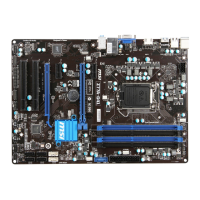
MS-7793 Manboard
CPU Speccatons
Press <Enter> to enter the sub-menu. Ths sub-menu hghlghts all the key features of
your CPU. The nformaton wll vary by model and s read-only. You can also access ths
nformaton at any tme by pressng [F4]. Press <Enter> to enter the sub-menu.
CPU Technology Support
Press <Enter> to enter the sub-menu. The sub-menu shows the nstalled CPU
technologes. Read only.
MEMORY-Z
Press <Enter> to enter the sub-menu. Ths sub-menu hghlghts all the settngs and
tmngs of your DIMMs. Ths nformaton wll vary by model and s read-only. You can
also access ths nformaton at any tme by pressng [F5]. Press <Enter> to enter the
sub-menu.
DIMM1~4 Memory SPD
Press <Enter> to enter the sub-menu. The sub-menu dsplays the nformatons of
nstalled memory.
CPU Features
Press <Enter> to enter the sub-menu.
AMD Cool’n’Quet
The Cool’n’Quet technology can eectvely and dynamcally lower CPU speed and
power consumpton.
Important
To ensure that Cool’n’Quet functon s actvated and wll be workng properly, t s
requred to double conrm that:
Run BIOS Setup, and select OC. Under OC Menu, nd CPU Features > AMD
Cool’n’Quet, and set ths tem to “Enabled”.
Enter Wndows, and select [Start]->[Settngs]->[Control Panel]->[Power Optons].
Enter Power Optons Propertes tag, and select Mnmal Power Management under
Power schemes.
SVM Mode
Ths tem allows you to enable/dsable the AMD SVM (Secure Vrtual Machne)
Technology.
Core C6 State
Ths tem allows you to enable/ dsable C6 state support. When the CPU enters C6
state, all cores wll save archtectural state and reduce core voltages to zero volts.
Wake up the CPU from C6 state wll take a lot longer.
▶
▶
▶
▶
▶
▶
•
•
▶
▶


 To Next Page