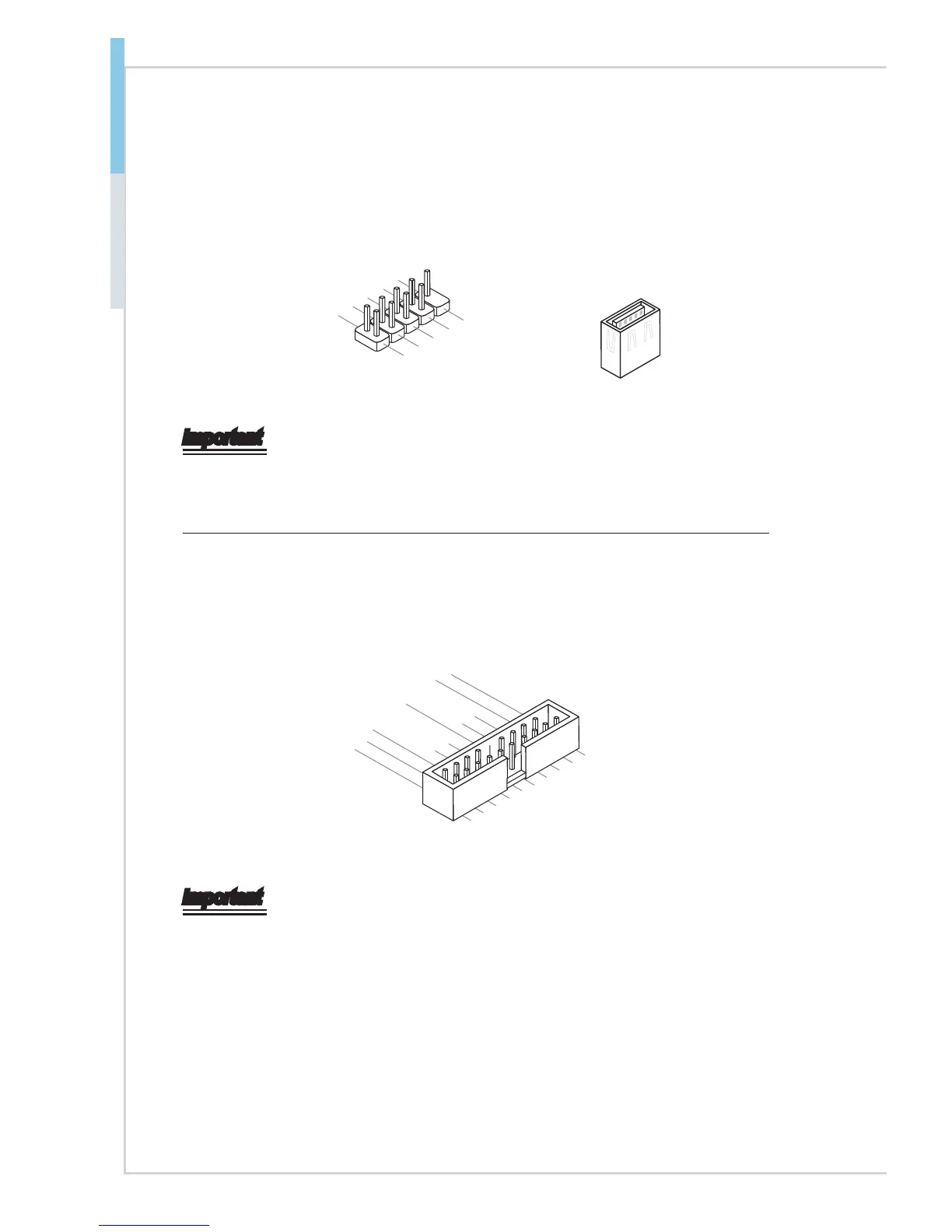
Front USB Connector: JUSB2, JUSB3, USB2
This connector, compliant with Intel
®
I/O Connectivity Design Guide, is ideal for
connecting high-speed USB interface peripherals such as USB HDD, digital cam-
eras, MP3 players, printers, modems and the like.
1.VC
.Ground
6.USB1+
4.USB1-
2.VCC
Important
Note that the pins of VCC and GND must be connected correctly to avoid pos-
sible damage.
USB 3.0 Connector: JUSB1
The USB 3.0 port is backwards compatible with USB 2.0 devices. It supports up
to 5 Gbit/s (SuperSpeed) data transfer rate.
5.USB3_TX_C_DN
4.Ground
3.USB3_RX_DP
2.USB3_RX_D
. +USB2.0
Important
• Note that the pins of VCC and GND must be connected correctly to avoid
possible damage.
• To use a USB 3.0 device, you must connect the device to a USB 3.0 port
through an optional USB 3.0 compliant cable.


 To Next Page