Need help?
Do you have a question about the MSI MS-S1311 and is the answer not in the manual?
Lists all trademarks and their respective owners.
Details the revision history of the document.
Provides information on obtaining technical assistance and resources.
Covers essential safety guidelines for equipment handling and operation.
Introduces the MS-S1311 v1.X server board and its capabilities.
Details the processor, chipset, memory, storage, networking, and graphics.
Details PCIe and Mini-PCIe slots for expansion cards, including warnings.
Describes the rear panel input/output ports for SKU 1 and SKU 2.
Details onboard connectors for fans, USB, front panel, and more.
Specifies motherboard dimensions and mounting hole count.
Compares features between different SKUs.
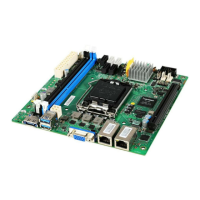
Visual guide showing the location of motherboard components and connectors.
Provides information and precautions for hardware installation procedures.
Details the CPU socket and important installation notes.
Guides on memory installation and recommended population.
Covers storage port locations and specifications.
Details system, CPU, and SATA DOM power connectors.
Describes serial, VGA, and LAN ports, including LED status.
Details fan power, I2C bus, and IPMB connectors.
Details for connecting USB 2.0 devices to front panel headers.
Specifies the 19-pin connector for USB 3.0 devices.
Supports serial-link interface for onboard SATA connectors.
Connector for front panel switches, LEDs, and power indicators.
Connects to chassis intrusion switch for security monitoring.
Provides General-Purpose Input/Output for peripheral modules.
Connector for optional Trusted Platform Module (TPM).
Header for a 16550A high-speed serial communication port.
Header for connecting monitors to the integrated graphics.
Used to clear system configuration data stored in CMOS RAM.
Enables/disables BIOS flash for security or updates.
Allows recovery of the system BIOS by shorting pins.
Details the PCIe slots for expansion cards.
Slot for wireless LAN cards, TV tuners, and other Mini-PCIe devices.
Provides information on configuring the system using the BIOS Setup utility.
Instructions on how to access the BIOS Setup utility via key presses.
Explains the keyboard shortcuts used within the BIOS Setup utility.
Describes how to access the context-sensitive help screens.
Lists the main categories for system configuration.
For basic system configurations like time, date, and hardware specs.
For configuring special enhanced features and system settings.
Enables/disables chassis intrusion detection and warning.
Sets the Num Lock status when the system powers on.
Configures system behavior upon encountering boot errors.
Determines whether to display normal POST messages or a full-screen logo.
Configures maximum payload, latency timer, and error generation.
Enables/disables BIOS support for security devices.
Shows details of the Super IO chip and serial port configuration.
Enables/disables serial ports and configures device/change settings.
Enables/disables console redirection for remote system management.
Configures terminal type, speed, data bits, and parity for redirection.
Specifies transfer rate, data bits, parity, stop bits, and flow control.
Configures VT-UTF8 key support and legacy OS redirection resolution.
Determines if console redirection continues after BIOS POST.
Displays BMC FW revision, product ID, and hardware status.
Shows detailed voltage readings for various system components.
Displays fan speed information for CPU and system fans.
Shows temperature readings for CPU, DIMMs, BMC, and environment.
Provides access to chipset-related settings.
Shows detailed information about the installed processor.
Enables/disables Hyper-Threading technology for improved performance.
Enables/disables the Execute Disable Bit for security.
Enables/disables the hardware prefetcher for memory access.
Enables/disables adjacent cache line prefetching.
Allows configuration of memory frequency and other related settings.
Controls the speeds of specified PCIe slots.
Enables IOAT, VT for Directed I/O, and ASPM support.
Configures XHCI mode and PCI-E ASPM support.
Specifies the SATA controller mode and power management.
Configures hot plugging and staggered spin-up for SATA ports.
Displays ME subsystem information like firmware version and state.
Manages system event log components and erasure settings.
Configures network settings for the Baseboard Management Controller.
Configures IP address, subnet mask, and MAC address for LAN channels.
Selects static or DHCP for LAN channel parameter configuration.
Controls access to the BIOS Setup utility and system boot.
Specifies boot mode and sets the sequence of boot devices.
Saves changes, discards changes, restores defaults, and boots from specific devices.
Provides information on system drivers and utilities for the motherboard.
Instructions for installing drivers and utilities from the included disc.
Lists available drivers for system devices and components.
Provides access to the user's manual in PDF format.
Links to the MSI website for updates and additional information.
 General
| Brand | MSI |
|---|---|
| Model | MS-S1311 |
| Category | Server Board |
| Language | English |

 To Next Page