Boot
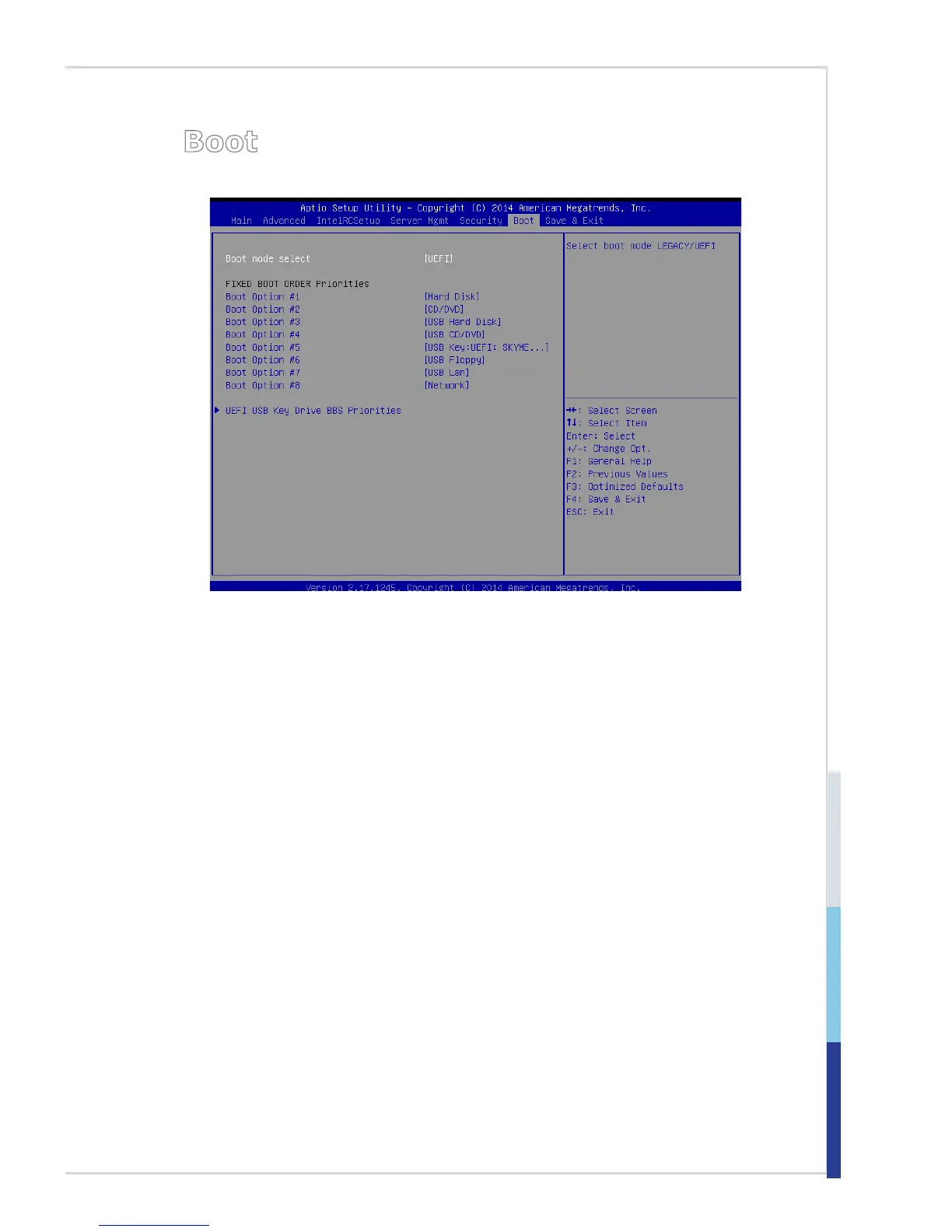
▶Boot Mode Select
Use the setting to specify the boot mode.
▶Fixed Boot Order Priorities, UEFI USB Key Drive BBS Priorities
The items allow you to set the sequence of boot devices where BIOS attempts to
load the disk operating system. First press <Enter> to enter the sub-menu. Then
you may use the arrow keys ( ↑↓ ) to select the desired device, then press <+>,
<-> or <PageUp>, <PageDown> key to move it up/down in the priority list.


 To Next Page