System Operations (Windows 7)
3-10
Wireless LAN
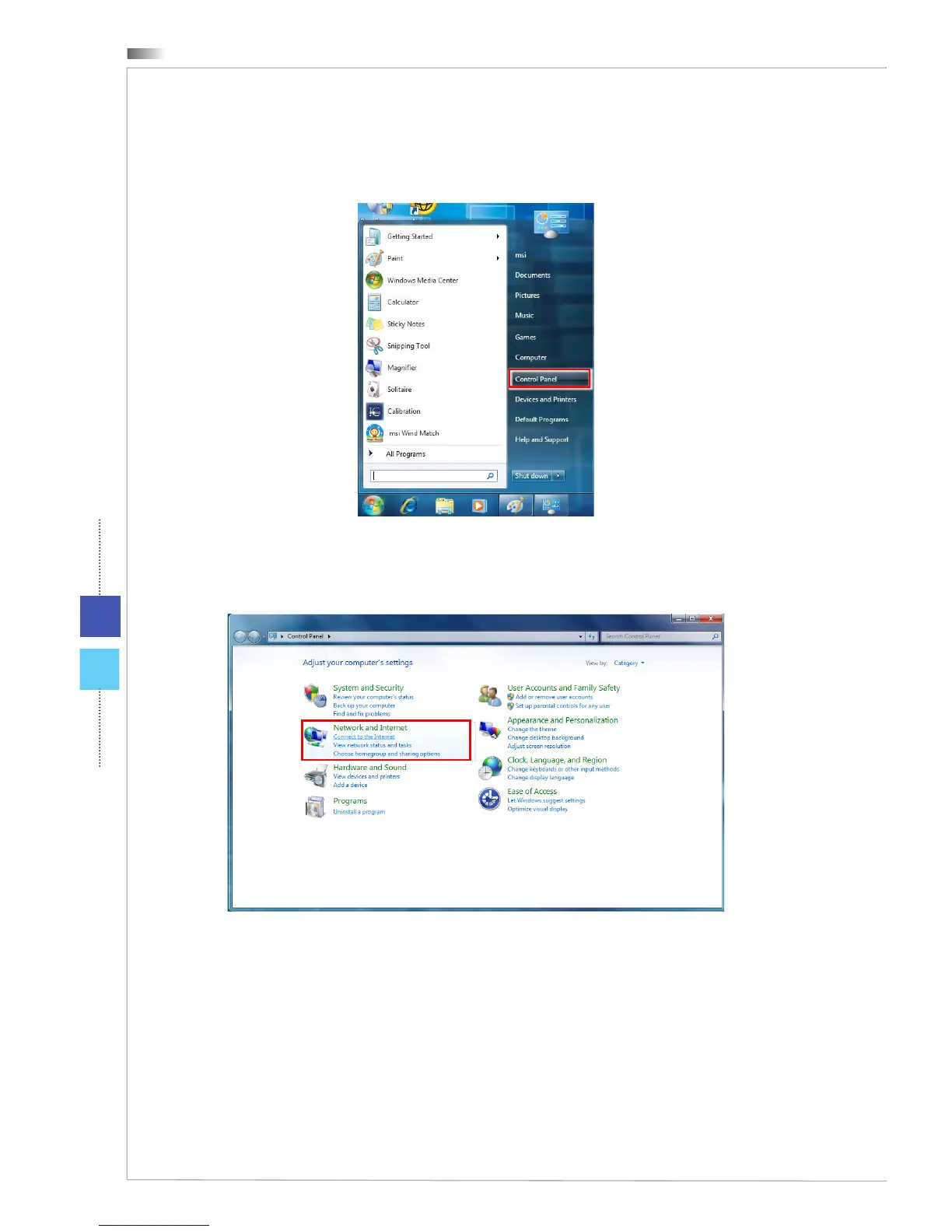
1. Go to [Start] > [Control Panel].
2. Select [Connect to the Internet] under [Network and Internet].
3. Select [Wireless] to connect using a wireless router or a wireless network.
4. A list of available WLAN connections pops up. Choose a connection from the
list or click [Open Network and Sharing Center] to establish a new connec-
tion.
5. To establish a new WLAN connection, select [Set up a new connection or
network] in [Network and Sharing Center].



 To Next Page