4-21
Wind Box Series
Recovery from the Operating System
Refresh PC
The Refresh PC utility checks whether the system les, Windows registry, and
other important system components are working ne or not; on nding issues with
Windows les, it will attempt to repair your PC. If your PC isn’t running well, you
can refresh it without losing your personal les.
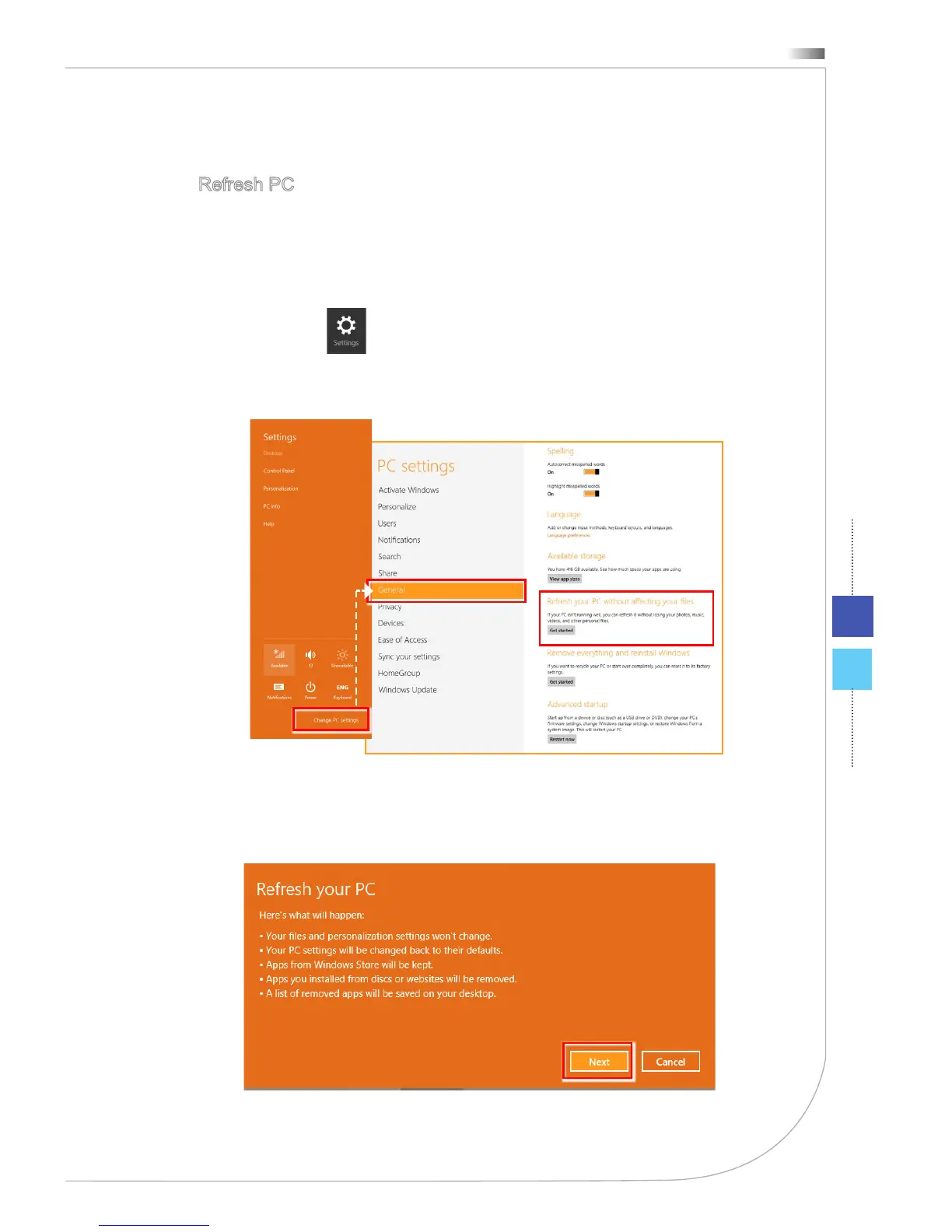
Select [Settings] on Desktop, then “Change PC settings” to enter PC
settings main page > General > Refresh your PC without aecting your les,
and click [Get started].
1.
It will show the changes which will be made during the process, click [Next] to
continue.
2.




 To Next Page