4-17
Wind Box Series
Recovering the System with the Recovery Discs
This section is meant for users to restore your system with the recovery discs that
you created beforehand.
Follow the instructions below to continue:
Insert the recovery disc into the optical disc drive.
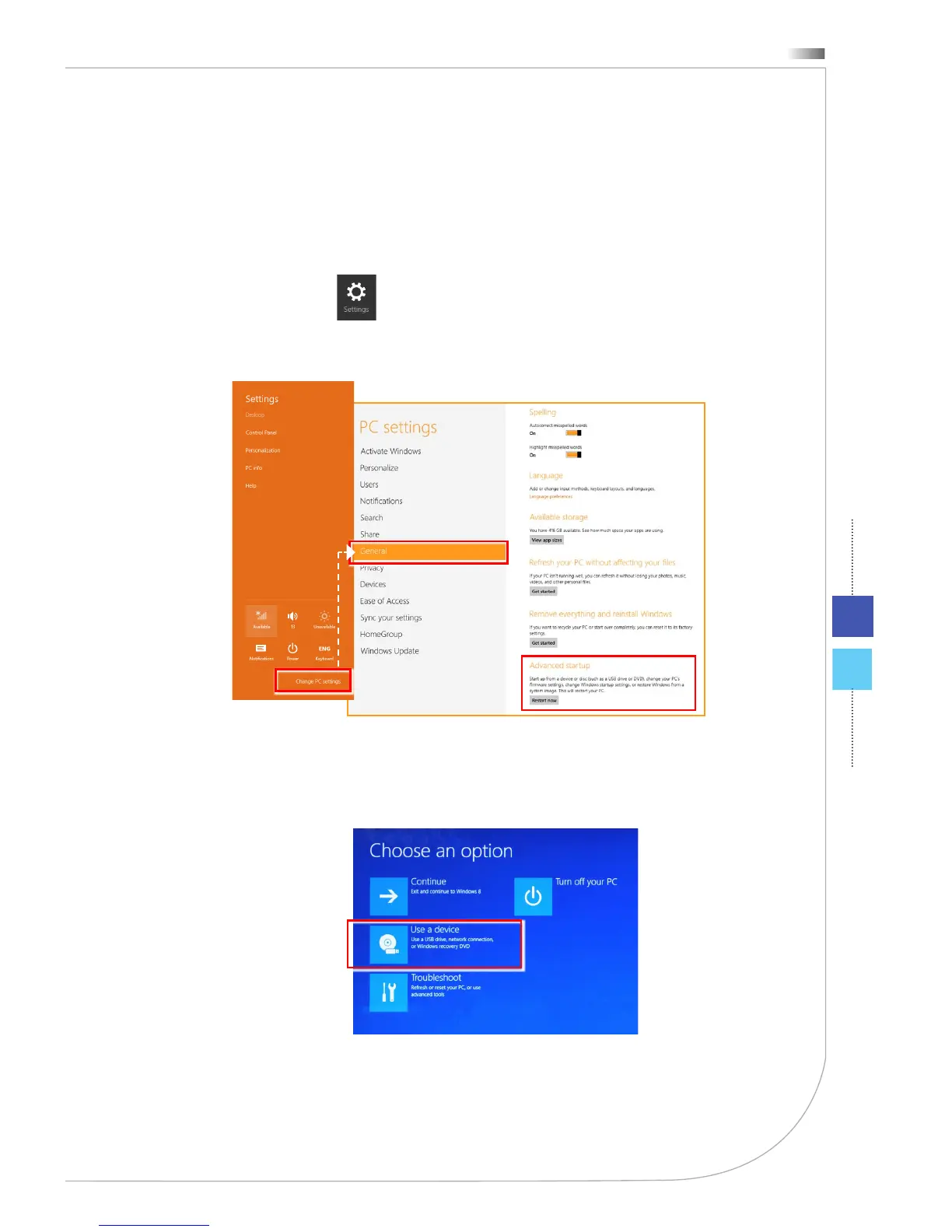
Select [Settings] on Desktop, then “Change PC settings” to enter PC
settings main page > General > Advanced startup, and click [Restart now]
to restart the system.
1.
2.
After booting up, following screen will pop up, select the [Use a device] to
continue.
3.



 To Next Page