Connect one end of the cable to the serial connector located on the black circuit port, then
connect the other end of the cable to the PC and then run the software MFCOM to read or
change the configuration of the mark.
The closing of the beacon, must be done according to the instructions in 4.2.
The MCL100 compact lantern can be programmed externally, with the MFCOM software for
PC. Check the MFCOM manual for more details about the instructions for use. The parameters
that can be programmed are:
- Rhythm of flashes selected from the character table.
- User rhythm set by a technician when the character is not in the standard table.
- Offset day-night in seconds.
- Level settings ON and OFF in Lux.
- Setting low battery voltage alarm levels.
- Setting low LVD voltage disconnect mode.
- Available solar radiation level settings.
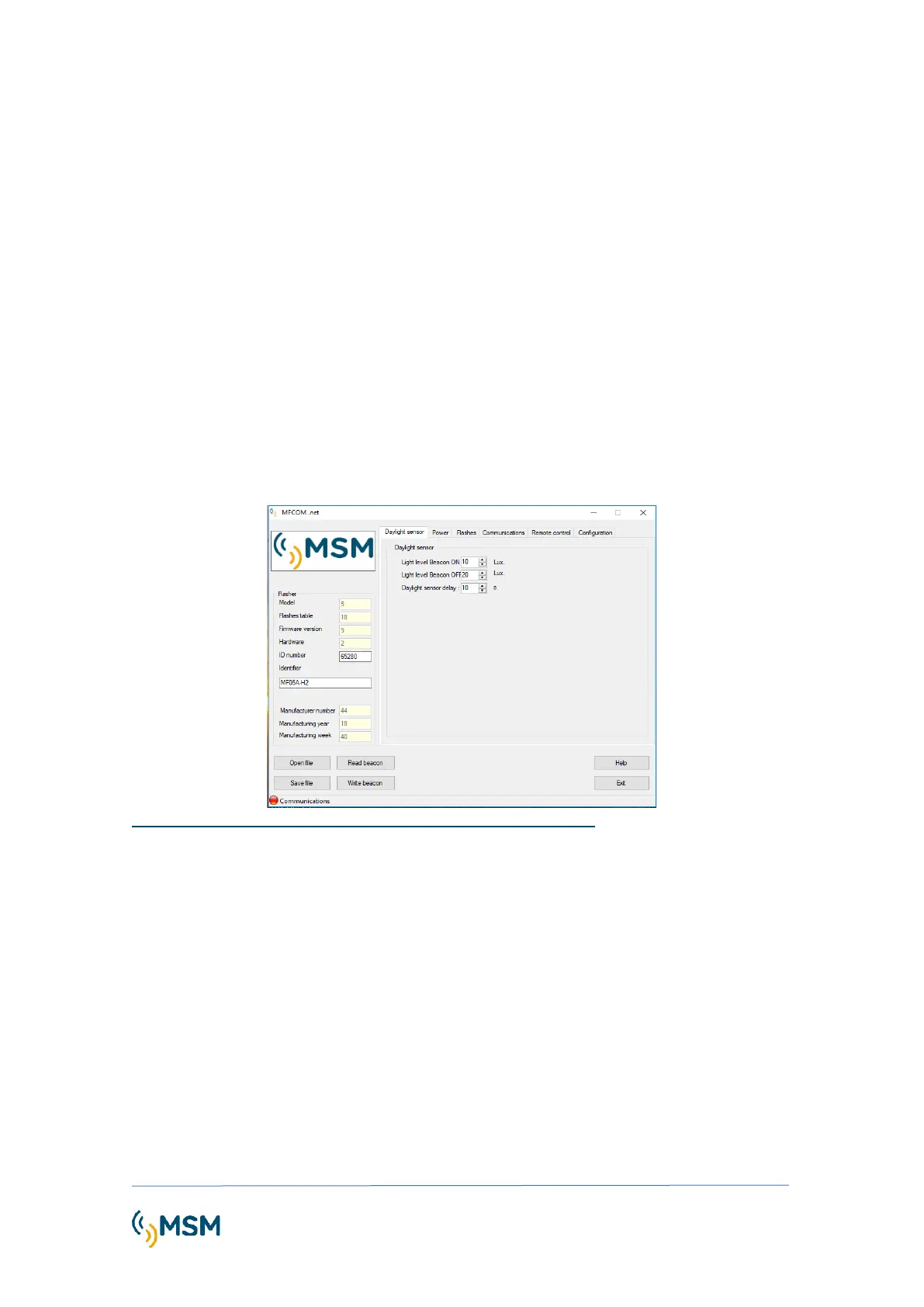
Software MFCOM.net
The MFCOMnet program consists of 6 tabs:
Day Light sensor: Photocell levels and delays in switching-on and -off.
Power: Solar regulation parameter settings.
Flashes: Flash character settings, LVD mode, and edition of flash characters by user. Low battery
voltage alarm settings.
Communications: IR command and remote control for testing settings.
Remote control: Screen to see the current status of the flashlight
Setup: Selection of serial port RS232



 To Next Page