Mounting on a levelled surface
5.2. MOUNTING ON A NON-LEVELLED SURFACE
The use of an adjustable wrench is required. A Phillips screwdriver is required to open the
flashlight and a small flathead screwdriver for wiring.
An adjustable span and a bubble level are required. The MCL100 can be mounted on a flat
surface which can resist 5 Kg minimum. Follow the next steps:
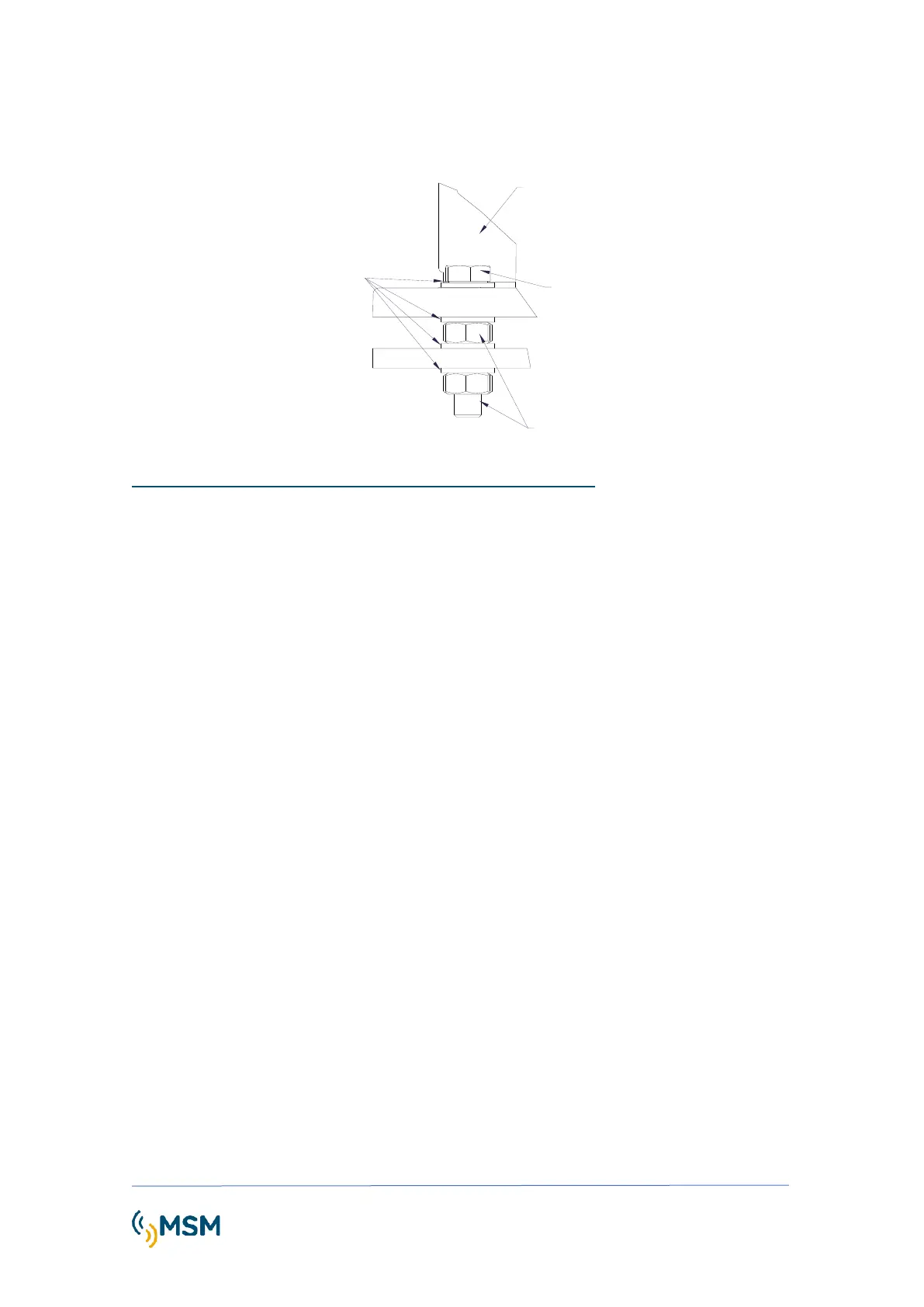
1. Locate the hardware needed: 4 bolts, 4 safety nuts and 8 washers.
2. Make 4 holes of 12mm diameter spaced 90º on a 200mm diameter. Hole template is
shown in Dimensions and Fixing Drawing.
3. Mount the leveling hardware as shown in ¡Error! No se encuentra el origen de la
referencia..
4. Check visually the leveling by adjusting the nuts as required.
5. Level the lantern base by using a bubble level device in X direction.
6. Check visually the leveling by adjusting the nuts as required.
7. Level the lantern base by using a bubble level device in Y direction.
8. Check visually the leveling by adjusting the nuts as required.
9. Repeat steps 5 and 7 if required.
10. Once the lantern is leveled, fix the upper nuts smoothly to fix the lantern.



 To Next Page