82
PINcode ChangePINcode
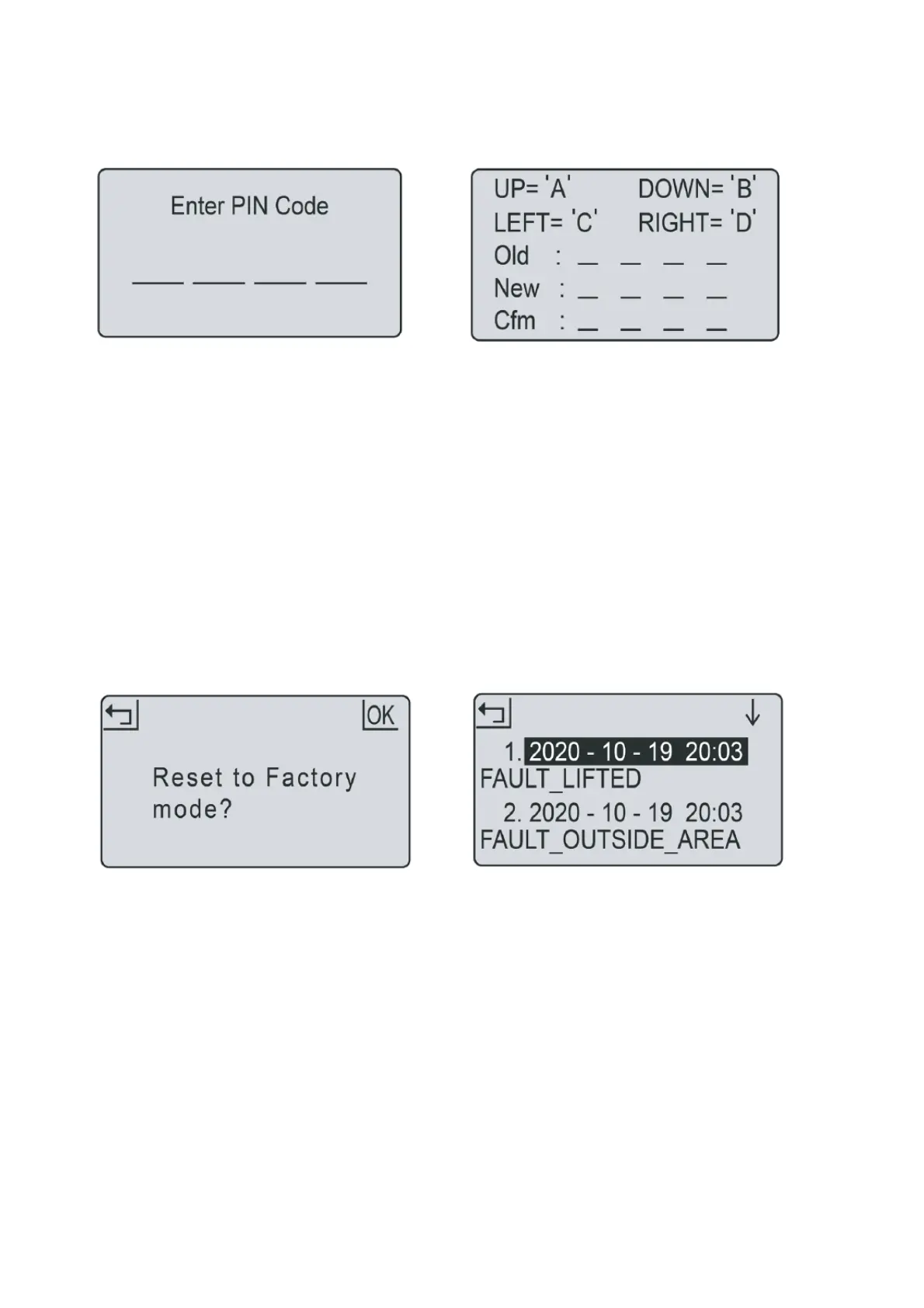
1.PINcodeshouldbeenteredafterpoweringon,
pressingSTOPbutton,andbeforeclearingerror
statusandchangingPINcode.
2.IfthePINcodeisincorrect,thescreenwillshow
“PINwrong,pleaseretry“.
3.IfthePINcodeisentered
incorrectly3times,the
screenwillbelockedfor15seconds.Thelock
timewilldoubleforfurtherincorrectentries.
1.PressOKbuttontoentersub‐menu1.
2.Select„setting“toentersub‐menu2.
3.Select„changePIN“.
4.EntertheoriginalPINcode.
5.EnternewPIN
code.
6.EnterthenewPINcodeagain.(„Newpasswords
donotmatch“willbeshownforinconsistent
passwords.)
7.PressOKbuttontoconfirm.
Factoryreset Errorlog
1.PressOKbuttontoentersub‐menu1.
2.Select„setting“toentersub‐menu2.
3.Select„factory
reset“.
4.Thescreenshows„Resettofactorymode?“
5.PressOKbuttontoconfirm.
1.PressOKbuttontoentersub‐menu1.
2.Select„setting“toentersub‐menu2.
3.Select„information“toentersub‐menu3.
4.Select.
5.Thepast10records(includingdate,time
and
errormessage)willbeshown.
Intheeventofmalfunction,theerrorlogwill
recordallactionsandcanbeusedforservice
maintenanceandfaultfinding.



 To Next Page