6.14.4 Drive belt – Replacement
Preconditions
☑ Engine is stopped and starting disabled.
Special tools, Material, Spare parts
Designation / Use Part No. Qty.
Drive belt
(→ Spare Parts Catalog)
Fan drive – Drive belt replace-
ment
1. Remove protective cover from radiator.
2. Remove fan.
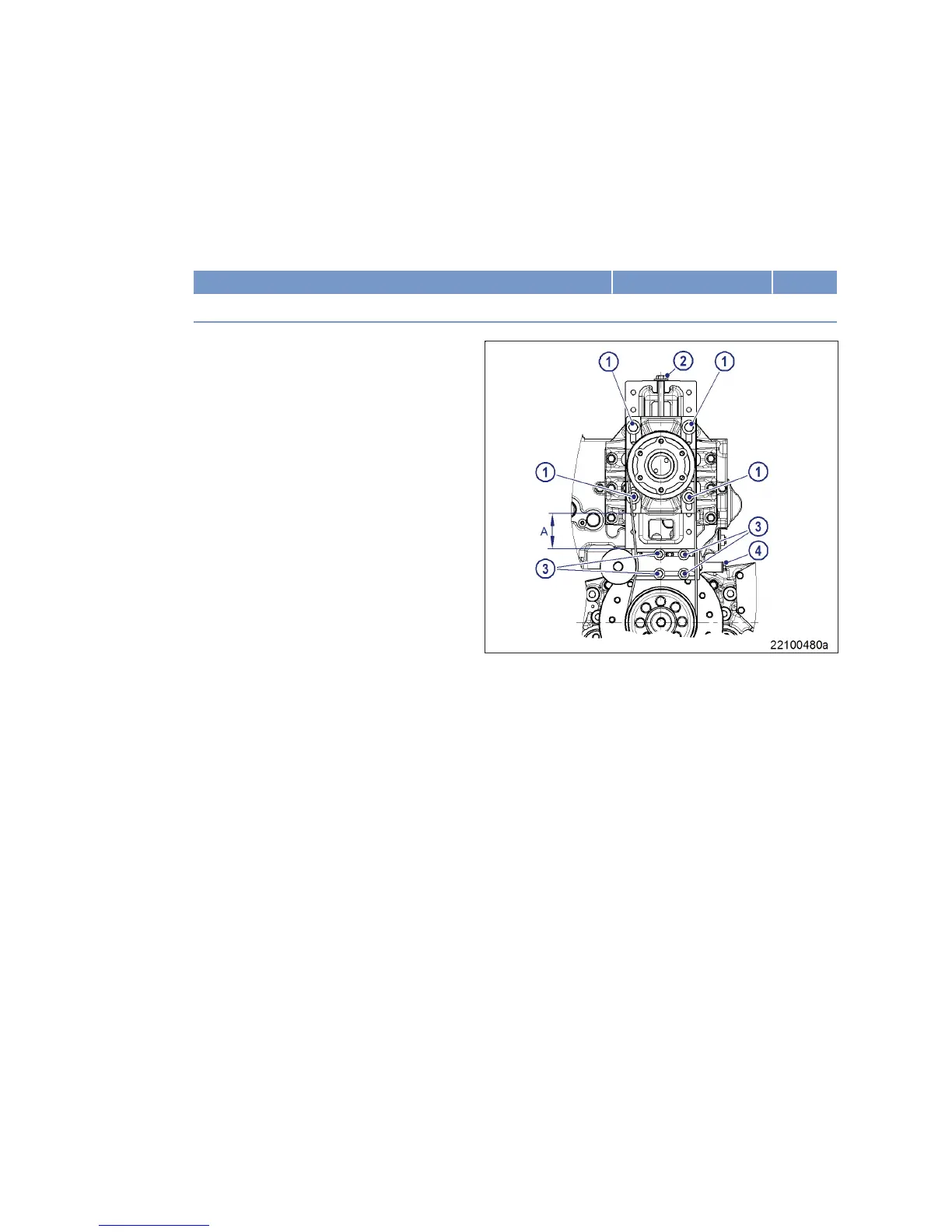
3. Slacken off securing screws (1).
4. Screw out screw (2) as far as necessary to al-
low drive belt removal.
5. Check belt pulley on radiator bearing mount
and crankshaft for contamination and clean if
necessary.
Note: When placing the drive belt in the grooves, no
force must be applied.
6. Fit new drive belt.
7. Screw in screw (2) until distance (A) is 100
mm.
8. Adjust and check drive belt tension
(→ Page 130).
9. Install fan.
10. Install protective cover.
132 | Task Description | MS150094/02E 2015-05
TIM-ID: 0000025462 - 002



 To Next Page