Multi-User Sharing
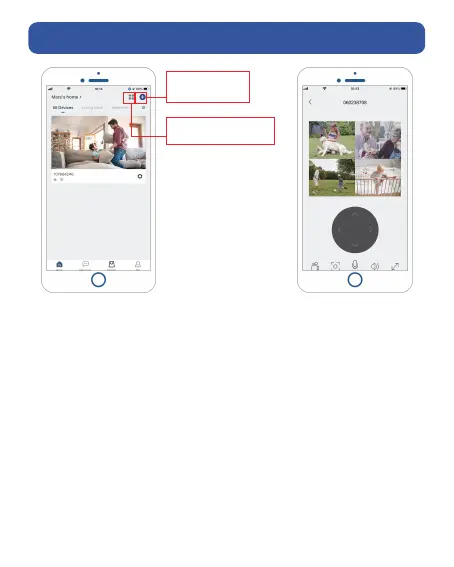
Click '+'to add
more devices
Watch 4 cameras
live at the same time
Camera can be shared to others in two ways:
1. Let her/him view but cannot control the camera.
2. Let her/him view and control the camera.
Share steps:
1. Camera User download App to his/her phone and
register his new account in App.
2. Click 'Add' in App on Camera Owner's phone.
3. Camera Owner scan Camera User's QR Code or input
Camera User's account ID.
4. Camera User accept share.


 To Next Page