Galvanized Box Fan 130
INS00025-A Original instructions ENGLISH | 13
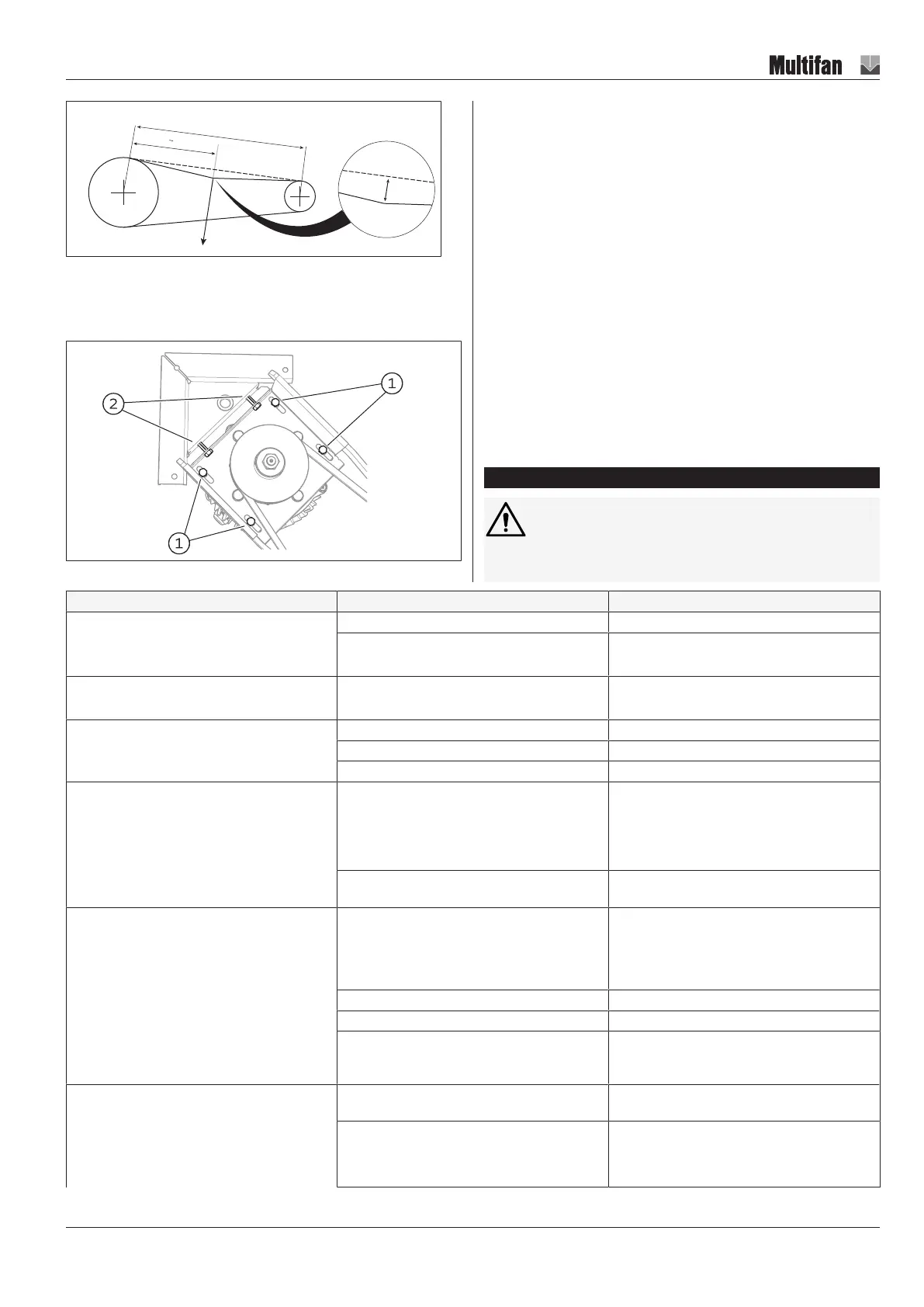
Illustration23: V-belt tension check
Adjusting the V-belt tension
The V-belt tension in this fan can be adjusted by adjusting the mounting
position of the motor.
Illustration24:
1. Loosen the bolts (1)
2. Tighten the bolts (2) until the required V-belt tension has been reached
3. Fasten the bolts (1) again
Capacitor (1~ fan motor)
Capacitor capacitance decreases slowly over time. Average lifespan is ±
30.000 hours. Replace the capacitor when the capacitance has dropped
below the value as listed on the capacitor.
Start capacitor (1~ fan motor)
The start capacitors’ lifespan is 500.000 starts. Replace the start capacitor
when the number of starts has reached 500.000.
The start capacitor cannot be serviced or repaired. The start capacitor must
be replaced if it is not functioning properly anymore.
Louvre shutter
Cleaning the shutter is very important. A dirty shutter will reduce the amount
of air moved by the fan reducing your fan efficiency. Clean the louvres
carefully to avoid bending or damaging them. Damaged louvres can cause
the shutter to leak.
10 Troubleshooting and repairs
WARNING
Troubleshooting and repairs must be performed by skilled per-
sons only!
Fault Possible cause Possible remedy
Airflow too high Fan speed (rpm) too high Check supply voltage and frequency
System resistance lower than specified Reduce fan speed (if fan can be speed controlled)
Choose alternative fan
Airflow too low System resistance higher than specified Choose alternative fan
Lower system resistance
Excessive vibration Impeller imbalance -> impeller damaged Replace impeller
Impeller imbalance -> impeller dirty Clean impeller
Bearings damaged or worn Replace bearings
Fan does not start No power supplied to fan Check all power supplies
Check fuse/circuit breaker
Check the cabling
Switch on controller
(If present) VFD (Variable Frequency Drive) defect-
ive
Check VFD (refer to VFD manufacturers’ instruc-
tions)
Fan does not start
(supply voltage at fan motor terminals is present)
Thermal protection activated
(Fan motor has overheated)
Clean motor
Check for overloading of fan system (intake or ex-
haust blocked?)
Check if supply voltage is not too high or too low
Impeller blocked Remove blockage
Only for 1~ fan motors: wrong or defective capacitor Replace capacitor
Temperature too low for bearing grease Do not operate fan outside ambient temperature
range as specified on rating plate and technical data
sheet
Fan motor overheats while running Fan overloaded Check for overloading of fan system (intake or ex-
haust blocked?)
Fan motor overheated due to dirt in cooling fins. Clean fan motor


 To Next Page