EasyManua.ls Logo

Multifan 130 - User Manual

Multifan 130
16 pages
Print Icon
To Next Page IconTo Next Page
Loading...
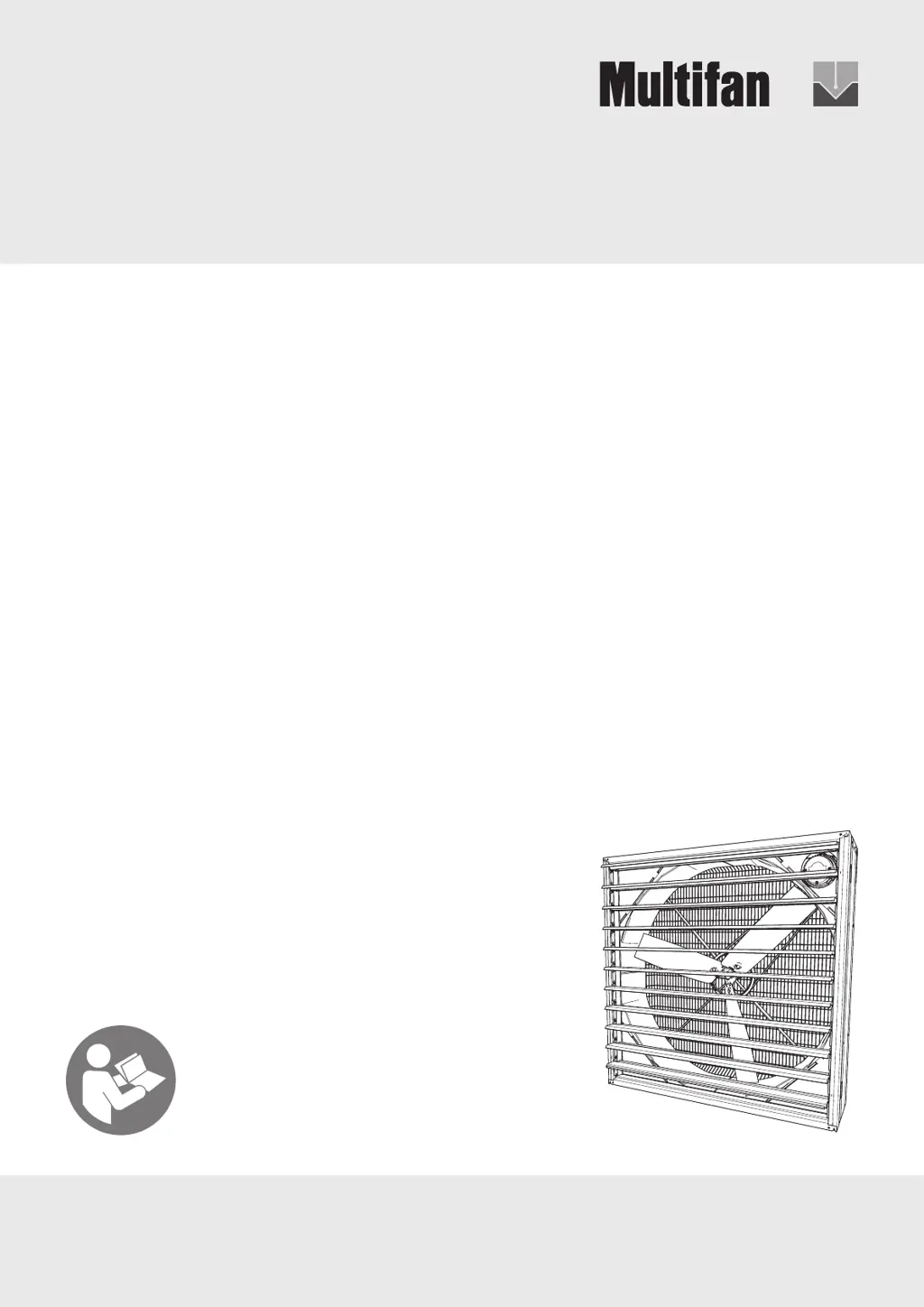
Galvanized Box Fan 130
ENGLISH
Installation Instructions - Operating Instructions
Document ID: INS00025-A
IMPORTANT - READ CAREFULLY BEFORE USE

Other manuals for Multifan 130

Questions and Answers

  • A
    Alejandro PatelAug 17, 2025
    What to do if my Multifan Fan does not start?
    • M
      moorekyleAug 17, 2025
      If your Multifan Fan doesn't start, first, check that power is being supplied by checking all power supplies, the fuse or circuit breaker, and the cabling. Also, switch on the controller. If a Variable Frequency Drive (VFD) is present, check it according to the manufacturer's instructions.
  • P
    Patrick McdonaldAug 19, 2025
    Why does my Multifan Fan motor overheat while running?
    • J
      Justin MillerAug 19, 2025
      If your Multifan Fan motor overheats while running, check for overloading of the fan system by ensuring the intake or exhaust is not blocked. Also, ensure the fan motor is clean of any dirt in the cooling fins.
  • D
    Donald JosephAug 22, 2025
    How to fix low speed of my Multifan Fan?
    • D
      drossAug 22, 2025
      If your Multifan Fan's speed is too low, check the power supply to ensure the supply voltage and frequency are correct. For single-phase fans, replace the capacitor if it is wrong or defective. For three-phase fans, ensure they are connected as DELTA, referring to the wiring diagram. Restore all 3 phases if there is a phase failure. Also, check if the belt is not tight enough and adjust the tension of the belt or replace it.
  • A
    Andrew SmithAug 25, 2025
    How to reduce vibration in my Multifan Fan?
    • A
      Amy GuzmanAug 26, 2025
      To address excessive vibration in your Multifan Fan, start by replacing the impeller if it's damaged. If the impeller is dirty, clean it. If the bearings are damaged or worn, replace them.
  • A
    Amber PotterAug 28, 2025
    Why is my Multifan Fan rotating in the wrong direction?
    • M
      Micheal MendezAug 28, 2025
      If your Multifan Fan rotates in the wrong direction, for single-phase fan motors, the capacitor may be incorrectly connected; connect it according to the wiring diagram. For three-phase fan motors, the supply may be incorrectly connected; swap any two of the three phases of the supply.
  • M
    Mrs. Elizabeth Sawyer MDAug 30, 2025
    What causes high power consumption in my Multifan Fan?
    • L
      Lisa ReedAug 30, 2025
      If your Multifan Fan has high power consumption, check for overloading of the fan system by ensuring the intake or exhaust is not blocked. Also, verify that the fan speed is not too high by checking the supply voltage and frequency. Damaged or worn bearings can also cause this issue, so consider replacing them.
  • J
    johnsleslieSep 2, 2025
    What to do if Multifan Fan doesn't start but has power?
    • P
      Patricia HutchinsonSep 2, 2025
      If your Multifan Fan does not start and the supply voltage at the fan motor terminals is present, it may be due to several reasons. The thermal protection might be activated because the fan motor has overheated; in this case, clean the motor and check for overloading of the fan system. Also, ensure that the supply voltage is not too high or too low. If the impeller is blocked, remove the blockage. For single-phase fan motors, the capacitor might be wrong or defective, so replace it. If the temperature is too low for the bearing grease, do not operate the fan outside the specified ambient temperature range.
  • D
    Danielle BakerSep 4, 2025
    Why is the airflow too high in my Multifan Fan?
    • J
      Jenny CruzSep 5, 2025
      If your Multifan Fan airflow is too high, check the supply voltage and frequency because the fan speed may be too high. If the system resistance is lower than specified, reduce the fan speed (if the fan can be speed controlled) or choose an alternative fan.
  • D
    Dylan LeblancSep 7, 2025
    How to troubleshoot unusual noises in my Multifan Fan?
    • V
      Vernon HallSep 7, 2025
      If your Multifan Fan is making unusual or excessive noises, check the installation, fixings, and alignment to ensure the impeller isn't hitting the fan housing. If the fan is operating in a stall point, lower the system resistance by ensuring the intake or exhaust is not blocked. Also, damaged or worn bearings can cause noise, so replace them if necessary.
  • E
    Edward MacdonaldSep 10, 2025
    What causes low airflow in my Multifan Fan?
    • O
      Olivia BrownSep 12, 2025
      If your Multifan Fan's airflow is too low, it might be because the system resistance is higher than specified. To resolve this, choose an alternative fan or lower the system resistance.

Summary

Safety

Safety Messages

Your safety and the safety of others are very important. Important safety messages are provided.

Explanation of Signal Words

Explains the meaning of DANGER, WARNING, CAUTION, and NOTICE signal words used in the document.

Explanation of Safety Symbols

Provides explanations for various safety symbols like general warning, electricity, hot surfaces, etc.

Safety Instructions

General Safety Warnings

Warnings to reduce risk of fire, electric shock, or injury. Use as intended and follow instructions.

Ventilation Use Restrictions

Cautionary advice for general ventilating use only; do not use for hazardous or explosive materials.

Assembly

Intended Use and Technical Information

Explosive Atmosphere Warning

Danger warning: Do not use this fan in explosive or potentially explosive atmospheres.

Installation

Installation Personnel Warning

Warning that installation must be carried out by skilled persons only.

Mechanical Installation

Installation Warnings and Cautions

Warnings about damaged fans, skilled personnel, stable mounting, and specific US-only advice.

Electrical Installation and Safety

Wiring and Connection Guidelines

Electrical connection by qualified electrician as per local regulations and rating plate check.

Electrical System: Thermal Protection and Speed Control

Speed Control Warnings

Warnings against exceeding frequency limits and using specific controls in US/Canada.

Commissioning

Operation

Operational Safety Warnings

Dangers from thermal protection restart and cautions about hot motors.

Maintenance Procedures

Maintenance Safety Precautions

Dangers and warnings regarding power isolation, standstill of parts, and free spinning.

Troubleshooting and Repairs

Troubleshooting and Repair Safety

Warning that troubleshooting and repairs must be performed by skilled persons only.

Multifan 130 Specifications

General IconGeneral
BrandMultifan
Model130
CategoryFan
LanguageEnglish