34
[NOTE] Please turn off USB adjust mode when upgrading the de-
vice.
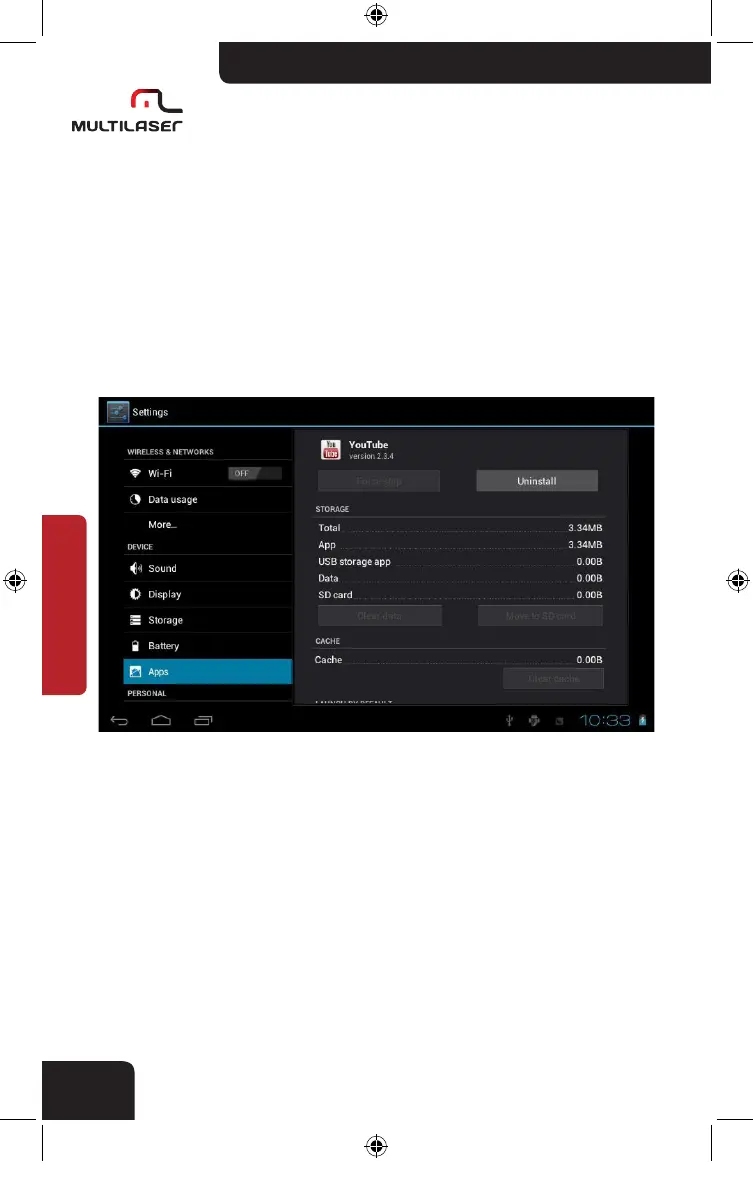
• How to uninstall applications
. Enter Setting >apps, there will be installed application list
. Click the program icon, there will be delete interface.
. Click ”Uninstall”, the program will be removed.
nb005_LIVRO_rv1.indb 34 21/3/2012 11:50:31



 To Next Page