Multiple Shade V01.3 04 2019
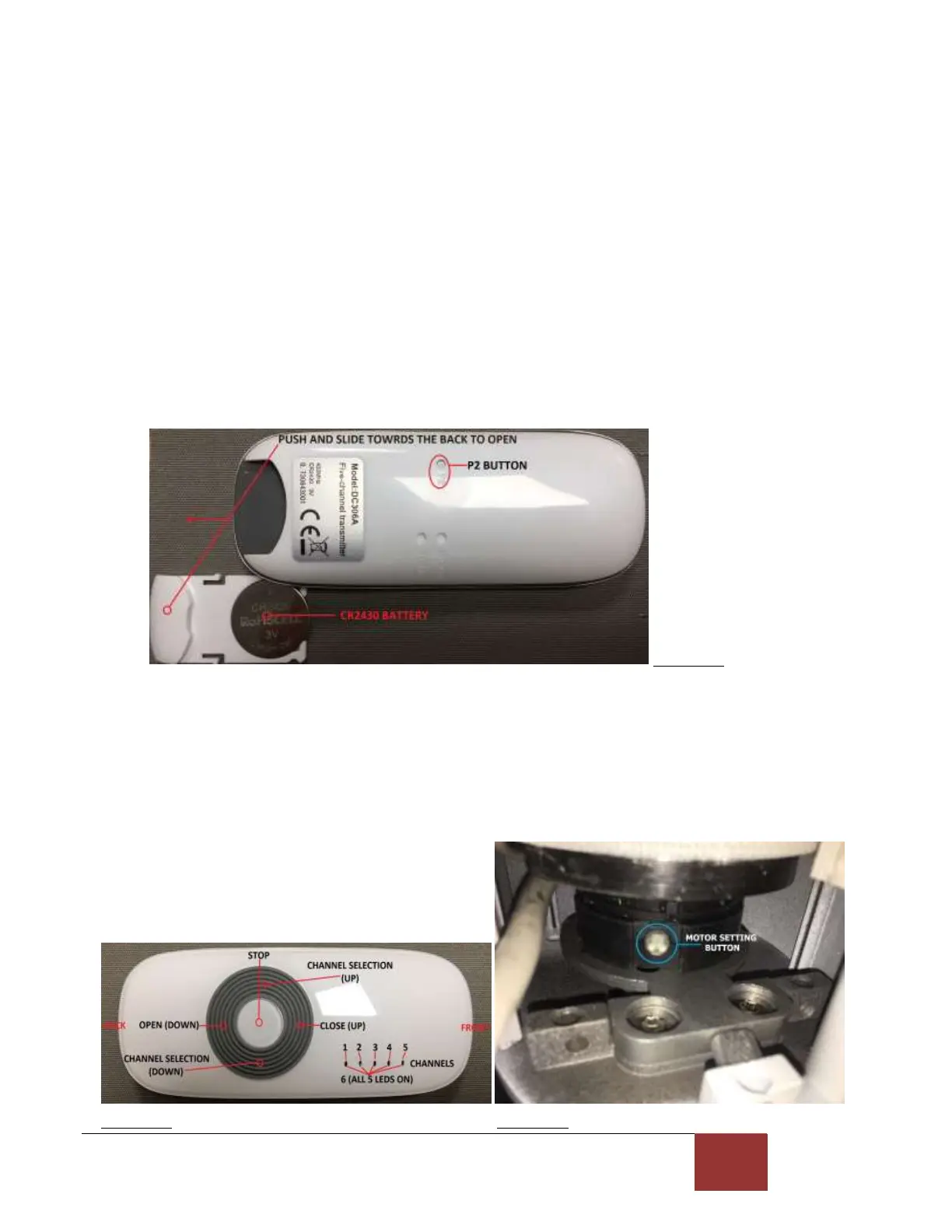
8.B. Memorizing a new remote handset
This procedure applies if you have lost your original remote handset and need to have the new
one memorized by the motor.
1. Push and slide out the battery cover of the new remote, make sure that the battery
is properly installed and locate the P2 button underneath the remote handset.
(See figure 12).
2. Make sure the motor is connected to the AC. Press and hold the motor setting button, the
motor will emit 3 beeps and jog twice, keep the motor setting button pressed until the motor
emits 3 beeps (release the button at this point) and jogs twice, a few seconds after releasing
the button the motor will again jog twice.
3. Press the P2 button twice on the back of the remote handset, you should now hear the motor
beep once, then jog, beep once more and jog again. Then press the up (close) button on the
remote once, the motor will emit 3 beeps and jog twice which indicates that the remote is
now paired with the motor. AFTERWARDS, YOU WILL NEED TO PROGRAM THE OPEN AND
CLOSE LIMITS, see section 9.
Figure 12
8.C. Remote buttons direction change
1. Disconnect the motor from the AC for 10 seconds and then reconnect the motor to the AC, the
motor will emit 3 beeps.
2. Press and hold the UP (close) and DOWN (open) buttons simultaneously, the motor will run
Briefly, emit 3 beeps and jog twice, release the UP and DOWN buttons. The change of
direction is now done. Press the UP button once to validate the direction change.
Figure 11 Figure 13



 To Next Page