17info@multisound.it
GB
mally. The correct procedure for setting the timer has three simple steps:
Delayed start (calculated from the current time); Play time; Enable timer.
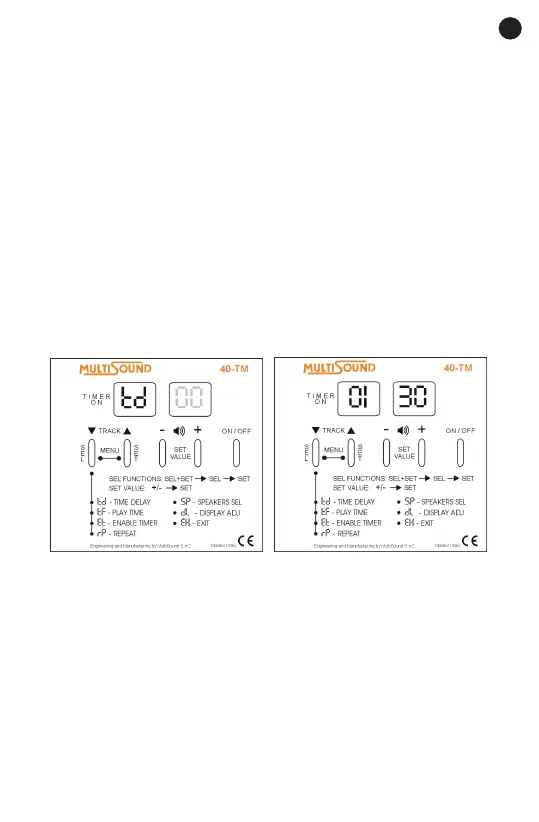
TD – TIME DELAY
1. Press the select (SEL) and set (SET) buttons at the same time for at
least 2 seconds to enter the SETTINGS MENU.
2. Press the select (SEL) button repeatedly until the time delay td symbol
appears on the display.
3. Press the set (SET) button to set the time delay. Press the plus (+) button
to increase the time delay by intervals of 15 minutes or press the minus (-)
button to decrease the time delay.
4. Press the set (SET) button to conrm.
5. To exit the menu, press the select (SEL) button repeatedly until the exit
EH symbol appears on the display. Press the set (SET) button to conrm
or wait until the device returns automatically to the track that was playing
after 10 seconds.
TF – PLAY TIME
1. Press the select (SEL) and set (SET) buttons at the same time for at
least 2 seconds to enter the SETTINGS MENU.
2. Press the select (SEL) button repeatedly until the play time tf symbol
appears on the display.
3. Press the set (SET) button to set the play time. Press the plus (+) button
to increase the play time by intervals of 15 minutes or press the minus (-)
button to decrease the play time.
4. Press the set (SET) button to conrm.
5. To exit the menu, press the select (SEL) button repeatedly until the exit
EH symbol appears on the display. Press the set (SET) button to conrm



 To Next Page