www.multispanindia.com
Page - 3
MS-1248
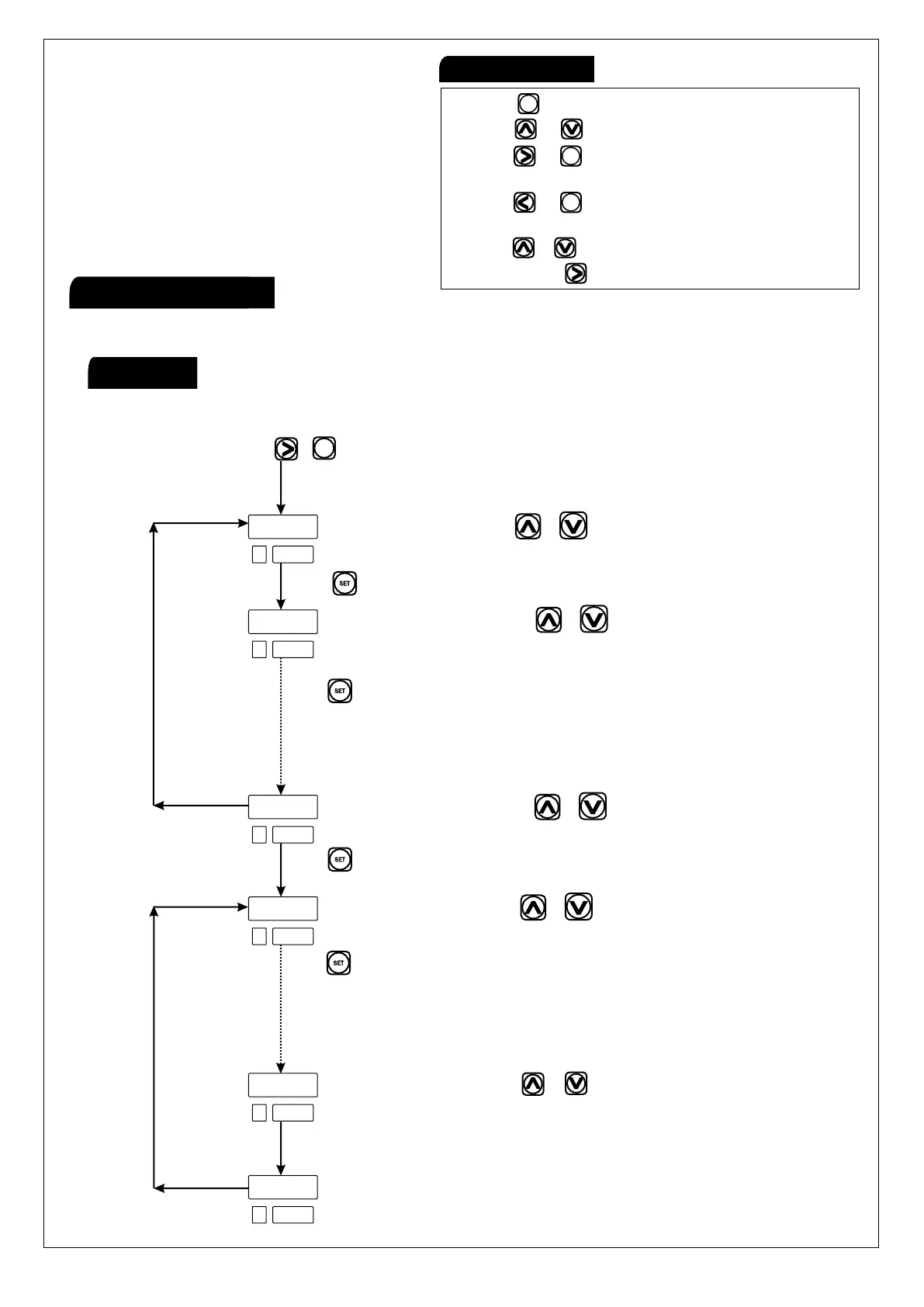
To configurable scan time, Input selection, for individual channel,
skip or unskip channel, dp selection
Press key to go to next parameter
Press key to go to next channel
Press key to go to next channel
Press set key to go to next parameter
(Repeat the same procedure for all 8 channels)
(Repeat the same procedure for all 8 channels)
Press key to go to next parameter
Display shows scan time use & key to change it.
Display shows sensor type. Use & key to change it.
( J, K & PT-100)
Display shows sensor type. Use & key to change it.
Press & key
Channel Skip or Unskip using & Key
Channel Skip or Unskip using & Key
Dp yes/no selection in case of input in pt-100/3W
SET
Note:Menu:1
OFFSET Setting
Parameter menu
9 9
J - T Y
J - T Y
U N S
U N S
Y E S
s C N
C H 1
C H 8
C H 1
C H 8
D P
SET
SET
SET
2) Press & Key to change the parameter setting.
5) Press + Key to set OFFSET.
6) Press & hold key to enter in scroll & hold mode.
3) Press + Key to enter in parameter menu
4) Press + Key to enter in group menu for relay
(Input selection, skip-unskip selection)
mode selection.
1) Press key to enter in set value menu.
SET
SET
SET
Key OperationKey Operation
h
h



 To Next Page