8
3. Preparing/installing the device
Those operations may need the use of specific tools like :
- T4 Torx screwdriver for the external screw.
- T6 Torx screwdriver for the internal screw.
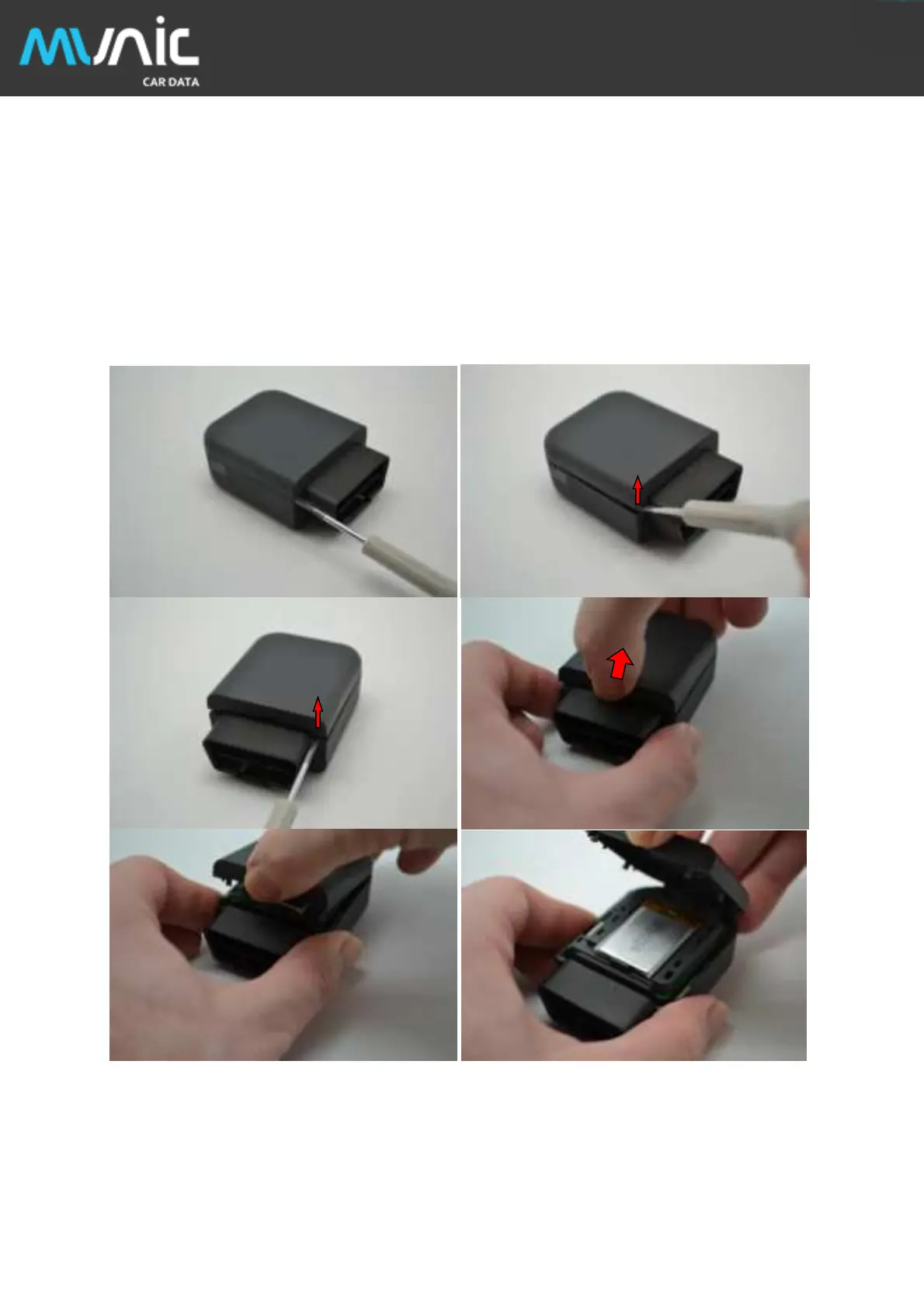
- Small slotted screwdriver to remove the cover.
- Thin tweezers to insert/remove the SIM card.
3.1. Open the device
Insert slotted screwdriver between top cover and body to pop-out the top cover on each side and extract it.


 To Next Page