Section 78 00-02-1018
2017-05-23 - 3 -
Studs
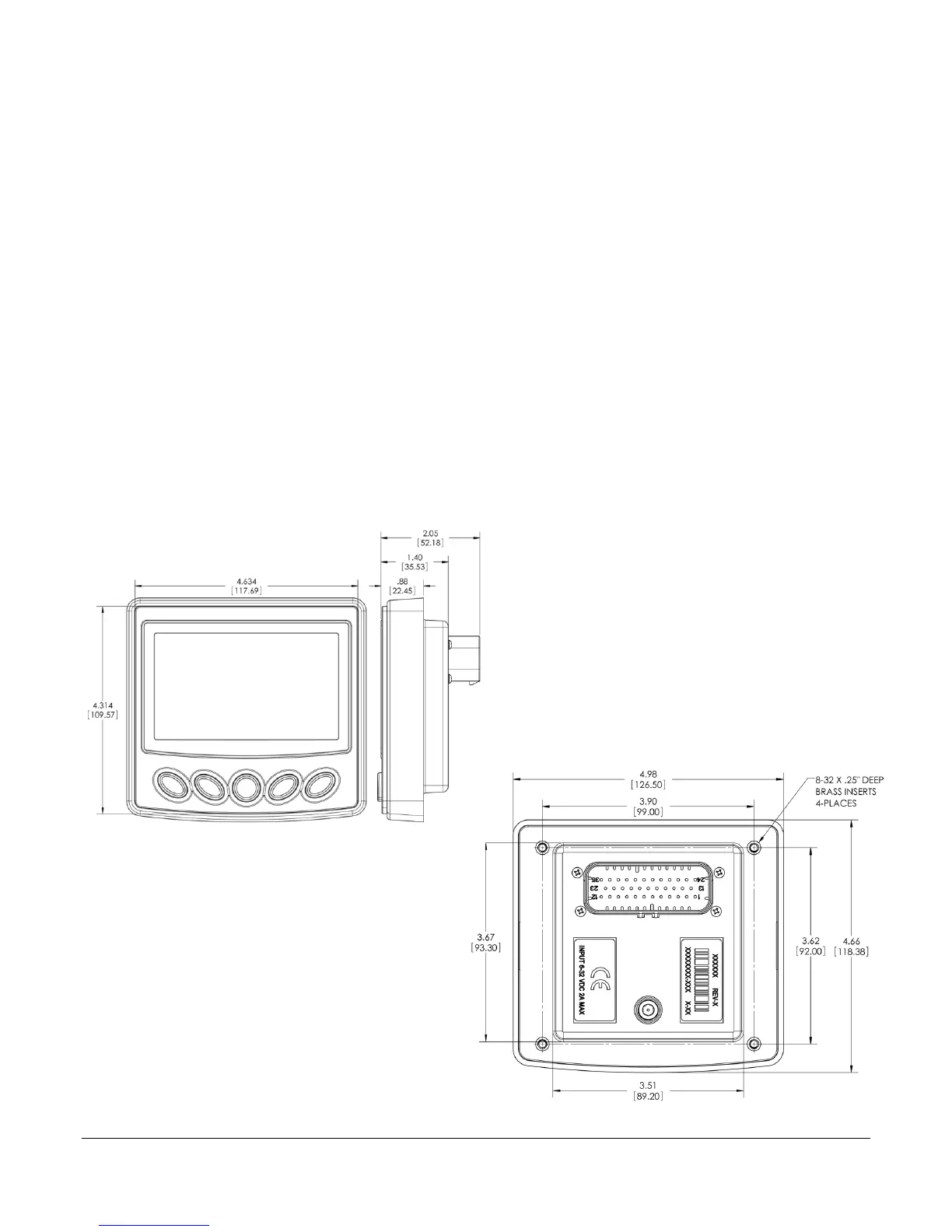
1. Use the Installation Template (included at the end of the manual) as a guideline to cut a
hole in the mounting plate to the specified dimensions and weld 8-32 studs where
indicated on the template for mounting.
NOTE: Weld Studs and nuts are not provided. 8-32 Keps Nuts, Lock Nuts, or Nuts with
lock washers would need to be used.
2. Place the display behind dash and line up the four 8-32 welded studs with the holes in
rear-mount bracket.
3. Torque lock nuts to 8-10 inch pounds.
Dimensions for Installation


 To Next Page