OPERATION
HOW TO SET THE PARKING BRAKE
1. Completely push the brake pada_forward.
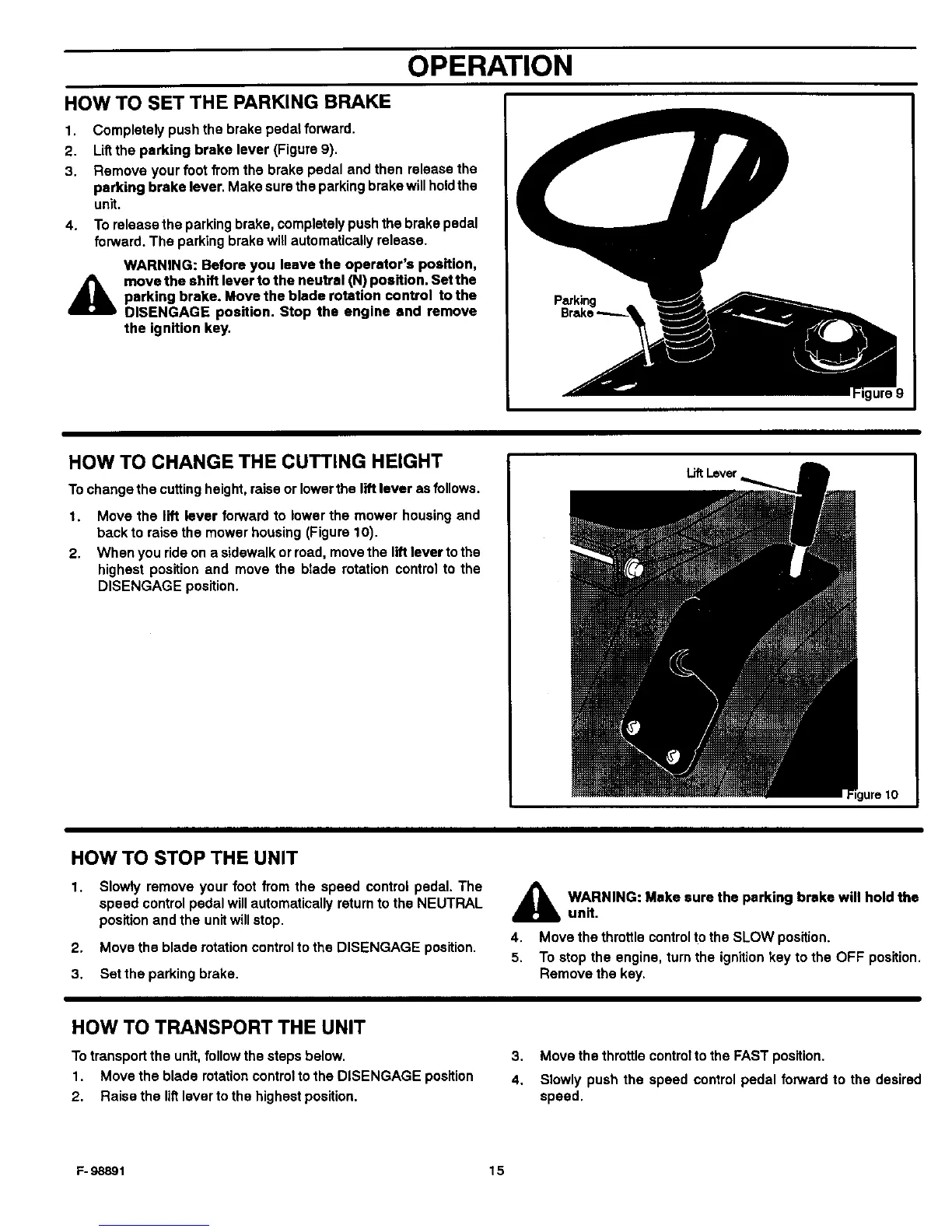
2. Lift the parking brake lever (Figure 9).
3. Remove your foot from the brake pedal and then release the
parking brake lever. Make sure the parking brake willholdthe
unit.
4. To release the parking brake, completely push the brake pedal
forward. The parking brake will automatically release.
A
WARNING: Before you leave the operator's position,
move the shift lever to the neutral (N) position. Set the
parking brake. Move the blade rotation control to the
DISENGAGE position. Stop the engine and remove
the ignition key.
HOW TO CHANGE THE CUTTING HEIGHT
To change the cutting height, raise or lowerthe lift lever as follows.
1. Move the lift lever forward to lower the mower housing and
back to raise the mower housing (Figure 10).
2. When you ride on a sidewalk or road, move the lift lever to the
highest position and move the blade rotation control to the
DISENGAGE position.
Lift Lever
HOW TO STOP THE UNIT
1. Slowly remove your foot from the speed control pedal. The
speed control pedal will automatically return to the NEUTRAL
position and the unitwill stop.
2. Move the blade rotation controlto the DISENGAGE position.
3. Set the parking brake.
_lb ARNING: Make sure the parking brake will holdthe
unit.
4. Move the throttle control to the SLOW position.
5. To stop the engine, turn the ignition key to the OFF position.
Remove the key.
HOW TO TRANSPORT THE UNIT
To transport the unit, follow the steps below.
1. Move the blade rotation control to the DISENGAGE position
2. Raise the liftlever to the highest position.
3, Move the throttle contralto the FAST position.
4. Slowly push the speed control pedal forward to the desired
speed.
F- 98891 15



 To Next Page