EasyManua.ls Logo

Musical Fidelity Electra E20 - User Manual

Musical Fidelity Electra E20
7 pages
Print Icon
To Next Page IconTo Next Page
Loading...
Instructions For Use. Page 1E20
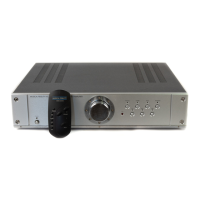
E20 REMOTE CONTROL STEREO
PREAMPLIFIER
INSTRUCTIONS FOR USE
Thank you for purchasing the Musical Fidelity
Elektra E20 Preamplifier . Used properly and care-
fully, it should give you many years of outstanding
musical reproduction.
The E20 is the result of many years painstaking
research and development. The E20 is designed for
ultra-high definition performance and is equipped
with full remote control facilities.
Aesthetically, the E20 is a perfect match for the
Elektra E30 power amplifier, E50 tuner and the E60
CD player. Together, they form one of the finest hi fi
systems that you can own today.
Dust regularly with a soft duster or soft brush but
do not use cleaning or polishing agents - they may harm
the surface finish.
If you have any questions about anything in your
audio system, please consult your dealer who is there
to help and advise you.

Questions and Answers

  • A
    Ashley CannonAug 1, 2025
    What to do if my Musical Fidelity Electra E20 Amplifier has no sound?
    • C
      Crystal StarkAug 1, 2025
      If your Musical Fidelity Amplifier produces no sound, several factors could be at play. First, ensure the volume isn't set to the minimum; if it is, simply turn it up. Also, check if headphones are plugged in, as this mutes the main output; unplug them if necessary. Verify that the mute function isn't activated on the remote; if it is, press the mute button again. Confirm that the power amplifier is correctly connected by checking the cables. Ensure that your speakers are properly connected by inspecting the speaker cables. Lastly, check that the correct input source is selected on your amplifier.
  • S
    Stephanie HernandezAug 8, 2025
    Why is the remote control for my Musical Fidelity Amplifier not working?
    • A
      austinkimberlyAug 8, 2025
      If the remote control for your Musical Fidelity Amplifier isn't working, there are a couple of things to check. First, make sure the amplifier's power switch is set to the 'on' position. If it is already on, verify that batteries are properly inserted into the remote.
  • J
    Jenna SanchezAug 15, 2025
    How to fix sound that lacks bass on Musical Fidelity Amplifier?
    • K
      Krystal MercerAug 15, 2025
      If the sound from your Musical Fidelity Amplifier lacks precision, bass, and stereo image, it's possible that your speakers are connected out of phase. To resolve this, ensure that both speakers are connected correctly.
  • A
    anthony50Aug 23, 2025
    Why is there a hum when listening to turntable on Musical Fidelity Amplifier?
    • J
      Joseph McmahonAug 25, 2025
      If you're experiencing hum when listening to a turntable with your Musical Fidelity Amplifier, it may be due to incorrect earthing of the pickup arm cable. You can either connect or disconnect the pick-up arm earth wire to the earth terminal on the back panel to resolve this.

Summary

Musical Fidelity E20 Preamplifier Introduction

Important Safety Warnings for E20

Mains Lead Electrical Safety

Guidelines for safe handling and connection of the mains lead, including earthing requirements.

Radio Frequency Interference (RFI) Precautions

Information on RFI susceptibility and emission, and protection against lightning.

E20 Connections and Facilities

Front Panel Controls and Indicators

Details of the power switch, volume control, input/output indicators, and selectors on the front panel.

Rear Panel Input;Output Ports

Description of all input and output connectors located on the back of the preamplifier.

Remote Control Operation

Explanation of the functions of the remote control buttons for operating the E20.

E20 Installation and Setup Guide

Installation Precautions Checklist

Essential precautions to ensure proper installation and prevent damage to the E20 unit.

Pre-Operation Checklist

Steps to follow before switching on the E20 for the first time or after changing connections.

Connecting and Operating the E20

Connecting Tape Decks

Instructions for connecting and using two tape decks with the E20 preamplifier.

Preamp Outputs for Amplifiers

How to connect the E20's preamp outputs to a power amplifier.

Headphone Usage

Information on connecting and using headphones with the E20's dedicated amplifier.

Troubleshooting Common Issues

E20 Technical Specifications

Musical Fidelity Electra E20 Specifications

Power IconPower
power consumption10 Watts
power requirements100-120 Volts, AC 50/60Hz, 220-240 Volts, AC 50/60Hz
Audio Specifications IconAudio Specifications
output (unbalanced)0.775V
THD< 0.01%
frequency response20Hz - 20kHz +/- 1dB
Inputs and Outputs IconInputs and Outputs
inputs5 Line, 2 Tape, 1 Phono
input sensitivity line250mV/47K
tape outputDependent on input
Signal and Noise IconSignal and Noise
S/N ratio line>85dB
phono stage MM3mV, 47K
phono stage MC500mV
Weight and Dimensions IconWeight and Dimensions
weight5.2 kgs
packed weight7.0 kgs
dimensions440 x 95 x 340mm

Related product manuals