18
EN
M1.1.MV900-1500-2000IL.NLFREN - 09122019
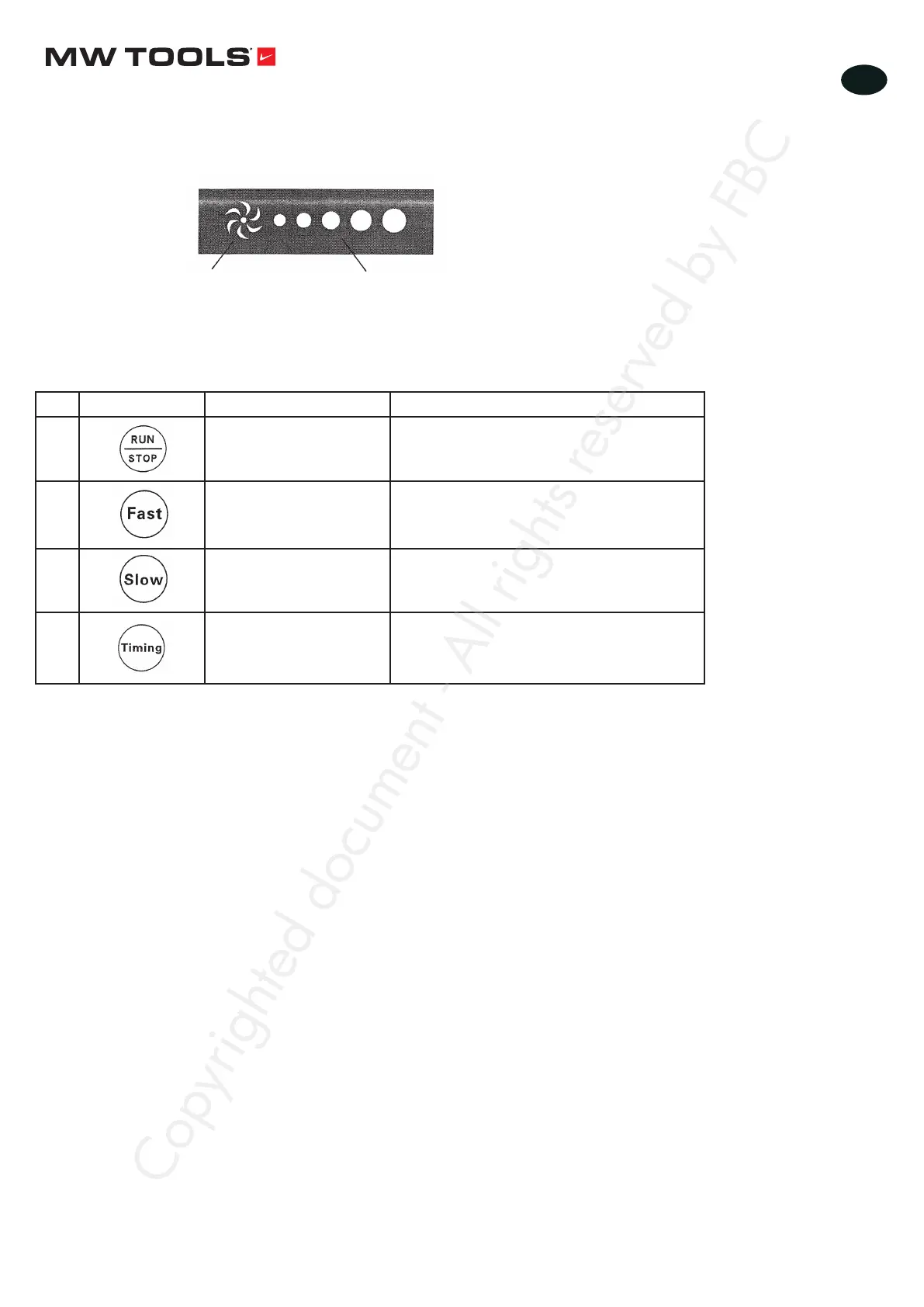
• Names and functions of the control panel keys
Nr. Control key Name Function
1 Run/Stop key To start and stop the fan
2 Acceleration key To increase the fan speed.
To increase the timing time at regular
intervals.
3 Deceleration key To reduce the fan speed.
To reduce the timing time at regular intervals.
4 Timing key To program when fan stops.
5.2 Function test
• Follow these steps:
• Functions of the indicators
Light: the fan starts
Out: the fan stops
Light up in order to keep the fan
in gear
Start
↓
According to the previous chapters, the
installation and wiring of the fan are carried out
↓
Follow the safety instructions and switch on the
power
↓
Press the start/stop key to turn on the fan
↓
Press the acceleration and deceleration key to
adjust the fan speed and test the other control
keys
↓
Press the start/stop key to turn off the fan
↓
Cut off the power supply
Copyrighted document - All rights reserved by FBC


 To Next Page