14
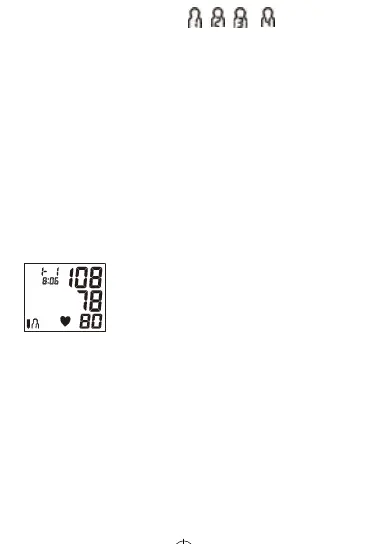
b. Thenthecurrentmemorybank(or)isshown.
Press“MEM”buontochangeovertootherbank.
Conrmyourseleconbypressing“START”buon.Thecurrentbank
canalsobeconrmedautomacallyaer5secondswithno
operaon.
c. Thenthemonitorinatesthecuunlsucientpressurehasbuilt
upforameasurement.Thenthemonitorslowlyreleasesairfrom
thecuandcarriesoutthemeasurement.Finallythebloodpressure
andpulseratewillbecalculatedanddisplayedontheLCDscreen.
Thebloodpressureclassicaonindicatorandirregularheartbeat
symbol(ifany)willblinkonthescreen.Theresultwillbe
automacallystoredinthemonitor.
d. Aermeasurement,themonitorwillturnoautomacallyaer1
minuteofnooperaon.
e. Duringmeasurement,youcanpressthe“START/STOP”buontoturn
othemonitormanually.Note:Pleaseconsultahealthcare
professionalforinterpretaonofpressuremeasurements.
7. DISPLAYING STORED RESULTS
a. InStandByMode,press“MEM”buon,themonitorwilldisplaysign
ofcurrentgroup.Theamountofresultsincurrentusermemoryzone
willbedisplayed.(Seepicture7).Press“START/STOP”buonto
switchgroup,press“MEM”toconrmcurrentgroup.Thenscreen
willdisplaytheaverageofallresultsinthecurrentusermemory
zone.(Seepicture7-1).Ifnoresultstoredinthecurrentusermemory
zone,screenwilldisplay“0”forbloodpressureandpulserate
(Seepicture7-2).
MX86005 - IFU - 11.2020.indd 14MX86005 - IFU - 11.2020.indd 14 2020/12/14 16:372020/12/14 16:37


 To Next Page