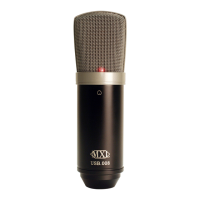
Need help?
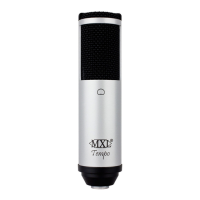
Do you have a question about the MXL USB.006 and is the answer not in the manual?
Welcome, background on cardioid pattern, and USB connectivity.
Crucial advice on careful handling, avoiding shocks, and proper speaking distance.
Lists the items included in the MXL USB.006 package.
Explains how to use the three-position attenuation switch for signal adjustment.
Step-by-step guide for connecting the microphone to a Windows computer.
Detailed setup for Windows XP, Vista, and 7 to use the microphone.
Instructions for connecting and configuring the microphone on Mac systems.
Guide to configuring GarageBand for recording with the MXL USB.006.
Details the product's warranty and how to get further information.
 General
| Type | PC microphone |
|---|---|
| Bit rate | 16 bit |
| Sample rate | 48 kHz |
| Microphone direction type | Cardioid |
| Connectivity technology | Wired |
| Mac compatibility | Yes |
| Product color | Gray |
| Weight | 453 g |
| Frequency range | 20 - 20000 Hz |

 To Next Page