Need help?
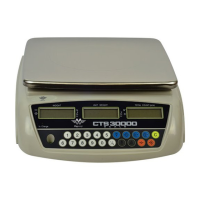
Do you have a question about the My Weigh CTS-30000 and is the answer not in the manual?
Avoid wet environments, extreme temperatures, shocks, and exceeding capacity. Ensure stable placement and proper charging.
Remove objects, turn the scale ON. The scale will perform a self-test.
Press the zero key to return the display to zero for minor drifts with no load.
Subtract the container's weight by pressing the Tare key. The display shows net weight.
Input a known unit weight directly, followed by pressing the key.
Place objects on pan, input object count, press key to calculate and display unit weight.
Set a checking number for counting. Alarm beeps if object count exceeds preset.
Use M+ and M- keys to add or clear accumulated times and total count.
Adjust response speed by changing the filter parameter for stable time and scale stability.
Select zero tracking range and zero display range settings for scale zeroing.
Select the desired division for the scale's measurement display.
Configure counting division, counting ISN, and auto-average settings.
Calibrate the scale using a known weight if readings are inaccurate.
Recharge the battery fully for approximately 8 hours. LED indicates charging status.
Configure backlight to AUTO, OFF, or ON (always lit).
Configure RS-232 communication parameters like Baud Rate, Data Bit, Parity, and Stop Bit.
 General
| Display Type | LCD |
|---|---|
| Auto Calibration | Yes |
| Tare Function | Yes |
| Hold Function | Yes |
| Overload Indicator | Yes |
| Low Battery Indicator | Yes |
| Capacity | 30000g |
| Readability | 1 gram |
| Power Source | AC Adapter or Batteries |
| Units | g, oz, lb, ozt, dwt |

 To Next Page