Need help?
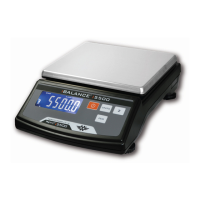
Do you have a question about the My Weigh iBalance i500 and is the answer not in the manual?
Identifies and explains the function of the scale's buttons like ON/OFF, MODE/SET, and ZERO.
Details the meaning of various indicators on the scale's display such as STAB, ZERO, and Low Battery.
Instructions for installing batteries and advice on battery care to ensure scale performance.
Step-by-step guide for performing accurate weighments and using the tare function.
Detailed instructions on how to calibrate the scale for accurate measurements in different environments.
Explains features like Power Up Segment Test, Overload Indicator, Negative Value, and Auto Off settings.
Instructions for using the scale's counting mode to determine the number of items.
Provides key technical details such as capacity, dimensions, power source, and operating temperature.
 General
| Capacity | 500g |
|---|---|
| Readability | 0.01g |
| Display | LCD |
| Auto-Off | Yes |
| Tare Function | Yes |
| Power | 2 x AAA batteries |
| Units of Measurement | g, oz |

 To Next Page