EasyManua.ls Logo

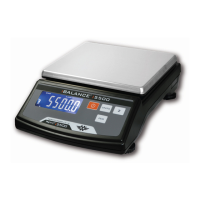
My Weigh iBalance i5500 User Manual

My Weigh iBalance i5500
4 pages
To Next Page IconTo Next Page
Page #1 background imageLoading...
Page #1 background image
1. Selection of auto backlight mode.
Press [UNIT] to select auto backlight function, the display will show an arrow
next to LIGHT , this means auto backlight function active, press [UNIT]
again, the display will not show the arrow next to LIGHT, this means the auto
backlight function is inactive, i.e. shut off backlight function.
2. Selection of auto shut off mode.
Press [ZERO] to select auto shut off function, the display will show an arrow
next to A_OFF, this means auto shut off function active. Press [ZERO] again,
the display will not show an arrow next to A_OFF, this means the auto shut
off function is inactive.
3. Return to weighing mode.
Press [ON/OFF] to turn the power off, press [ON/OFF] again to turn on the
power and the scale will return to normal weighing mode.
* Counting procedures(optional)
1.Press [ON/OFF] to turn on the scale.
Wait for "0" to appear on the display.
2.Start the Count Procedure
If necessary, press [ZERO] key to set the display to “0”.
3. Place a given number of samples of an item on the pan (the Sample Size should
be either 102050 or 100 pieces). The weight of these samples will show on the
display.
4. Press the [UNIT] key several times to put the scale in PCS mode.
5. Select the sample size (the same as you chose above) by pressing the [PCS] key.
(press it as many times as necessary to put it in the correct sample size ,the sample
size is the same as in step three =102050or100.
6. Press the [UNIT] key, the display will show “selected pcs”, then the scale will
remember the sample size you selected and show the starting sample size on the
display
(you can now remove the samples if you want to return the scale to 0)
7. Place the items that you want counted onto the tray and the total number of items
will show on the display.
8. Presses the [UNIT] key to exit the counting function and return to normal
weighing or you can press ON/OFF to turn the scale off to exit .
NOTE: the weight of unit sample > 10e.
i5500 COMPACT SCALE
My Weigh iBalance SERIES
INSTRUCTION MANUAL
Question and Answer IconNeed help?

Do you have a question about the My Weigh iBalance i5500 and is the answer not in the manual?

My Weigh iBalance i5500 Specifications

General IconGeneral
BrandMy Weigh
ModeliBalance i5500
CategoryScales
LanguageEnglish

Summary

Counting Procedures

Optional Counting Function Usage

Step-by-step guide for using the optional counting function for weighing items.

Safety Precautions

Warning and Caution Definitions

Explanation of 'WARNING' and 'CAUTION' terms used in the manual for safety alerts.

General Safety Guidelines

Essential safety advice for operating and maintaining the scale, including special warnings.

Function Settings

Accessing Function Settings

Procedure to enter the function setting mode for scale configuration.

Calibration

When to Calibrate

Situations requiring calibration, such as initial installation or relocation.

Calibration Procedure

Step-by-step instructions on how to perform the calibration process for the scale.

Parts Description

Scale Components Overview

Identification and description of the main parts and indicators of the scale.

Features

Scale Capabilities

List of the main features and specifications of the scale.

Preparation

Battery Installation and AC Adapter

Instructions for installing batteries and connecting the optional AC adapter.

Scale Setup and Leveling

Guidance on setting up the scale on a stable, level surface for accurate weighing.

Weighing

Before Weighing Procedures

Pre-weighing checks, including warm-up time, error messages, and calibration.

Performing Weighing Operations

Steps for weighing items, with or without a container, and selecting units.

Related product manuals