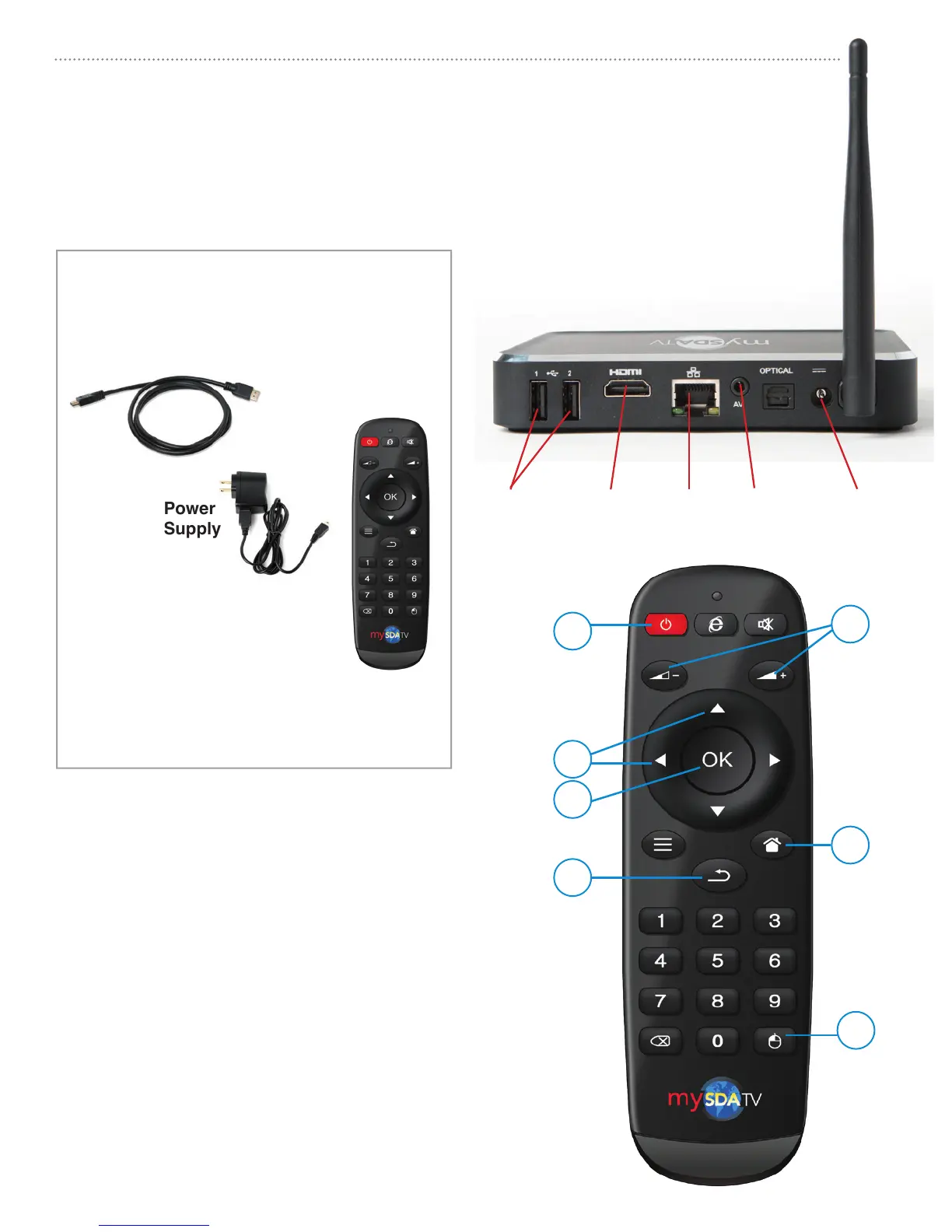
WHAT YOU NEED:
• TV set
• High-speed internet (DSL or Cable modem)
• Router
• HDMI cable (included)
• mySDATV box (included)
• Remote control (included)
HDMI cable
Remote
C
D
B
E
F
G
A
Get to know your remote
A [BACK] Return to previous screen
B [HOME] Return to mySDATV home screen
C [UP] OR [DOWN] Move up or down.
[RIGHT] or [LEFT] Move right or left
D [OK] Select highlighted option
E [VOLUME +/-] Increase or decrease volume
F [MOUSE] Display onscreen mouse cursor
G [POWER] On/Off
mySDATV M10 box
mySDATV M10 Quick Start Guide
2
Get to know your M10 box
USB ports HDMI Ethernet A/V cable Power
What is included with your
mySDATV box?
MUTE



 To Next Page