REMEMBER TO:
• POINT remote control directly at mySDATV box when using.
• OPERATE remote control as close to mySDATV box as possible.
• There are many remote control options available but not included.
(keyboards, bluetooth mouse, etc.)
mySDATV M10 Quick Start Guide 3
STEP 1
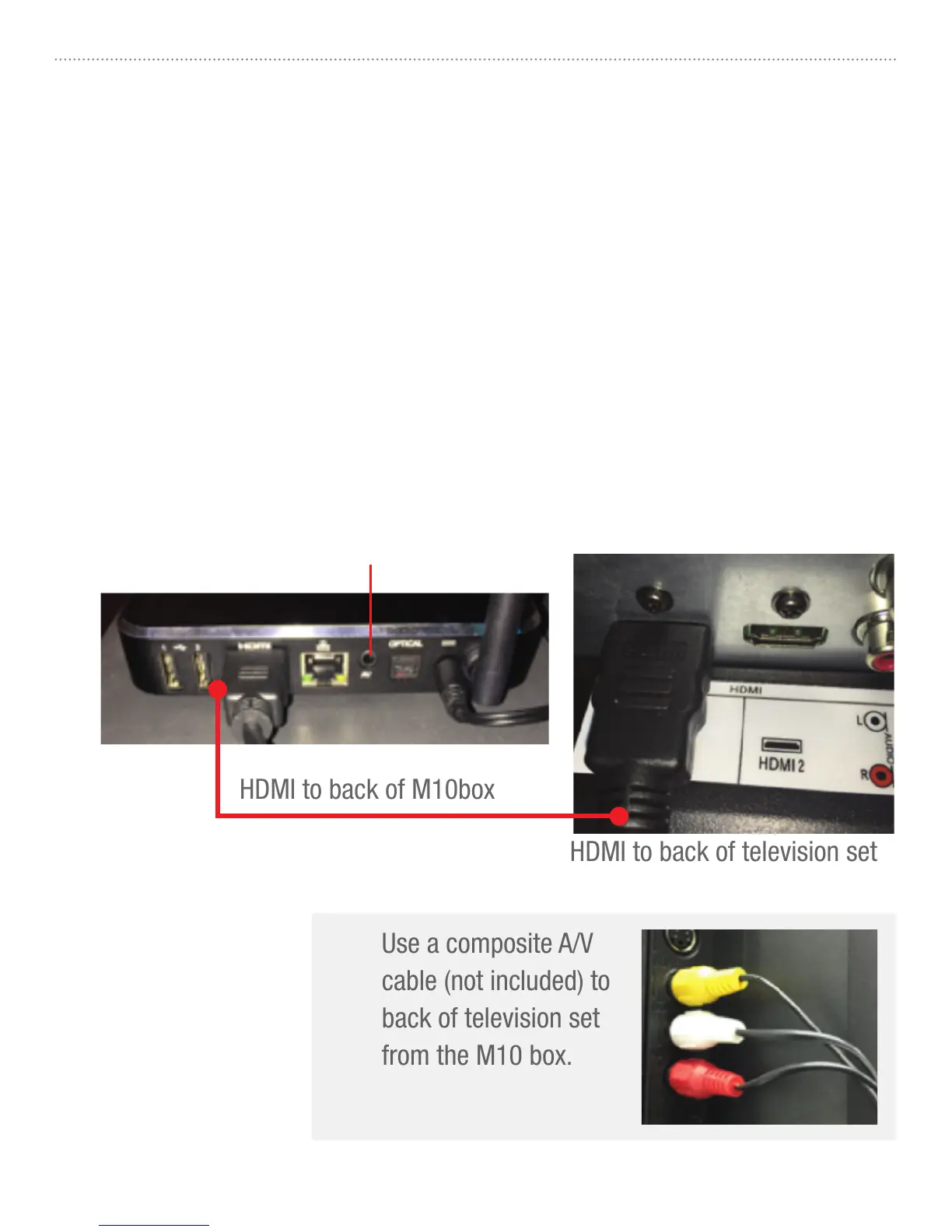
Connect mySDATV box to television set. Use included HDMI or Composite (A/V)
cable to make connections depicted below. For High Definition quality, you must
have at least 1.5 Mbps Internet speed. If your TV does not have an HDMI port, you
can use the A/V cable to connect to your analog composite input (yellow, white,
red connectors). You can order this cable from mySDATV.com
HDMI to back of television set
(A/V optional output)
Use a composite A/V
cable (not included) to
back of television set
from the M10 box.
OR



 To Next Page