STEP 2
Power your handheld remote control by inserting two AAA batteries, (not included).
• Turn remote control over and locate battery door.
• Press on arrow symbol located on door, and slide battery cover off.
• Insert each battery negative (-) side first by pushing it into coil spring and then
into battery compartment. Do NOT insert batteries positive (+) side first.
• Place battery door over compartment and slide it closed until latch snaps into
place.
• Your remote uses infrared signal and it is very directional. For best result, point
it towards the mySDATV box.
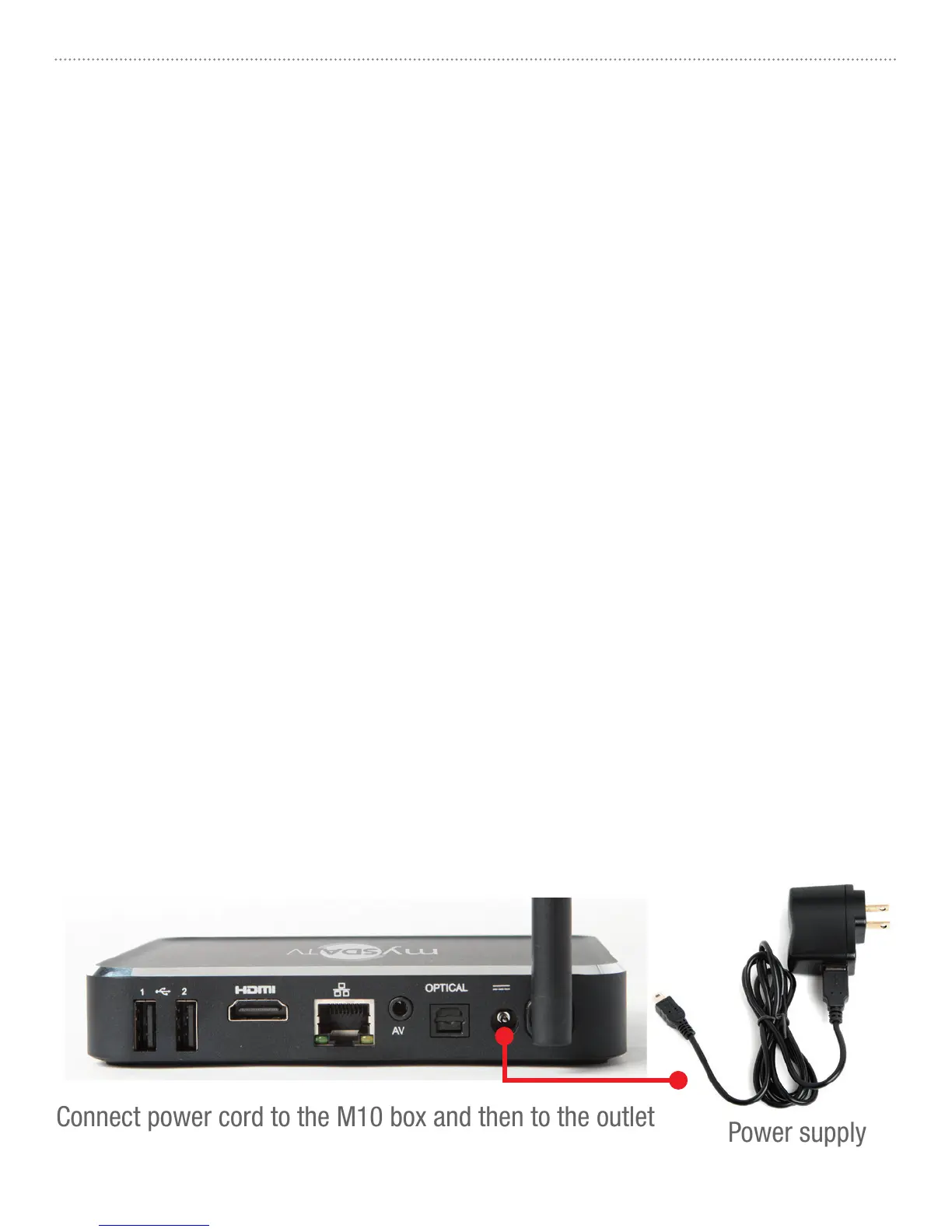
Connect power cord to the M10 box and then to the outlet
STEP 3
Power your box ON by connecting it to the wall outlet using included power adapter.
Refer to pictures below.
Do’s and don’ts on where to place your mySDATV box:
• DO place within range of WI-FI router network.
• DON’T place your mySDATV box beneath anything;
it may cause the box to overheat.
• DON’T place inside enclose cabinet; it might interfere
with remote or WI-FI signal.
mySDATV M10 Quick Start Guide4



 To Next Page