STEP 6
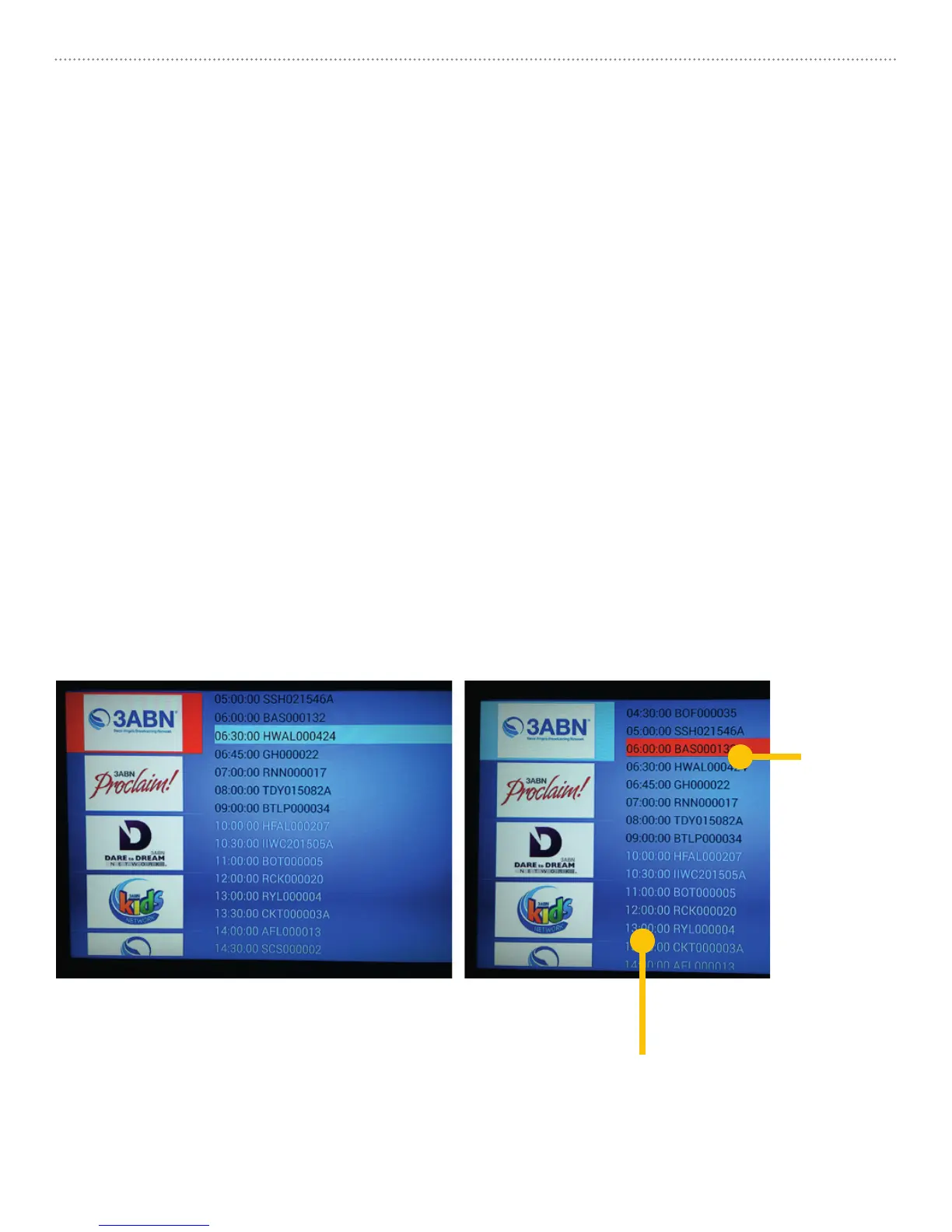
Your mySDATV has an Electronic Programming Guide on the right side of the
Channel Screen to assist you in knowing what time each program is played. If you
miss watching any program, you can use mySDATV Video On Demand service by
selecting the program you want to watch. You can use the same functions of a DVD
player (Play, Stop, Pause, Rewind, Forward).
• From mySDATV channel page press [RIGHT] arrow key on remote to move
cursor over to Programming Guide.
• Use [UP/DOWN] keys on remote to select past programming colored BLACK.
• Programs that are scheduled but have not been aired and recorded yet, are
colored WHITE. They will turn black when they become available for viewing.
• Not all of the Networks supply mySDATV with their Electronic Program Guide and
Video On Demand information, but we make the ones we have available to you.
mySDATV M10 Quick Start Guide 7
Select
a past
program
to view.
Not available
to play yet.



 To Next Page