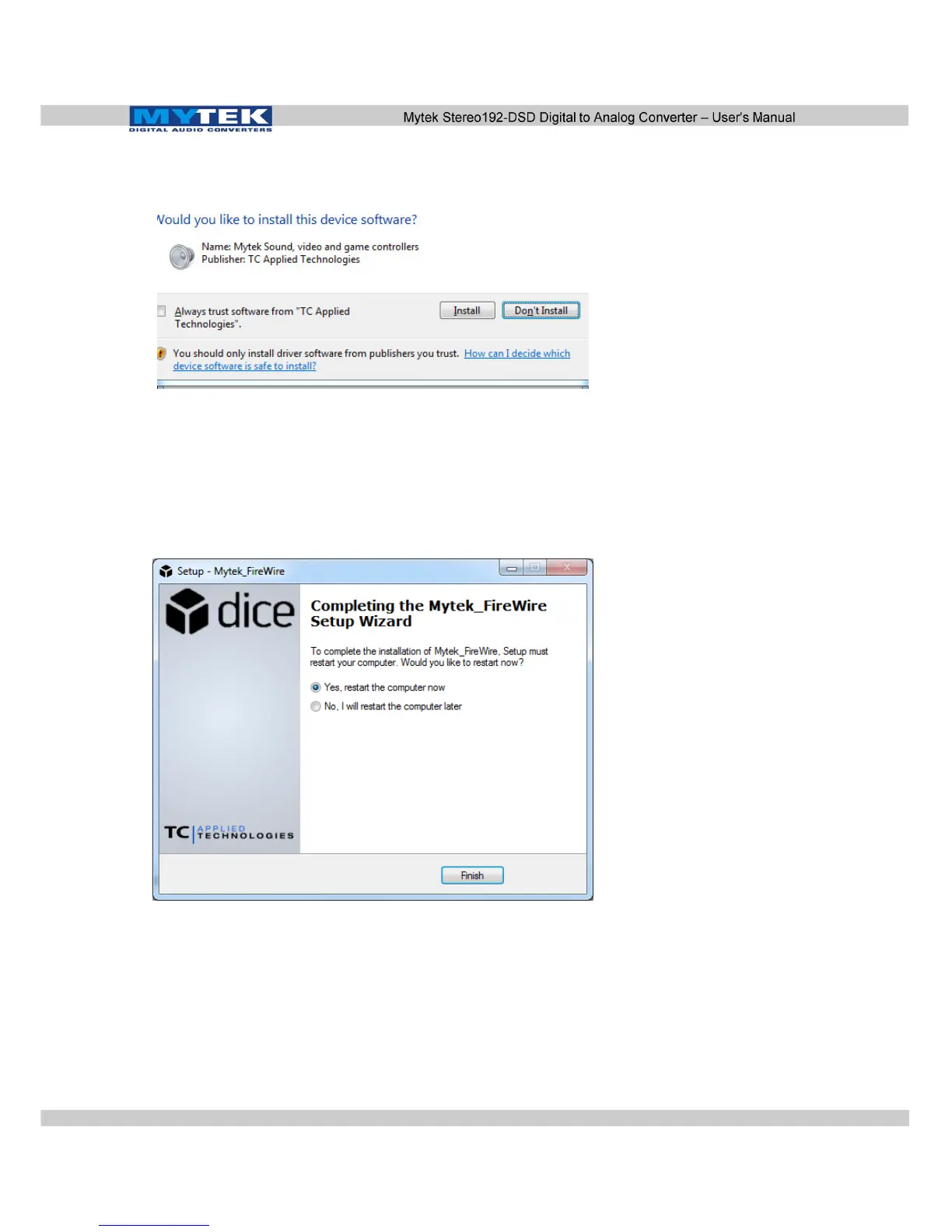
11. If any “Window's Security Warnings” appears choose Install
to continue installation.
12. Once installation has begun it may take several minutes to
complete please be patient until the task completes.
13. Finalize the installation by selecting Restart. This will restart
your computer and complete the
Mytek_Universal_Firewire_Driver_vXXX installation.
www.mytekdigital.com Page: 33/48


 To Next Page