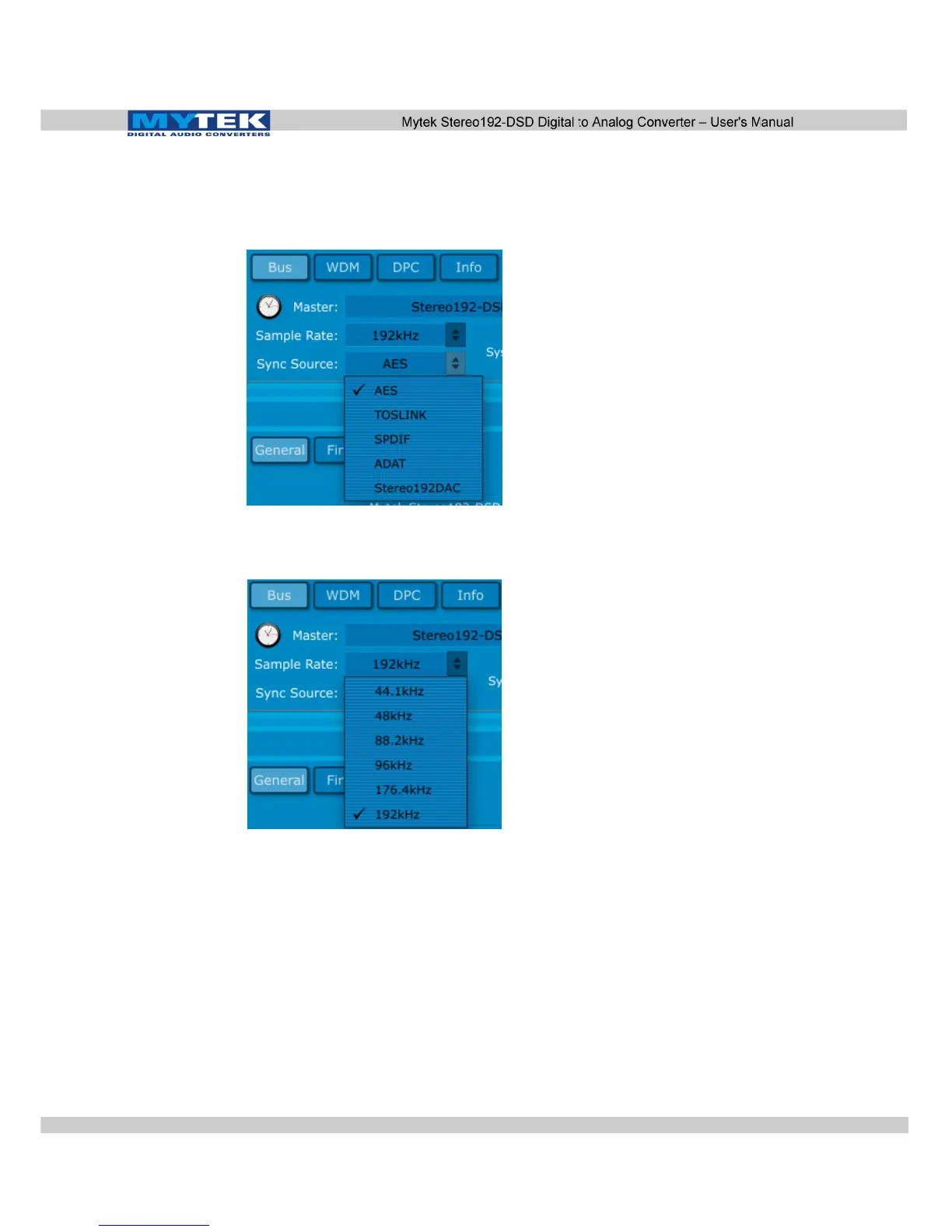
5. Under the Bus Tab inside the Mytek_FireWire control panel
switch Sync Source: to the Digital format you are using i.e.
AES/EBU, S/PDIF, TOSLINK, ADAT.
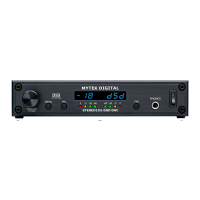
6. Under the Bus Tab inside the Mytek_FireWire control panel
switch Sample Rate: to match the Digital Source feeding the
MYTEK Stereo192-DSD DAC.
7. Open your DAW or Archiving Software and select the MYTEK
Stereo192-DSD DAC FireWire as your input source and output.
8. Change the DAW or Archival Software's Sample Rate to match
both the Mytek Dice Drv Control Panel as well as the Digital
Source connected.
You are now ready to stream Digital audio through the MYTEK
Stereo192-DSD DAC into your computer.
www.mytekdigital.com Page: 44/48


 To Next Page