Mytek Manhattan Digital to Analog Converter – User's Manual
5.4 Mac OS X – FireWire driver installation
It is recommended to install the drivers before the unit is connected to the computer.
The latest drivers are available at mytekdigital.com
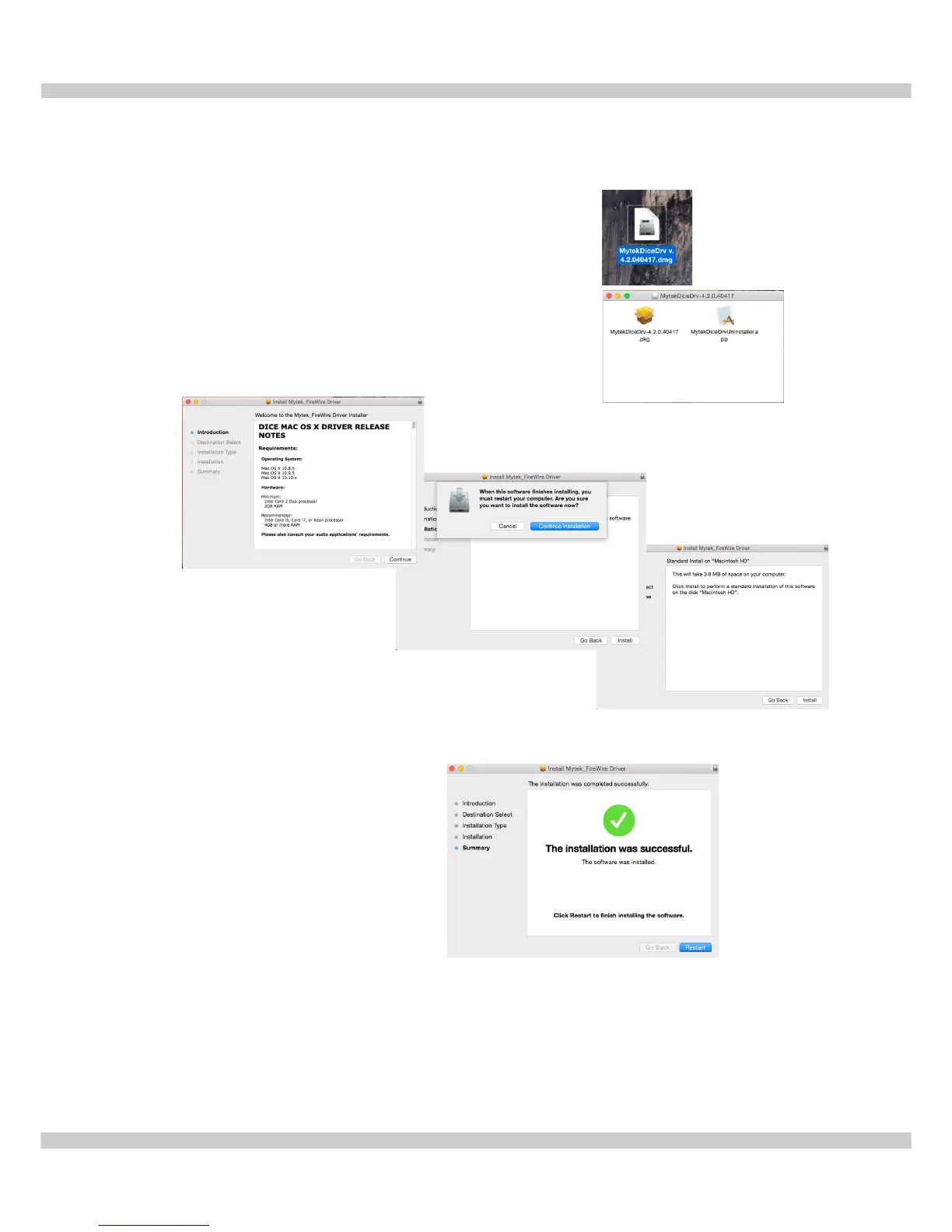
1. Download the latest FireWire driver from our website
and double click it.
2. Next click the .pkg file to start the driver installation.
3. To begin the installation process click "Continue".
4. Next click "Install"
5. Upon successful installation restart the computer to complete Mytek FireWire
Driver Installation.
www.mytekdigital.com Page: 11/25


 To Next Page