Mytek Manhattan Digital to Analog Converter – User's Manual
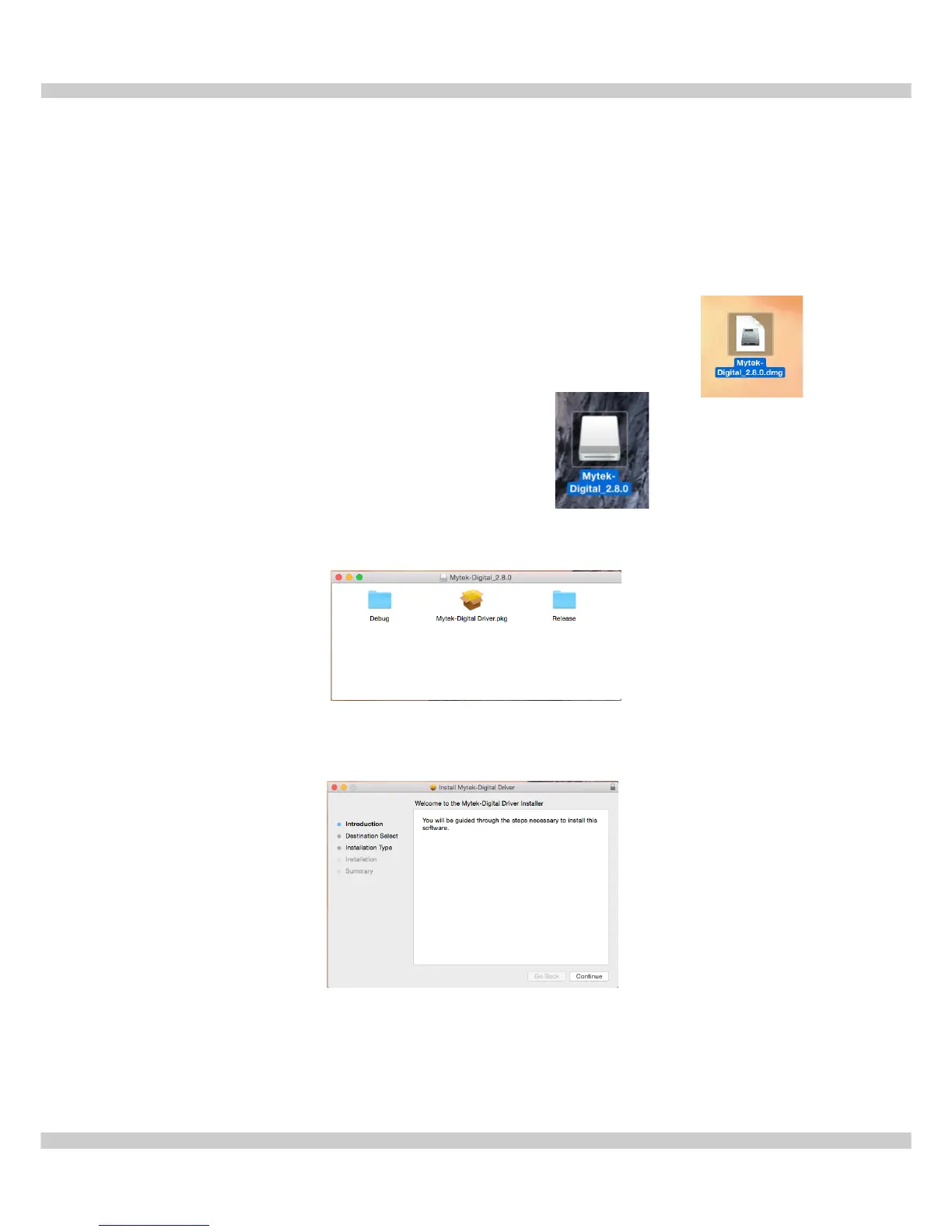
5.2 USB 2.0 - OS X driver installation
USB2.0 and Firewire require installation of Mytek drivers on both Win and Mac OS. (the
latest driver are available at mytekdigital.com).
Important! - before installing new USB driver previous one has to be uninstalled carefully.
1. Double click the driver file.
(ensure you have the latest driver by visiting mytekdigital.com).
2. Open the Mytek-Digital_XXX mounted drive.
3. Open Mytek-Digital Driver.pkg.
4. Click the Continue button in the lower right hand corner.
www.mytekdigital.com Page: 8/25


 To Next Page