www.SteamPoweredRadio.Com
accidentally touch power lines, either while you are installing
it or later.
2.
Include a lightning arrestor
in
the installation, to
protect both yourself and the tuner circuit from potential
danger during electrical storms.
4.
OUTPUT LEVEL CONTROL
This control varies the volume level of the tuner's output.
You
may leave it set at maximum, or you may use this control
to adjust the tuner's output so as to minimize any change
in
volume level when you switch your amplifier
from PHONO to TUNER.
5.
OUTPUT JACKS
Connect a stereo patch cord from the Left and Right
output jacks to the corresponding Tuner input jacks on
your amplifier.
6.
AC
CONVENIENCE OUTLET (not
in
U.K. model)
The AC power line cord of another stereo component
may
be
plugged into this accessory outlet.
It
is
an
"un-
switched" outlet, unaffected by the Power button.
7.
AC
LINE CORO
Plug the AC line cord into a Switched outlet on your
amplifier, or into any AC wall outlet that provides the correct
power-line voltage.
4
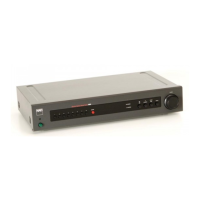
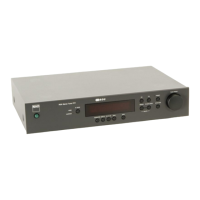
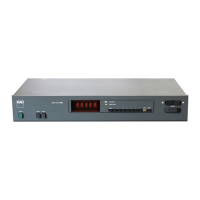
FRONT PANEL CONTROLS
1.
POWER
Depress this button to switch on the power. The
frequency display will illuminate when the power
is
on.
To
switch the power off, press the button again and release
it.
In
many installations
it
may
be
more convenient to leave
the tuner's POWER switch permanently engaged, letting the
tuner be turned on and off by a "switched" convenience
outlet on your amplifier.
If you prefer, you may plug the tuner's AC line cord into
an
Unswitched outlet or directly into a wall socket, and leave
it
permanently turned on. The tuner's power consumption
is
very low, so the cost of leaving
it
always on would
be
only a
few dollars per year; and the useful life of the tuner would
not be shortened by leaving it on.
2.
STATION PRE-SETS
You
can store the frequencies of sixteen favorite stations
(eight
FM
and eight
AM
)
in
these pre-sets, using the ENTER
button. Then, to tune those stations from day to day, just
press the appropriate pre-set button.
The pre-sets preserve their frequency assignments
when the power
is
switched off, or when the AC line cord
is
unplugged, for a period of at least two weeks. Thus you can
re-arrange your stereo system, or move the equipment from
room to room, without losing the pre-set frequencies. But
if
you leave the power off for a month or more, you may have
to re-program the tuning pre-sets.
3.
MEMORY ENTER
This button engages the Memory Enter mode. Use this
mode to enter the frequencies of your favorite stations
in
the sixteen pre-sets (eight pre-sets on the
FM
band and
another group of eight pre-sets on
AM).
The procedure
is
as follows.
(1)
Decide which station you want to assign to each
pre-set. On each band you may arrange the stations
in
any
order that you find convenient to
USE:
or easy to remember:
alphabetical
(1
=
WABC, 2 =
WCBS, 3
=
WNYC
..
. ),
numerical
(1
=
BBC1
, 2
=
BBC2
...
), or
in
order of
increasing frequency
(1
=
89. 7, 2
=
90.9, 3
=
95.3, etc).
If
you are not certain of the frequencies of the stations,
check the station/frequency directory
in
a local newspaper
or broadcasting guide.
(2)
Select the
FM
or AM band, as appropriate. Using the
Tuning control, manually tune to the first station on your list.
Check the signal-strength display (AM) or center-tune indica-
tor (FM) to be sure that you have tuned precisely to the
center of the station's broadcast channel. Press the ENTER
button, then press Pre-set # 1 to store the first station
in
the
tuner's memory. (NOTE: After you press ENTER, you will
have approximately ten seconds to store a station
in
one of
the pre-sets. After that interval, the ENTER mode will auto-
matically de-activate.)
(3)
Tune
to the second station on your list. Press the
ENTER button and, within ten seconds, press Pre-set
#2
to
store the second station.
(4)
Tune
to the third station on your list, press ENTER,
and press Pre-set
#3
to store the station. Continue
in
this
manner with any other stations that you want to store
in
the
remaining pre-sets. Then switch
to
the other tuning band
(FM or
AM
)
and repeat the process for the second set of
five pre-sets.
Incidentally,
if
you make a mistake or change your
mind,
it
is
not necessary to re-program all eight pre-sets
in
sequence.
You
can re-program any pre-set simply by tuning
to the desired frequency, pressing ENTER, and pressing the
pre-set that you want to re-program.
After you finish programming the pre-sets, you may wish


 To Next Page
 Loading...