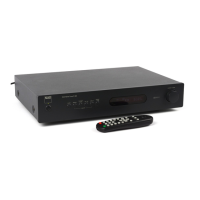
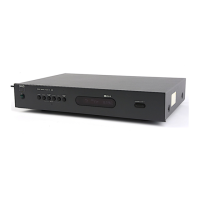
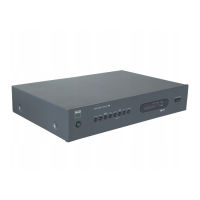
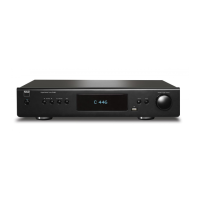
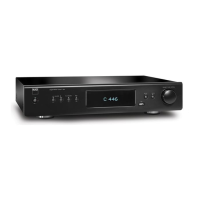
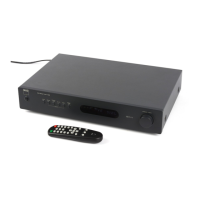
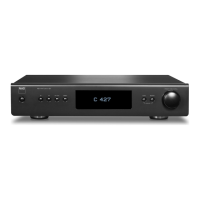
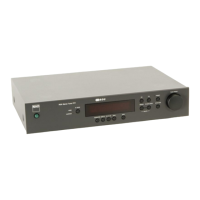
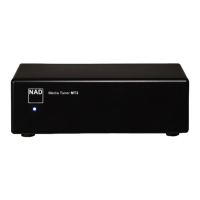
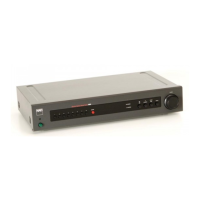
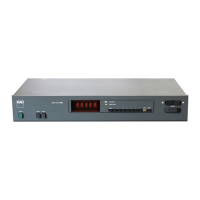
The NAD C 426 is an FM/AM Tuner designed to deliver high-quality sound from radio broadcasts. It incorporates NAD's "Music First" design philosophy, aiming for musical transparency and spatial accuracy. The tuner is built to be technologically advanced yet simple and easy to use, offering both state-of-the-art and audiophile-quality music listening.
Function Description:
The C 426 serves as a dedicated tuner for receiving both FM and AM radio signals. It allows users to tune into their favorite stations, store them as presets for quick recall, and manage these presets with user-defined names. The device features a Vacuum Fluorescent Display (VFD) that provides visual information on settings, conditions, status, and details about the currently tuned station.
Usage Features:
- Power Control: The C 426 can be powered on from standby mode by pressing the front panel STANDBY button or the ON button on the TNR 1 remote control. It can be switched back to standby mode using the STANDBY button or the OFF button on the remote. An amber LED indicates standby, while a blue LED indicates the unit is ON.
- Band Selection: Users can toggle between AM and FM bands using the front panel [FM/AM] button or the corresponding buttons on the TNR 1 remote control.
- Tuning Modes: The tuner offers two primary tuning modes:
- Tune Mode: In this mode, rotating the [PRESET/TUNE] control knob for more than 1 second engages automatic tuning, stopping at the next sufficiently strong signal. Brief rotations allow for manual tuning in 0.05 MHz steps for FM and 10 kHz (120V version) or 9 kHz (230V version) steps for AM. The "TUNED" indicator on the VFD illuminates when accurately tuned to a station, and antenna bars reflect signal strength.
- Preset Mode: This mode allows users to scroll through stored presets using the [PRESET/TUNE] control knob. Unused preset numbers are skipped.
- Direct Tuning: If the station's frequency is known, users can directly input the frequency using the numeric keys on the remote control in Tune mode.
- Preset Storage: The C 426 can store up to 40 favorite AM and FM stations. To store a preset, tune to the desired frequency, press the front panel [MEMORY] button, select an available preset number (or overwrite an existing one), and press [MEMORY] again.
- Direct Preset Recall: In Preset mode, users can directly recall a desired preset by keying in its number using the remote control's numeric keys.
- Preset Deletion: To delete a preset, select the preset number, then press and hold both the front panel [MEMORY] and [DISPLAY] buttons until "DELETE" flashes, release, and press [DISPLAY] again.
- User Names: For stored AM and non-RDS FM stations, an eight-character "User Name" can be assigned to a preset. This name will appear on the VFD when the associated preset is recalled. Entering a user name involves recalling the preset, pressing and holding [DISPLAY] until a flashing cursor appears, rotating [PRESET/TUNE] to select characters, pressing [DISPLAY] to confirm and move to the next position, and finally pressing [MEMORY] to store.
- FM Mute/Mode: The [FM MUTE/MODE] button is dual-purpose. In normal position, "FM ST" and "FM MUTE" icons are lit, muting noise between strong stations. Pressing it again extinguishes these icons, allowing reception of distant and potentially noisy stations, and reducing noise if the FM signal is below the stereo threshold by switching to mono. This status can be stored for individual presets.
- Blend Feature: The NAD BLEND feature reduces noise and hiss while retaining some stereo separation. Engaging BLEND illuminates "BLEND" on the VFD. This status can also be stored for individual presets.
- RDS (Radio Data System): The C 426 supports Program Service Name (PS mode) and Radio Text (RT mode) for FM broadcasts. When an RDS-enabled station is tuned, its program-service name (e.g., "ROCK 101") and an "RDS" symbol are shown on the VFD. The [DISPLAY] key toggles between PS and RT readouts, which may include song or artist names.
- Display Control: The [DISPLAY] button toggles between RDS PS, RDS RT, and station frequency in FM tuner mode. It is also used in combination with the [MEMORY] button for deleting stored presets.
- Remote Control: The TNR 1 remote control allows for comprehensive operation, including power, direct frequency/preset entry, display mode selection, sleep timer, preset navigation, tuning, band selection, blend, FM mute, and dimmer functions.
- Sleep Mode: The sleep mode timer automatically switches the C 426 to standby after a preset number of minutes (30, 60, or 90). The remaining time can be checked by pressing the [SLEEP] button.
- Dimmer: The VFD brightness can be adjusted to reduce, turn off, or restore brightness using the [DIMMER] button on the remote.
- External Control: The C 426 features an RS-232 interface for remote control via compatible external controllers (e.g., AMX and Crestron). An IR IN port allows control from an IR repeater or other components. A +12V TRIGGER IN input enables remote switching to standby and ON by ancillary equipment with a 12V trigger output.
Maintenance Features:
- Antenna Connections: The C 426 comes with a ribbon-wire FM antenna (with balun adapter) and an AM loop antenna. The FM antenna works best when fully extended in a horizontal "T" shape on a vertical surface. The AM loop antenna is assembled by rotating its outer frame, inserting the bottom edge into the stand's groove, and extending the cord. For optimal reception, especially in poor signal areas, external antennas and professional installation are recommended.
- Cleaning: Unplug the product from the wall outlet before cleaning. Use a dry cloth; do not use liquid or aerosol cleaners.
- Power Cord Protection: Ensure power cords are routed to prevent walking on or pinching, paying attention to plugs, receptacles, and exit points from the product.
- Lightning Protection: For added protection during lightning storms or extended periods of disuse, unplug the product from the wall outlet and disconnect the antenna or cable system.
- Ventilation: Ensure the unit is placed in a well-ventilated location with several inches of space on all sides to prevent overheating. Avoid blocking ventilation openings or placing the unit in direct sunlight or near heat sources.
- Factory Default Reset: To restore the C 426 to its factory default settings (clearing all presets), press and hold both the front panel [MEMORY] and [PRESET/TUNE] buttons until all VFD icons illuminate, then immediately press any front panel button, and finally press the STANDBY button to power up the unit from standby mode.

 Need help?
 General
 Weight and Dimensions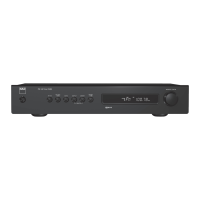

 To Next Page