Need help?
Do you have a question about the NAD M4 and is the answer not in the manual?
Covers 22 numbered safety and operating instructions for product usage.
Guidelines for proper grounding of CATV systems to prevent electrical hazards.
Instructions on safe placement and ventilation to prevent overheating and hazards.
Steps for unboxing, selecting a location, and initial setup of the M4 tuner.
Overview of the M4's advanced features like DAB, XM, and RDS radio reception.
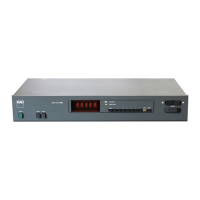
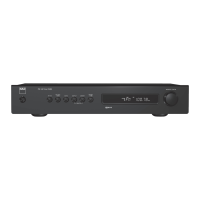
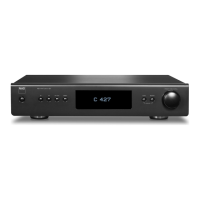
Detailed description of buttons, indicators, and display on the M4's front panel.
Explanation of all input/output terminals and power connections on the rear panel.
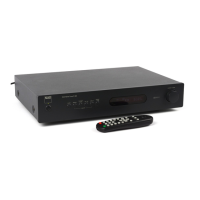
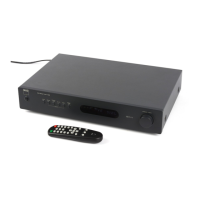
Guide to operating the M4 using its dedicated infrared remote control.
Instructions for tuning stations, setting presets, and using FM Mute/RDS features.
Steps for connecting, tuning, and utilizing XM radio services with the M4.
Guide to antenna setup, scanning, tuning, and managing DAB radio broadcasts.
Solutions for problems like no power, no sound, noisy reception, and remote control issues.
Detailed performance metrics and technical data for FM, AM, and DAB sections.
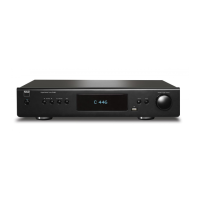
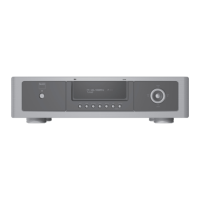
The NAD M4 is a sophisticated AM/FM/DAB/XM Tuner designed to deliver high-quality audio from radio broadcasts. It emphasizes a "Music First" design philosophy, aiming for musical transparency and spatial accuracy. The tuner is equipped with a Vacuum Fluorescent Display (VFD) on the front panel, providing visual information about settings, conditions, and the currently tuned station or broadcast.
The primary function of the NAD M4 is to receive and tune into various radio broadcast bands: AM, FM, DAB (Digital Audio Broadcast, 230V version only), and XM (XM Satellite Radio, 120V version only). It allows users to listen to a wide range of radio programs with enhanced sound quality, particularly with DAB, which offers CD-like quality without interference or signal distortion.
The M4 supports RDS (Radio Data System) for FM broadcasts, which transmits station identification, program type, national/regional/local program indications, and correct time. This feature also enables searching for favorite program types. For XM Radio, the M4 is "XM Ready," meaning it can receive live XM content with the addition of a separately sold XM Mini-Tuner CPC-9000 and XM Mini-Tuner Home Dock, along with an XM service subscription.
The device offers both analog and digital audio outputs. Analog audio can be connected to an amplifier, receiver, or stereo system via RCA jacks. Digital audio outputs (optical and coaxial, 230V version only) allow connection to compatible devices like amplifiers, receivers, computer soundcards, or other digital processors.
The M4 can be powered ON/OFF using the front panel POWER button or the remote control's [ON]/[OFF] buttons. The LED indicator on the front panel shows the power status (amber for standby, blue for ON). The rear panel POWER switch acts as a master AC mains power control. The unit can also be switched ON from standby by pressing any front panel button. For remote control, an IR sensor on the front panel receives signals from the M4 remote. There's also an IR IN port on the rear for connecting an IR repeater, allowing control from a remote location. A +12V TRIGGER IN allows the M4 to be switched remotely by ancillary equipment, such as an amplifier, preamp, or AV processor, equipped with a 12V trigger output.
The M4 offers multiple ways to tune stations. Users can manually step up or down frequencies using the [TUNE◄►] buttons on the front panel or remote. A search function allows the tuner to stop at the next sufficiently strong signal. Direct tuning is also possible by keying in the desired frequency allocation using the remote's numeric keys.
The M4 can store up to 40 radio presets, accommodating a mix of AM, FM, DAB, and XM stations. Presets can be stored by tuning to a desired frequency and then pressing the [MEMORY] key. Users can then select a 'Preset Free' number and save the station. Presets can be recalled directly using the remote's numeric keys or by stepping through them with the [PRESET ▲/▼] buttons. User names, up to eight characters long, can be assigned to each radio preset, appearing on the VFD when the preset is recalled.
The FM MUTE function, accessible via the front panel button, toggles between "FM Mute On" (muting noise between strong stations) and "FM Mute Off" (allowing reception of distant or noisy stations, potentially sacrificing stereo effect). The BLEND feature reduces noise and hiss while retaining some stereo separation, offering an alternative to full mono. Both FM Mute and Blend status can be stored for individual presets.
DAB operation begins by toggling the [BAND] button to DAB mode. If no services are found, "No Service List" is displayed. Users can initiate a "Full Scan" (scanning all digital frequencies) or "Local Scan" (scanning available services in the area) by pressing [MODE] and then using the [TUNE◄►] buttons. The scanning progress is shown on the VFD. DAB offers various menu options accessible via the [MODE] button:
XM tuning can be done manually by stepping through channels with the [TUNE◄►] buttons, directly by keying in channel numbers using the remote's numeric keys, or by category. In category mode, users can select a category (e.g., Country, Rock, Jazz & Blues) and then tune within that category.
The DIMMER button adjusts the VFD brightness. The INFO button cycles through various information displays relevant to the currently tuned station or broadcast. For FM, this includes RDS station name (PS mode) and radio-text (RT mode), which might show song or artist names. For XM, it displays artist name, song title, category, or other text. For DAB, it shows Station Name, DLS (Dynamic Label Segment) scrolling text, Channel and Frequency, Ensemble Name, Program Type, Time and Date, Audio Signal Information (bit rate, audio type), and Error Rate. The signal strength of a tuned station can be displayed on the VFD by pressing and holding the [ENTER] button.
The SLEEP button on the remote control allows users to set a timer for the tuner to switch off after a preset number of minutes. Each consecutive press reduces the sleep time until the mode is cancelled.
The manual advises unplugging the product from the wall outlet before cleaning. It specifies not to use liquid or aerosol cleaners, recommending a damp cloth instead.
The M4 comes with an AM loop antenna, an FM ribbon-wire antenna with balun, and a DAB antenna (230V version only). Instructions are provided for assembling the AM loop antenna and connecting all antennas to their respective terminals on the rear panel. For optimal reception, the FM antenna should be fully extended in a "T" shape, and the DAB antenna should be positioned carefully. Users are advised to consult an antenna installation professional for poor reception areas. The DAB antenna base should not be placed close to magnetic media due to its magnetic components.
Instructions are provided for replacing the AA batteries in the M4 remote control. This involves removing the battery cover, inserting new batteries with correct fitting, and replacing the cover until it clicks closed.
The manual emphasizes reading and retaining all safety and operating instructions, heeding warnings, and following instructions. It warns against using unrecommended attachments, exposing the product to water or moisture, and placing it on unstable carts or stands. Proper ventilation is crucial, and the unit should not be placed in enclosed spaces without adequate airflow. Power cords should be routed to prevent damage, and the mains plug should remain readily operable. Outdoor antennas should be properly grounded to protect against voltage surges. In case of lightning storms or extended periods of disuse, the product should be unplugged and antennas disconnected. Overloading wall outlets is discouraged. No naked flame sources should be placed on the product, and objects or liquids should not be pushed or spilled into the unit. Excessive sound pressure from headphones can cause hearing loss.
In case of damage (e.g., damaged power cord, liquid spills, exposure to rain, abnormal operation, physical damage, or distinct change in performance), the product should be unplugged and referred to qualified service personnel. When replacement parts are required, only manufacturer-specified or equivalent parts should be used to avoid hazards.
At the end of its useful life, the product should not be disposed of with regular household waste but returned to a collection point for the recycling of electrical and electronic equipment. The manual highlights that materials can be reused, and recycling contributes to environmental protection. Local administrative offices can provide information on waste disposal points.
 General
| Tuning Range (FM) | 87.5 - 108 MHz |
|---|---|
| Presets | 30 |
| Stereo Separation (FM) | 40 dB |
| Harmonic Distortion (FM Mono) | 0.07% |
| FM Frequency Response | 20 Hz - 15 kHz (±1 dB) |
| Dimensions | 435 x 100 x 350 mm (W x H x D) |

 To Next Page