8
NOTICE:
The digital inputs are capable of handling up to24bit /192 kHz audio signal in PCM-format. check your source signal type to make sure it is in the right format.
if you're not sure it's in the right format please check your source device manual or contact your dealer
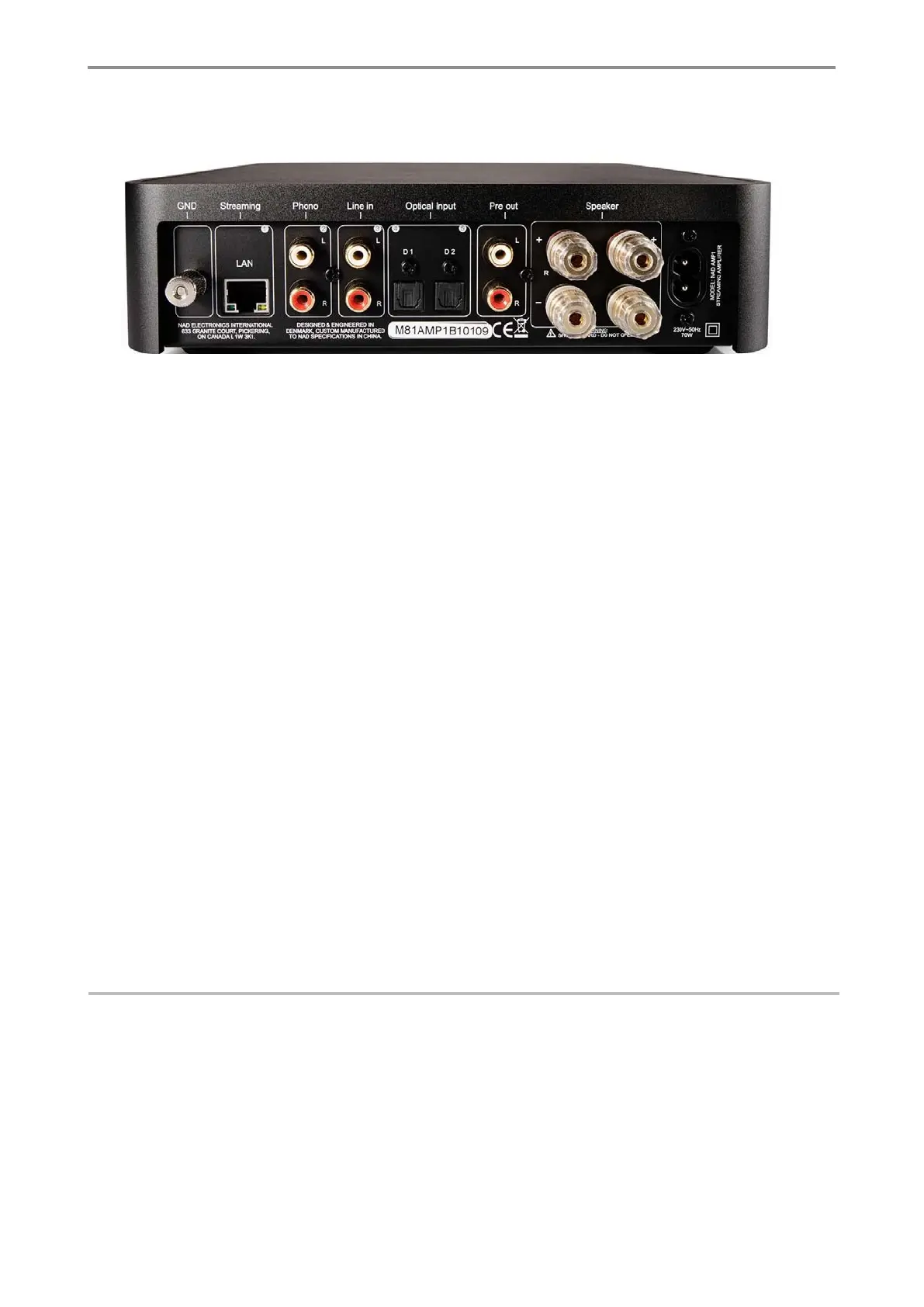
CONNECTIONS OF THE AMP
① ② ③ ④ ⑤ ⑥ ⑦ ⑧ ⑨
1. GND
- Connection for turntable grounding.
2. Streaming
- For LAN cabled Internet access. The NAD Amp1 has built in Wi-Fi but NAD Amp1 also has LAN connection. We recommend using the
LAN connection, if possible, for optimal signal and signal stability.
3. Phono
- Only Connect a turntable to this input, remember to connect “GND” (①) as well.
4. Line in
- Connect any analogue audio source with Left Right cable.
5. Optical inputs
- D1 Digital input, optimized for TV input, connect a TV to this input
- D2 Digital input, optimized for Hi-Fi, connect a audio product to this input.
6. Pre out
- To connect a SUB woofer or extra power amplifier.
7. Speaker right
- Unscrew the plug to mount the un-isolated speaker cable or use a banana plug.
(remember to get + and – connected similar on NAD Amp1 and your loudspeakers)
8. Speaker left
- Unscrew the plug to mount the un-isolated speaker cable or use a banana plug.
(remember to get + and – connected similar on NAD Amp1 and your loudspeakers)
9. Power
- Insert the power cable that comes with the NAD Amp1, and connect to an electric outlet.


 To Next Page