GB
7
Thefollowingexamplepresentsastep-by-stepillustrationofhowto
programandstartProgramPlaytoplaytracks5,23,9,16,and1.
WhiletheCDplayerisstopped:
PressonremotecontrolDisplayshows
PROGRAMPrp:01
55p:01
PROGRAMPrp:02
+10,+10,323p:02
PROGRAMPrp:03
99p:03
PROGRAMPrp:04
+10,616p:04
PROGRAMPrp:05
11p:05
PROGRAMPrp:06
PLAY
TheCalendardisplaytracklistingwillindicatetheselected
program.
Thecoilspringsshouldcontactthe(-)endofeachcell.Pushthe
batterycompartmentcoverbackandpressgentlyuntilitlatches.
Insomecases,corrosionorfingerprintoilonthebatterycontacts
maycausepooroperation.Removebothcells,rubthemetal
contactsatbothendsofeachcellwithacleanclothorapencil
eraser,andre-installthecells,beingcarefultoorientthem
correctly.
DevelopedbyPacificMicrosonicsintheUSA,HDCD
®
(High
DefinitionCompatibleDigital
®
)isapatentedencode/decode
processfordeliveringthefullrichnessanddetailoftherecording.
HDCD
®
encodedCDssoundbetterbecausetheyareencodedwith
20-bitsofrealmusicalinformation,ascomparedto16-bitsforall
otherCDs.HDCD
®
overcomesthelimitationofthe16-bitCD
formatbyusingasophisticatedsystemtoencodetheadditional
fourbitsontotheCDwhileremainingcompletelycompatiblewith
theexistingCDformat.
Theresultisalargerdynamicrange,amorefocused3-D
soundstage,andnaturalvocalandmusicaltimbre.AnHDCD-
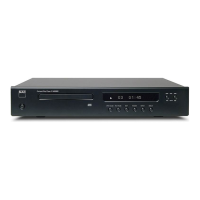
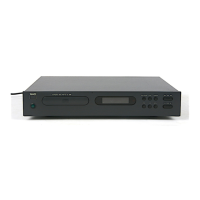
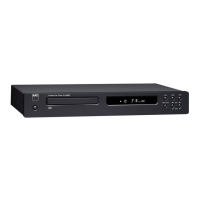
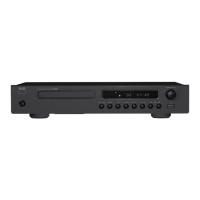
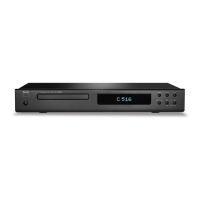
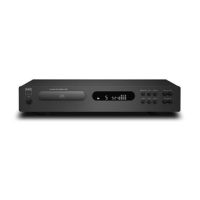
encodeddiscplayedontheHDCD-equippedNADC 542 CDplayer
producesaudiblysuperiorclarityanddepth.Enhanced
performancewillalsobeobtainedfromstandardCDs.
TheNADC 542 CDplayerwillautomaticallyidentifyanHDCD
®
encodeddiscandactivateitsHDCD
®
decoder.Theredindicator
willlightupwhenit’splayinganHDCD
®
encodeddisc.
CD-R & CD-RW AUDIO DISCS
TheC 542 canplaybackCD-R,CDRWaudiodiscsthathavebeen
recordedonacomputerorCD-recorder.ThequalityofCD-R,
CD-RWaudiodiscsvarieswidelywhichmayaffectplayability.
Somefactorsthataffectplayability:
•Thequalityofthediscitself.Generallyspeaking,CD-R,CD-RW
blanksfromwell-renownedcompaniesgivebetterresults
thanunbrandedones.
•ThequalityofCD-recorderorcomputerCDre/writer.Some
recordersandwritersproducebetterresultsthanothers.
•TheCD-R&CD-RWwascreatedwithhigh-speedwriting.In
7.Toterminateprogramplay,pressSTOP.Howeverthestored
tracklistremainsinmemory;ifyouwanttoplaytheprogram
again,simplypressPLAYagain.Ifyouwanttoedittheprogram,
pressPROGRAMrepeatedlytoreviewthelistandchange.To
addtracks,pressthePROGRAMbuttonuntilthehighest
programnumberisdisplayed.
8.Tocleartheprogrammemory,pressSTOPtwice,OPEN/CLOSE
toopenthedrawer,orswitchoffthePOWER.
DELETE
TheC 542 CDPlayerallowstousertodeleteunwantedtracksin
anydesiredorderineithertheProgramModeortheStopMode.
ToDeletetracks,usethesequenceofcommandsbelow.
InProgramMode:
1.
2.
3.
4.
5.
6.
PressDELETE.Thedisplayindicates"dEd:01";theplayeris
nowreadyforfirstDeleteentry."dE"willchangetofirst
memorytrackafter1second.
Usethe SKIP&SKIP buttonstoselectthefirst
trackyouwouldliketodelete.Thetracknumberwillflash.
PressDELETEagaintostoretheselectedtracknumberin
memory.Theselectedtracknumberwillbedeletedinthe
display.Thedisplaywilladvancetonextlocation.This
showingthattheplayerisreadyforyoursecondentry.
RepeatSteps2and3toselectthedeletethetracknumbers
inmemory,uptoamaximumof20entriesbutcannotdelete
trackabovetrack25.
Toplaythestoredprogram,justpressPLAY.Duringplaying,
theSKIPbuttonswillaccessonlythetracksstilllisted.The
deletedsongsarenotlisted.
Toclearthememory,pressSTOPtwice,OPEN/CLOSEto
openthedrawer,orswitchoffthepower.
InStopMode:
1.
2.
3.
4.
PressDELETE.Thedisplayindicates"dEd:01"withtotal
tracktime.TheplayerisreadyforthefirstDeleteentry.
UsetheDirect-EntryNumerickeypadbuttonstoselectthe
firsttrackyouwouldliketodelete.Theselectedtrack
numberwillbedeletedinthecalendardisplayandthe
updatedtotalplayingtimeisshownondisplay.
RepeatSteps2toselectthetracknumbersyouwouldliketo
delete,uptoamaximumof25entriesbutcannotdelete
trackabovetrack25.
Toplaytheremainingtracks,justpressPLAY.Duringplaying,
theSKIPbuttonswillaccessonlythetracksstilllisted.The
deletedsongsarenotlisted.
5.
Toclearthememory,pressSTOP,OPEN/CLOSEtoopenthe
drawer,orswitchoffthepower.
NOTE:IntheProgram-entrymode,theSKIPand
buttonshavea“wrap-around”function:ifyouSKIPBack
repeatedlyfromTrack01,thenumbercountsdownfromthefinal
trackonthedisc.Thisprovidesaconvenientwaytoselecthigh-
numberedtracks.
INSTALLINGANDREPLACINGBATTERIES
Theremotecontrolrequirestwo1.5-voltAAA-size(i.e.UM-4or
IECRO3)cells.Alkalinecellsarerecommended,toobtain
maximumoperatinglife.Toopenthebatterycompartment,place
yourfingertipintherecessontherearoftheremotecontrol,push
againsttheflexibleedgeofthebatterycoverandliftthecover
upwards.Installfreshcells,orientingthemasshownonthe
diagramwithinthecompartment.
TheCalendardisplaywillindicateremainingtracklisting.After
completingplayback,theC 542 willautomaticallystop,andthe
display will again show all the tracks contained on the inserted
CD.


 To Next Page