EasyManua.ls Logo

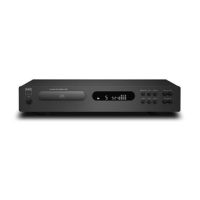
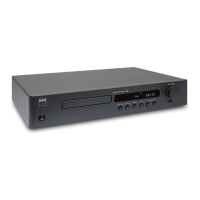
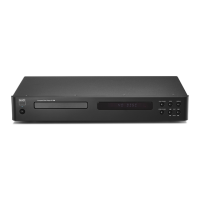
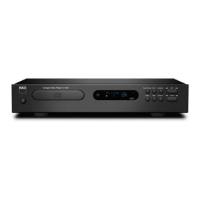
NAD C 516BEE - User Manual

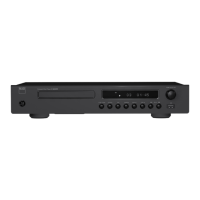
NAD C 516BEE
14 pages
Print Icon
To Next Page IconTo Next Page
Loading...
®
Owners Manual
Manuel d’Installation
Manual del Usuario
Manuale delle Istruzioni
Bedienungsanleitung
Gebruikershandleiding
Bruksanvisning
Инструкция по эксплуатации
C 516BEE
Compact Disc Player
ENGLISHFRANÇAISESPAÑOLITALIANODEUTSCHNEDERLANDSSVENSKAРУССКИЙ

Questions and Answers

  • J
    John GarciaJul 31, 2025
    What to do if my NAD C 516BEE remote control is not working?
    • S
      Sabrina AndersonJul 31, 2025
      If the remote control for your NAD CD player isn't working, make sure you're pointing it directly at the remote sensor on the CD player. Also, try moving closer to the CD player. If it still doesn't work, the batteries might be dead, so replace them.
  • A
    Austin WellsAug 6, 2025
    What to do if my NAD C 516BEE CD Player won't start?
    • S
      Sarah HarrisAug 6, 2025
      If your NAD C 516BEE CD player won't start playback, check if the disc is loaded upside down; reload it with the label side up. Also, the disc might be too dirty; try cleaning it.
  • T
    Tammy GregoryAug 12, 2025
    How to fix a NAD CD Player that skips?
    • K
      Karen WongAug 12, 2025
      If your NAD C 516BEE CD player is skipping, it might be due to vibration or physical shock from external sources. Try changing the installation location to a more stable spot.
  • A
    Amy CunninghamAug 18, 2025
    Why NAD C 516BEE CD Player is not turning on?
    • C
      Christy ThompsonAug 18, 2025
      If your NAD CD player has no power, make sure the power cord is securely plugged into the wall outlet.
  • B
    Bethany LutzAug 25, 2025
    Why is there no sound coming from my NAD CD Player?
    • C
      Charles WilliamsAug 25, 2025
      If you're not getting any sound from your NAD C 516BEE CD player, it could be because the equipment connected to the audio cable isn't set to receive the CD signal output. Try selecting the correct input mode on your audio receiver. Alternatively, the equipment connected to the audio cable might be turned off; ensure it is powered on.

Summary

Important Safety Instructions

General Safety Precautions

Covers reading instructions, heeding warnings, cleaning, attachments, water, and placement.

Electrical and Installation Safety

Details power sources, grounding, cord protection, outdoor antenna grounding, and lightning protection.

Operational Safety Warnings

Covers overloading, object/liquid entry, and electrical shock prevention.

FCC and Industry Canada Compliance

Covers warnings and requirements for FCC and Industry Canada compliance.

Placement and Ventilation Guidelines

Specifies ventilation space required around the unit for proper operation.

Introduction

Getting Started

Overview of initial setup and operation, including unpacking and quick start.

Product Overview

Introduction to the C 516BEE CD Player and NAD's design philosophy.

Identification of Controls

Front Panel Controls

Details all buttons and displays on the front panel of the C 516BEE.

Rear Panel Connections

Explains the various input and output ports on the rear of the C 516BEE.

CD 7 Remote Control Functions

Describes the functions of each button on the included CD 7 remote control.

Operation

Using the C 516 BEE - Features

Covers playing CD-R/RW discs, MP3/WMA files, and programming playback.

Using the C 516 BEE - CD 7 Remote Control

Explains remote control functions like numeric keypad, repeat, random, dimmer, time, and index.

Reference

Troubleshooting

Provides solutions for common issues like no power, no sound, or remote control problems.

Notes on Discs

Guidelines for handling, cleaning, and storing audio discs for optimal performance.

Specifications

Lists the technical parameters and dimensions of the C 516BEE CD Player.

NAD C 516BEE Specifications

General IconGeneral
Frequency range20 - 20000 Hz
Audio formats supportedMP3, WMA
Signal-to-Noise Ratio (SNR)118 dB
Total Harmonic Distortion (THD)0.01 %
CD-R playbackYes
Playback disc formatsCD audio
Device type-
Cassette deckNo
Product colorTitanium
Channel separation90 dB
Playback disc typesCD-R
Power consumption (standby)0.5 W
Package weight4500 g
Weight and Dimensions IconWeight and Dimensions
Depth249 mm
Width435 mm
Height70 mm
Weight3500 g

Related product manuals