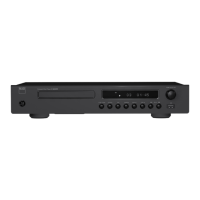
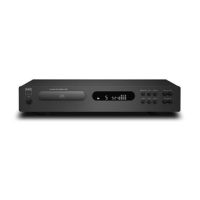
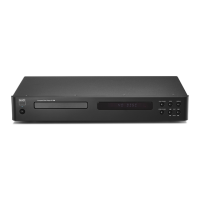
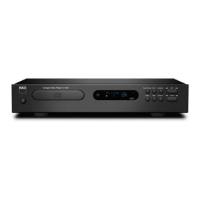
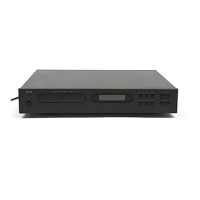
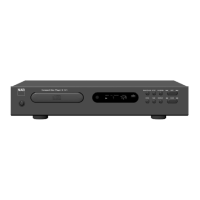
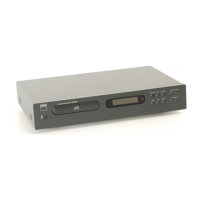
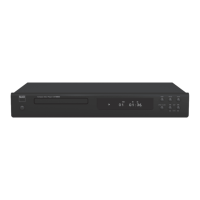
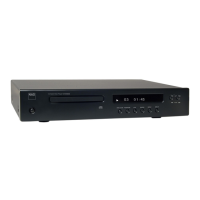
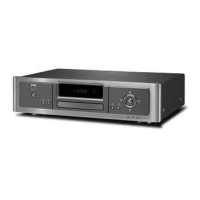
The NAD C 568 is a Compact Disc Player designed for high-quality audio playback. It incorporates NAD's "Music First" design philosophy, aiming for musical transparency and spatial accuracy. This player is capable of handling various disc formats and offers several features for an enhanced listening experience.
Function Description
The primary function of the C 568 is to play audio from compact discs (CDs) and USB devices. It supports standard audio CDs, as well as CD-R and CD-RW discs containing MP3/WMA formatted recordings. The player features both analog and digital audio outputs, allowing connection to a wide range of amplifiers, receivers, or stereo systems.
The front panel includes a Standby button to power the unit on and off, with an LED indicator that changes from amber (standby) to blue (on). A disc tray is provided for loading discs, and the Vacuum Fluorescent Display (VFD) shows playback information, settings, and other indicators.
Playback controls on the front panel include a dual-function STOP/OPEN button to stop playback and open/close the disc tray. A SOURCE button allows toggling between CD and USB modes. The PLAY/PAUSE/SKIP knob serves multiple purposes: pressing it toggles between play and pause, and rotating it skips forward or backward through tracks or files. SCAN buttons are available for fast forward and reverse searching within a track or file. A USB input on the front panel allows for direct connection of USB devices for playing MP3/WMA files.
The rear panel offers LINE OUT (analog audio output), DIGITAL OUT (coaxial and optical) for connecting to digital processors, an IR IN port for external infrared repeaters, and a +12V TRIGGER IN for remote standby/ON control by ancillary equipment. The AC MAINS INPUT is for connecting the detachable AC power cord.
Usage Features
CD Mode:
To play a CD, connect the analog or digital outputs to your amplifier. Plug in the AC cord and turn on the player using the Standby button. Press STOP/OPEN to open the disc tray, place a CD label-side up, and press PLAY/PAUSE/SKIP to start playback. The PLAY/PAUSE/SKIP knob can be rotated to select different tracks. Pressing PLAY/PAUSE/SKIP during playback will temporarily pause the music, and pressing it again will resume playback. Pressing STOP/OPEN will stop playback and reset the pickup to the beginning of the disc.
CD-R and CD-RW Audio Discs:
The C 568 can play CD-R and CD-RW audio discs recorded on a computer or CD recorder. The quality of these discs can vary, affecting playability. Higher quality blanks and lower recording speeds generally yield better results.
Playing MP3/WMA Files (CD and USB):
The C 568 supports MP3/WMA files on CD-R/CD-RW discs and external USB devices.
For disc playback, load the disc, then use the CD 9 remote control's FOLDER and FILE buttons to navigate and select desired files, pressing ENTER to start playback.
For USB playback, connect the USB device to the front panel's USB input. Toggle the SOURCE button to "USB" mode. The VFD will display "USB Reading" and then the total number of files. Press PLAY/PAUSE/SKIP to start playback. Directories and files can be selected using the FOLDER and FILE buttons on the remote.
Programming:
The player allows programming a sequence of up to 40 tracks/files from a disc. In STOP mode, press the PROG button on the CD 9 remote. Use the numeric keypad to enter desired track numbers. The VFD will show the program entry (e.g., "P01 T005"). Press PROG again to finalize the program, then press PLAY to start playback of the programmed sequence. The programmed list remains in memory until cleared or the unit is switched off/source changed.
Review/Edit Program List:
To review or edit a programmed list, press PROG. The VFD will show the programmed tracks. Use the numeric keypad to change a track or the SKIP buttons to navigate. Press CLEAR to delete a specific program entry.
Repeat Playback:
Press the RPT button on the remote to toggle through repeat modes: repeat track/file, repeat folder, or repeat all tracks/files. Corresponding icons will illuminate on the VFD.
RPT A-B (Repeat A-B):
To repeat a specific segment, press RPT A-B at the starting point (A) and again at the end point (B). Press RPT A-B a third time to cancel.
Random Playback:
Press the RANDOM button to engage or disengage random playback of tracks or files. A "RANDOM" icon will illuminate on the VFD.
The DISPLAY button toggles through various disc information during playback, such as elapsed/remaining playback time of the current track, total playback time of the disc, song title, artist name, album name, and file name (for MP3/WMA).
DIM (Display Dimmer):
The DIM button on the remote reduces, turns off, or restores the VFD brightness.
Filter Selection:
The C 568 offers five unique digital filtering options, selectable via the FILTER button on the remote, to tailor the audio experience. These filters affect frequency response and time domain characteristics.
Auto Standby:
The C 568 features an Auto Standby mode to comply with ecodesign regulations. This can be enabled or disabled by pressing and holding the front panel's RANDOM button and PLAY knob. The unit will automatically go to standby after a period of no user interaction in conditions like "No disc," "No USB," "Stop mode," or "Pause mode."
Remote Control (CD 9):
The CD 9 remote control provides comprehensive control over the C 568's functions, including direct track entry, programming, repeat modes, display options, and filter selection. Ensure a clear line-of-sight to the player's remote sensor for reliable operation.
Maintenance Features
Disc Handling:
To prevent poor picture quality and sound distortion, avoid touching the playback side of discs. Hold discs by the edges and never stick paper or tape on them.
Disc Cleaning:
Clean discs with a clean cloth, wiping from the center out, before playing to remove fingerprints and dust. Do not use strong solvents like alcohol, benzine, thinner, or anti-static sprays intended for older vinyl records.
Disc Storage:
Store discs in their cases after playing. Avoid exposing discs to direct sunlight or heat sources, and never leave them in a parked car exposed to direct sunlight.
Troubleshooting:
The manual provides a troubleshooting guide for common issues such as no power, disc not starting playback, no sound, sound skips, inability to switch to standby, and remote control malfunction. Solutions include checking power connections, reloading discs correctly, cleaning discs, selecting correct input modes on the audio receiver, changing installation location, and replacing remote control batteries.
Installation Notes:
Install the C 568 on a level, vibration-free surface to prevent mis-tracking. Ensure adequate ventilation around the unit (at least 10 cm on sides, rear, and top). Avoid placing the C 568 in close proximity to radio tuners, VCRs, or televisions if static interference occurs.


 To Next Page

 General
 Weight and Dimensions