MENU OPTIONS
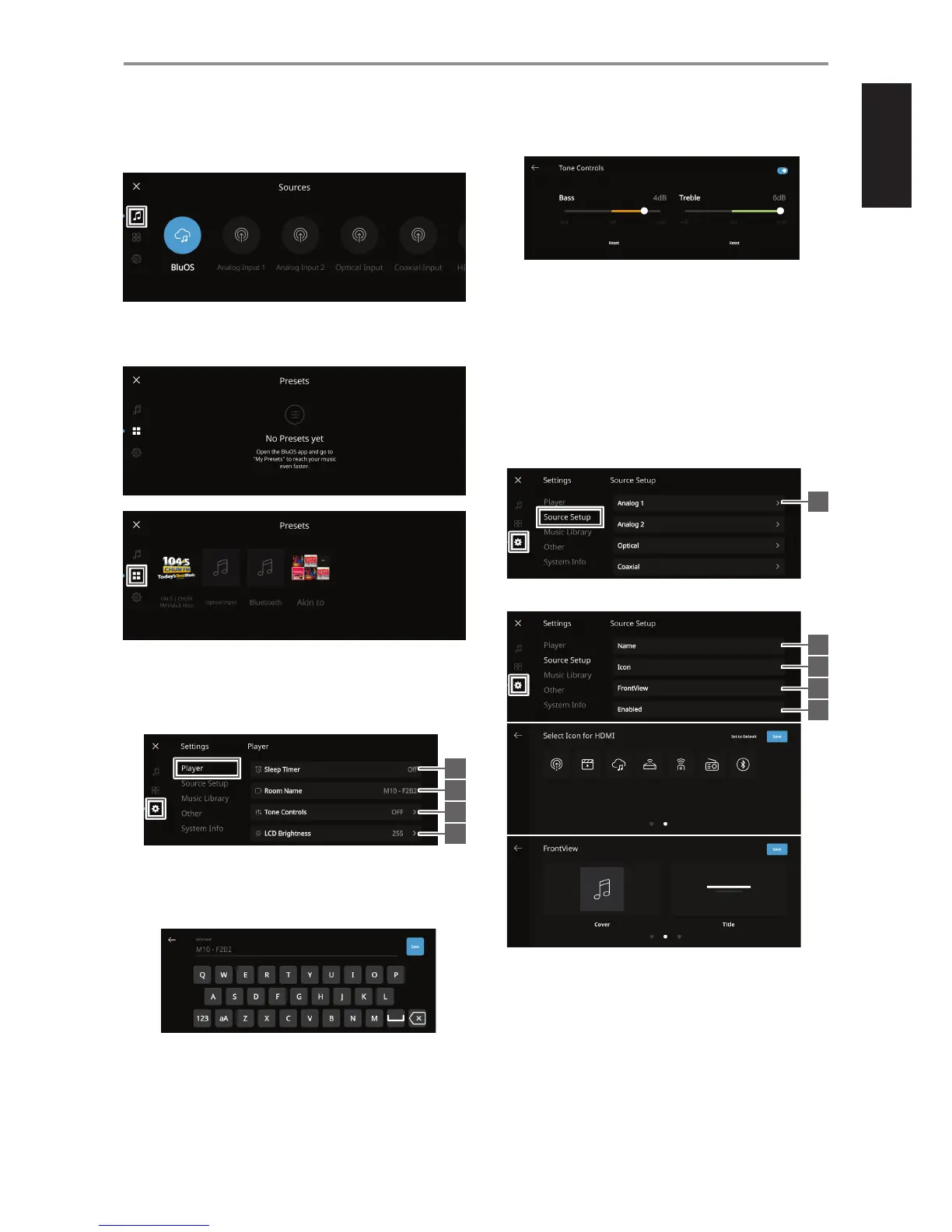
Sources
Select preferred Source to access or playback contents
Presets
Use BluOS App to program into Presets your favorite radio stations, music
streams, playlists or Sources
Settings
Congure or display M10 settings
Player
1 Sleep Timer: Stop playback after a set amount of time via gentle
volume decline
2 Room Name: Create a customized room name for the M10 using
the pop up keyboard
3 Tone Controls: Swipe to boost or reduce Bass and Treble response.
Tone Control levels, Bass and Treble, can be turned ON/OFF or Reset.
4 LCD Brightness: Adjust LCD brightness level
5 Indicator Brightness: Change NAD logo indicator brightness to
Normal, Dim or O
6 Amplier Standby: Maintain network connection at standby
mode
7 Bluetooth: Set Bluetooth connection to Manual, Automatic, Guest
or turn O Bluetooth availability
8 Auto Sense: Wake up from standby mode when triggered by
active Optical, Coaxial or HDMI ARC source input
Source Setup
Select and congure Source
1 Source: Select Source to congure
2 Name: Customize the Source’s Name using the pop-up keyboard
3 Icon: Assign icon to the selected Source
4 Front View: Select Front View contents like Cover and Title, Cover,
Title and Source and VU meter
5 Enabled: Activate or deactivate selected Source
IDENTIFICATION OF CONTROLS
TOP AND FRONT VIEW
9
1
2
3
4
1
2
3
4
5



 To Next Page