EasyManua.ls Logo

NAD T762 - User Manual

NAD T762
29 pages
Print Icon
To Next Page IconTo Next Page
Loading...
Owner’s Manual
ENGLISH

Table of Contents

Question and Answer IconNeed help?

Do you have a question about the NAD T762 and is the answer not in the manual?

Summary

SAFETY INFORMATION

CAUTION (RISK OF ELECTRIC SHOCK)

Warning regarding electric shock hazard and user-serviceable parts.

EXPLANATION OF GRAPHICAL SYMBOLS

Defines the meaning of warning symbols used in the manual and on the unit.

PRECAUTIONS

General safety advice and operational guidelines before using the appliance.

INSTALLATION

Guidelines for proper physical installation to ensure safety and performance.

ELECTRIC POWER

Safety instructions for power sources, polarization, and cord handling.

MAINTENANCE

Recommendations for cleaning and upkeep of the unit.

DAMAGE REQUIRING SERVICE

Conditions that necessitate professional repair service.

OWNERS RECORD

Section to log model and serial numbers for future reference.

GETTING THE MOST FROM THE NAD T 762

UNPACKING AND SETUP

WHATS IN THE BOX

Lists all accessories and components included with the receiver.

CHOOSING A LOCATION

Guidance on selecting an appropriate placement for ventilation and remote operation.

ABOUT THE T 762

E.A.R.S., MATRIX AND DIGITAL SURROUND

Explains NAD's proprietary surround sound technologies and digital processing.

EASE OF USE

Highlights the receiver's user-friendly design and intuitive operation.

INTEGRATION

Details flexible system integration options via trigger outputs and IR links.

SECOND ZONE (MULTISOURCE)

Describes the receiver's capability for multi-zone audio and video distribution.

RS-232

Information on PC connectivity for advanced remote control via RS-232 interface.

UPGRADABILITY

Discusses system expansion through pre-out and main-in jacks.

ABOUT THE HTR 2 SYSTEM REMOTE CONTROL

Introduction to the full-system remote control and its capabilities.

QUICKSTART

PLAY A DVD MOVIE

Step-by-step guide for initial setup to play a DVD movie.

FRONT PANEL

REAR PANEL

SETTING UP THE T 762

GETTING STARTED

Initial considerations and requirements before proceeding with setup.

DEALING WITH HUM AND NOISE

Tips and techniques to prevent or resolve hum and noise issues.

ABOUT THE ON-SCREEN DISPLAYS (OSD) AND FRONT-PANEL READOUT

DISPLAY THE OSD

Instructions on how to activate and view the on-screen display menus.

NAVIGATING THE OSD AND MAKING CHANGES

Guide on using the remote to navigate and modify OSD settings.

INPUT SETUP

Configuration of audio-video input assignments for various sources.

SPEAKER SETTINGS

Setting speaker parameters for bass management and system calibration.

LISTENING MODE

Selection and adjustment of various audio listening modes.

CHANNEL-BALANCE (TEST) SETUP

Procedure for adjusting speaker levels for optimal sound balance.

USING AN SPL METER

Guidance on using a sound pressure level meter for accurate setup.

SETTING CHANNEL BALANCE

Detailed steps for setting channel levels using the test signal.

SPEAKER DISTANCE

Setting speaker-to-listener distances for optimal sound imaging and delay.

ADVANCED OPTIONS

Configuration of special listening and system-related options.

CREATING AND USING PRESETS

Storing and recalling custom system configurations and settings.

RECALLING PRESETS

Method for recalling previously saved system presets.

USING THE T 762

SELECTING SOURCES

How to switch between different audio and video input sources.

ADJUSTING THE VOLUME

Controlling the master volume level for all channels.

MUTING THE SOUND

Activating and deactivating the audio mute function.

LISTENING TO RADIO

Information and operation of the built-in AM/FM tuner.

ABOUT ANTENNAS

Details on connecting and optimizing FM and AM antennas.

SELECTING THE RADIO

How to switch between AM and FM broadcast bands.

TUNING STATIONS

Methods for manually and automatically tuning radio frequencies.

SETTING RADIO PRESETS

Procedure for storing favorite radio stations for quick recall.

SELECTING RADIO PRESETS

How to recall stored radio presets using the remote or front panel.

CHOOSING THE FM MUTE; MODE

Adjusting FM mute settings and stereo/mono reception modes.

ABOUT RDS

Explanation of the Radio Data System (RDS) broadcast features.

VIEW RDS TEXT

How to display station name and radio text information from RDS broadcasts.

ABOUT USER NAMES

Information on assigning custom names to radio presets.

ENTERING USER NAMES

Step-by-step guide for naming radio presets.

ABOUT THE T 762 S LISTENING MODES

Detailed descriptions of the various audio listening modes available.

DISPLAYING THE SIGNAL MODE

How to check the current audio signal type and decoding format.

SELECTING LISTENING MODES

Choosing appropriate listening modes for different audio sources.

ADJUSTING LISTENING MODES

Customizing parameters like Dimension and Center Width for modes.

ADJUSTING CHANNEL LEVELS ON THE FLY

Making real-time adjustments to individual speaker channel levels.

TO ADJUST CHANNEL LEVELS

Procedure for adjusting channel levels via remote or menu.

ADJUSTING THE TONE CONTROLS

Modifying bass and treble settings for the front channels.

USING THE HTR 2 REMOTE CONTROL

SPECIFICATIONS

Lists the capabilities and features of the HTR 2 remote control.

CONTROLLING THE T 762

How the HTR 2 remote operates the NAD T 762 receiver.

LEARNING CODES FROM OTHER REMOTES

Process for teaching the remote to control other devices.

PUNCH-THROUGH

Function to retain control keys across different device pages.

COPY A COMMAND FROM ANOTHER KEY

Method for copying functions from one remote key to another.

MACRO COMMANDS

Explanation of creating automated command sequences (macros).

RECORDING MACROS

Step-by-step guide for recording macro commands.

EXECUTING MACROS

How to initiate and run recorded macro sequences.

KEY-ILLUMINATION TIMEOUT

Setting the duration for the remote's key backlighting.

FACTORY RESET

Procedure to restore the remote control to its original factory settings.

DELETE MODE

How to remove learned or copied commands from the remote.

LOADING CODE-LIBRARIES

Updating or changing remote control code libraries for NAD components.

USING THE ZR 2 REMOTE CONTROL

TRIGGER SETUP

Configuration of the trigger output for activating external components.

ASSIGNING THE TRIGGER OUTPUT

Steps to assign trigger outputs to specific AV inputs and zones.

TROUBLESHOOTING

SPECIFICATIONS

Summary

SAFETY INFORMATION

CAUTION (RISK OF ELECTRIC SHOCK)

Warning regarding electric shock hazard and user-serviceable parts.

EXPLANATION OF GRAPHICAL SYMBOLS

Defines the meaning of warning symbols used in the manual and on the unit.

PRECAUTIONS

General safety advice and operational guidelines before using the appliance.

INSTALLATION

Guidelines for proper physical installation to ensure safety and performance.

ELECTRIC POWER

Safety instructions for power sources, polarization, and cord handling.

MAINTENANCE

Recommendations for cleaning and upkeep of the unit.

DAMAGE REQUIRING SERVICE

Conditions that necessitate professional repair service.

OWNERS RECORD

Section to log model and serial numbers for future reference.

GETTING THE MOST FROM THE NAD T 762

UNPACKING AND SETUP

WHATS IN THE BOX

Lists all accessories and components included with the receiver.

CHOOSING A LOCATION

Guidance on selecting an appropriate placement for ventilation and remote operation.

ABOUT THE T 762

E.A.R.S., MATRIX AND DIGITAL SURROUND

Explains NAD's proprietary surround sound technologies and digital processing.

EASE OF USE

Highlights the receiver's user-friendly design and intuitive operation.

INTEGRATION

Details flexible system integration options via trigger outputs and IR links.

SECOND ZONE (MULTISOURCE)

Describes the receiver's capability for multi-zone audio and video distribution.

RS-232

Information on PC connectivity for advanced remote control via RS-232 interface.

UPGRADABILITY

Discusses system expansion through pre-out and main-in jacks.

ABOUT THE HTR 2 SYSTEM REMOTE CONTROL

Introduction to the full-system remote control and its capabilities.

QUICKSTART

PLAY A DVD MOVIE

Step-by-step guide for initial setup to play a DVD movie.

FRONT PANEL

REAR PANEL

SETTING UP THE T 762

GETTING STARTED

Initial considerations and requirements before proceeding with setup.

DEALING WITH HUM AND NOISE

Tips and techniques to prevent or resolve hum and noise issues.

ABOUT THE ON-SCREEN DISPLAYS (OSD) AND FRONT-PANEL READOUT

DISPLAY THE OSD

Instructions on how to activate and view the on-screen display menus.

NAVIGATING THE OSD AND MAKING CHANGES

Guide on using the remote to navigate and modify OSD settings.

INPUT SETUP

Configuration of audio-video input assignments for various sources.

SPEAKER SETTINGS

Setting speaker parameters for bass management and system calibration.

LISTENING MODE

Selection and adjustment of various audio listening modes.

CHANNEL-BALANCE (TEST) SETUP

Procedure for adjusting speaker levels for optimal sound balance.

USING AN SPL METER

Guidance on using a sound pressure level meter for accurate setup.

SETTING CHANNEL BALANCE

Detailed steps for setting channel levels using the test signal.

SPEAKER DISTANCE

Setting speaker-to-listener distances for optimal sound imaging and delay.

ADVANCED OPTIONS

Configuration of special listening and system-related options.

CREATING AND USING PRESETS

Storing and recalling custom system configurations and settings.

RECALLING PRESETS

Method for recalling previously saved system presets.

USING THE T 762

SELECTING SOURCES

How to switch between different audio and video input sources.

ADJUSTING THE VOLUME

Controlling the master volume level for all channels.

MUTING THE SOUND

Activating and deactivating the audio mute function.

LISTENING TO RADIO

Information and operation of the built-in AM/FM tuner.

ABOUT ANTENNAS

Details on connecting and optimizing FM and AM antennas.

SELECTING THE RADIO

How to switch between AM and FM broadcast bands.

TUNING STATIONS

Methods for manually and automatically tuning radio frequencies.

SETTING RADIO PRESETS

Procedure for storing favorite radio stations for quick recall.

SELECTING RADIO PRESETS

How to recall stored radio presets using the remote or front panel.

CHOOSING THE FM MUTE; MODE

Adjusting FM mute settings and stereo/mono reception modes.

ABOUT RDS

Explanation of the Radio Data System (RDS) broadcast features.

VIEW RDS TEXT

How to display station name and radio text information from RDS broadcasts.

ABOUT USER NAMES

Information on assigning custom names to radio presets.

ENTERING USER NAMES

Step-by-step guide for naming radio presets.

ABOUT THE T 762 S LISTENING MODES

Detailed descriptions of the various audio listening modes available.

DISPLAYING THE SIGNAL MODE

How to check the current audio signal type and decoding format.

SELECTING LISTENING MODES

Choosing appropriate listening modes for different audio sources.

ADJUSTING LISTENING MODES

Customizing parameters like Dimension and Center Width for modes.

ADJUSTING CHANNEL LEVELS ON THE FLY

Making real-time adjustments to individual speaker channel levels.

TO ADJUST CHANNEL LEVELS

Procedure for adjusting channel levels via remote or menu.

ADJUSTING THE TONE CONTROLS

Modifying bass and treble settings for the front channels.

USING THE HTR 2 REMOTE CONTROL

SPECIFICATIONS

Lists the capabilities and features of the HTR 2 remote control.

CONTROLLING THE T 762

How the HTR 2 remote operates the NAD T 762 receiver.

LEARNING CODES FROM OTHER REMOTES

Process for teaching the remote to control other devices.

PUNCH-THROUGH

Function to retain control keys across different device pages.

COPY A COMMAND FROM ANOTHER KEY

Method for copying functions from one remote key to another.

MACRO COMMANDS

Explanation of creating automated command sequences (macros).

RECORDING MACROS

Step-by-step guide for recording macro commands.

EXECUTING MACROS

How to initiate and run recorded macro sequences.

KEY-ILLUMINATION TIMEOUT

Setting the duration for the remote's key backlighting.

FACTORY RESET

Procedure to restore the remote control to its original factory settings.

DELETE MODE

How to remove learned or copied commands from the remote.

LOADING CODE-LIBRARIES

Updating or changing remote control code libraries for NAD components.

USING THE ZR 2 REMOTE CONTROL

TRIGGER SETUP

Configuration of the trigger output for activating external components.

ASSIGNING THE TRIGGER OUTPUT

Steps to assign trigger outputs to specific AV inputs and zones.

TROUBLESHOOTING

SPECIFICATIONS

Overview

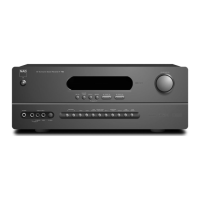
The NAD T762 is an A/V Surround Sound Receiver designed to deliver high-quality audio and video performance for home theater systems. It combines advanced digital signal processing with NAD's "Music First" design philosophy, aiming for both state-of-the-art surround sound and audiophile-quality music listening.

Function Description

The T762 functions as the central hub for an audio/video system, managing multiple input sources, processing audio signals for surround sound, and amplifying them for loudspeakers. It supports various digital and analog audio formats, including Dolby Digital, DTS, and HDCD. Key functionalities include:

  • Multi-channel Amplification: The receiver features six built-in power amplifier channels, delivering excellent quality for demanding home theater speaker systems. It also provides pre-amplifier outputs for all channels, allowing for expansion with external power amplifiers if desired.
  • Surround Sound Decoding: The T762 incorporates high-speed DSP processing with 24-bit, 192 kHz-sampling-capable D/A converters for all channels. It supports state-of-the-art surround decoding from Dolby Digital and DTS sources, including Dolby Digital EX and DTS-ES Extended Surround for 6.1/7.1-channel reproduction.
  • Proprietary Audio Processing: NAD's exclusive Enhanced Ambience Recovery System (EARS) is a key feature for music listening. EARS extracts natural ambient content from stereo recordings and routes it to appropriate speakers without artificial generation, aiming for a natural and spatially accurate presentation. The receiver also includes Matrix 7.1, which creates a full 6.1/7.1-channel environment from stereo and surround-encoded recordings. Dolby ProLogic II Music and DTS Neo:6 Music modes are also available for 2-channel sources.
  • Video Switching: The T762 manages multiple video inputs, including composite, S-Video, and component video, routing them to a connected monitor or TV. It can transcode S-Video to composite video signals, simplifying connections to a display.
  • Tuner Functionality: An integrated AM/FM tuner provides access to radio broadcasts, with support for RDS (Radio Data System) to display station names and radio text.
  • Second Zone (MultiSource) Control: The receiver offers a full second zone control, allowing for independent selection of volume, power, and inputs (both audio and video) in another room using the ZR 2 remote control.
  • System Integration: The T762 provides configurable DC trigger outputs and inputs, as well as IR communications links for integration with "IR-repeater" and multi-room systems. An RS-232 port allows for advanced zone control and remote operation via a Windows® compatible PC.

Usage Features

The T762 is designed for ease of use despite its sophisticated capabilities:

  • On-Screen Display (OSD): A simple, self-explanatory OSD system appears on the connected video monitor/TV, guiding users through setup and daily operation. This is crucial for configuring input settings, speaker settings, distances, and channel levels.
  • HTR 2 Universal Remote Control: The included HTR 2 remote is a full-system remote designed to be easy to use and understand. It can control up to 8 devices and is pre-programmed for the T762 and other NAD components. It also features learning capabilities to control other-brand components via infrared.
  • Presets: The T762's "Presets" system allows users to customize and store virtually every aspect of audio-video playback settings, including input settings, level settings, delay settings, speaker settings, and listening mode adjustments. These can be recalled with a single key-press, enabling personalized setups for different content or users.
  • Channel Level Adjustment "On the Fly": Users can make temporary adjustments to the relative levels of center, surround, and subwoofer outputs directly from the HTR 2 remote, which is useful for fine-tuning dialogue or bass during playback without navigating through menus.
  • Tone Controls: Bass and treble controls are available on the front panel, affecting the front left/right channels in all listening modes. A tone defeat function allows for comparison with unmodified sound.
  • Soft Clipping: NAD's proprietary Soft Clipping circuitry gently limits the output to minimize audible distortion, even if the receiver is over-driven. This can be left on at all times or defeated for critical listening to preserve optimum dynamics.
  • Flexible Input Assignment: Audio and digital inputs can be flexibly assigned to video inputs, and the same analog and/or digital inputs can be assigned to multiple video inputs. Digital inputs take precedence over analog inputs when an active signal is present.
  • Power Drive™ Amplifier Technology: This proprietary technology ensures accurate, linear reproduction regardless of the loudspeaker, providing high dynamic power for dynamic, detailed sound.

Maintenance Features

The manual provides clear guidelines for maintaining the T762 to ensure its longevity and optimal performance:

  • Installation Guidelines: Instructions emphasize proper ventilation (10 cm clearance from rear/top, 5 cm from sides) and placement on a flat, even surface to prevent overheating. It also advises against placing the unit near heat sources or in enclosed spaces without adequate airflow.
  • Power Connection Precautions: Users are advised to connect the unit only to specified power sources, avoid overloading AC outlets, and handle the AC power cord by the plug, not the cord itself. Unplugging the unit for extended periods of non-use is recommended.
  • Hum and Noise Prevention: The manual offers tips to prevent hum and noise, such as powering all audio components from the same AC circuit, avoiding bundling analog and AC/digital cables, and using high-quality, well-shielded audio cables with secure connections. It also suggests using a pencil-eraser or specialized contact cleaner for contacts.
  • Cleaning: The unit should be cleaned only as recommended in the operating instructions.
  • Service Information: Users are explicitly warned not to attempt servicing the unit themselves. Any damage requiring service, such as a damaged AC plug, liquid entry, exposure to rain, abnormal operation, or physical damage, should be referred to qualified service personnel.
  • Memory Back-up: The T762's memory back-up system stores channel level, tuner presets, and other settings for several weeks even when the unit is switched off or unplugged.
  • Factory Reset for Remote: The HTR 2 remote can be reset to its factory state, deleting all learned commands, copied keys, macros, and other setup information, reverting to pre-programmed library commands.

NAD T762 Specifications

General IconGeneral
Total Harmonic Distortion0.08%
Input Sensitivity200 mV
Input Impedance47 kOhms
Speaker Impedance4 - 8 Ohms
TypeAV Receiver
Frequency Response20Hz - 20kHz
Video ConnectionsComposite, S-Video
Power Output80 watts per channel into 8 ohms (stereo)
Inputs6 x RCA, 2 x optical, 2 x coaxial
Dimensions435 x 155 x 400 mm

Related product manuals